The best dual monitor arms depend on your monitors’ weight and VESA pattern, the space available on your desk, and how you arrange your screens. These five options cover side-by-side and stacked setups, compact displays, larger ultrawides, and frequent screen adjustments.
Quick Top Products
HUANUO HNDS7 Dual Monitor Stand
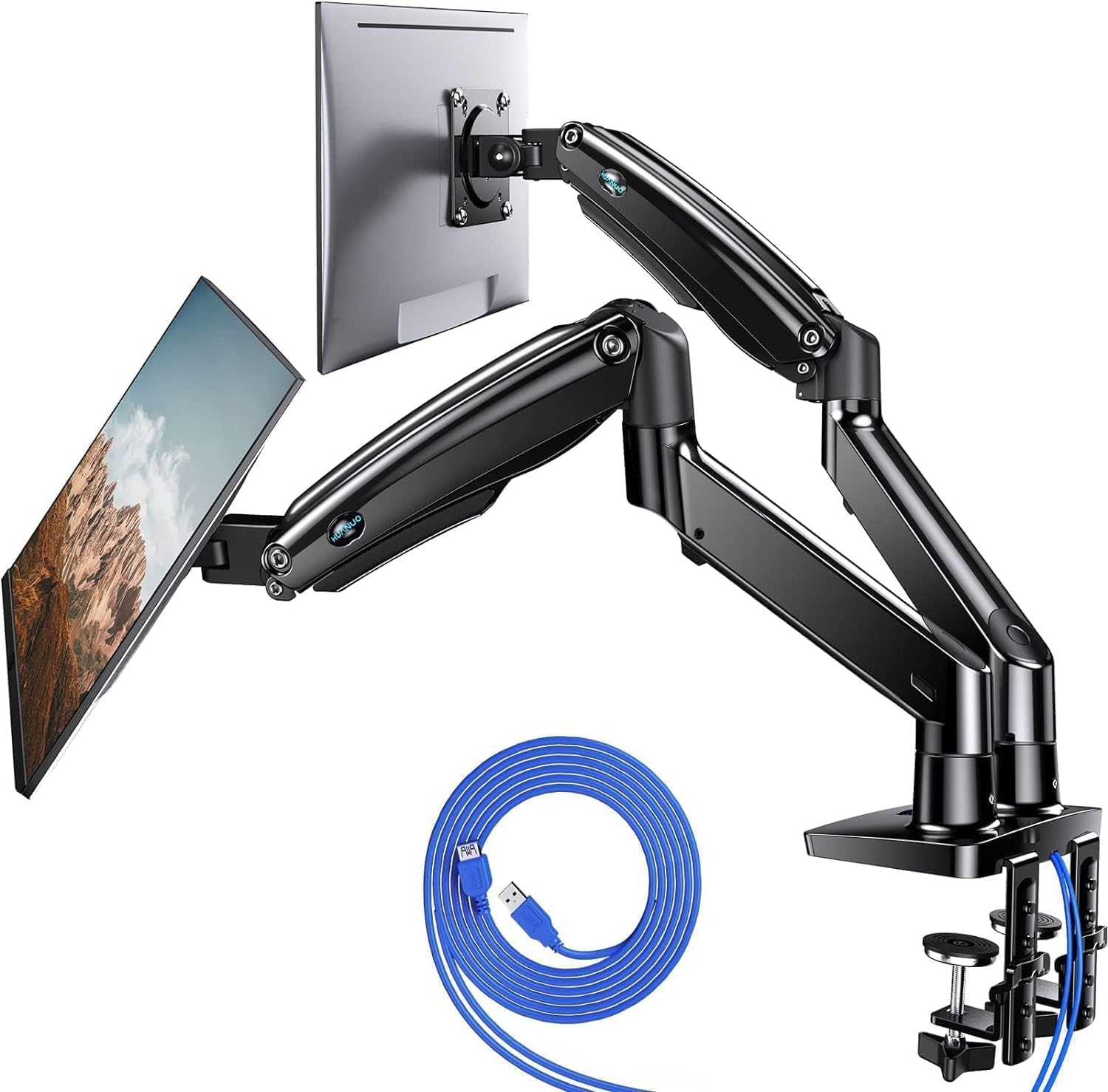
- Supports two 13–40-inch monitors up to 26.4 pounds per arm.
- Arms raise up to 21.1 inches and extend up to 25.59 inches.
- Includes two USB ports and supports clamp or grommet mounting.
Best For: Workspaces with two larger or heavier VESA monitors that need flexible positioning.

HUANUO Vertical Dual Monitor Stand
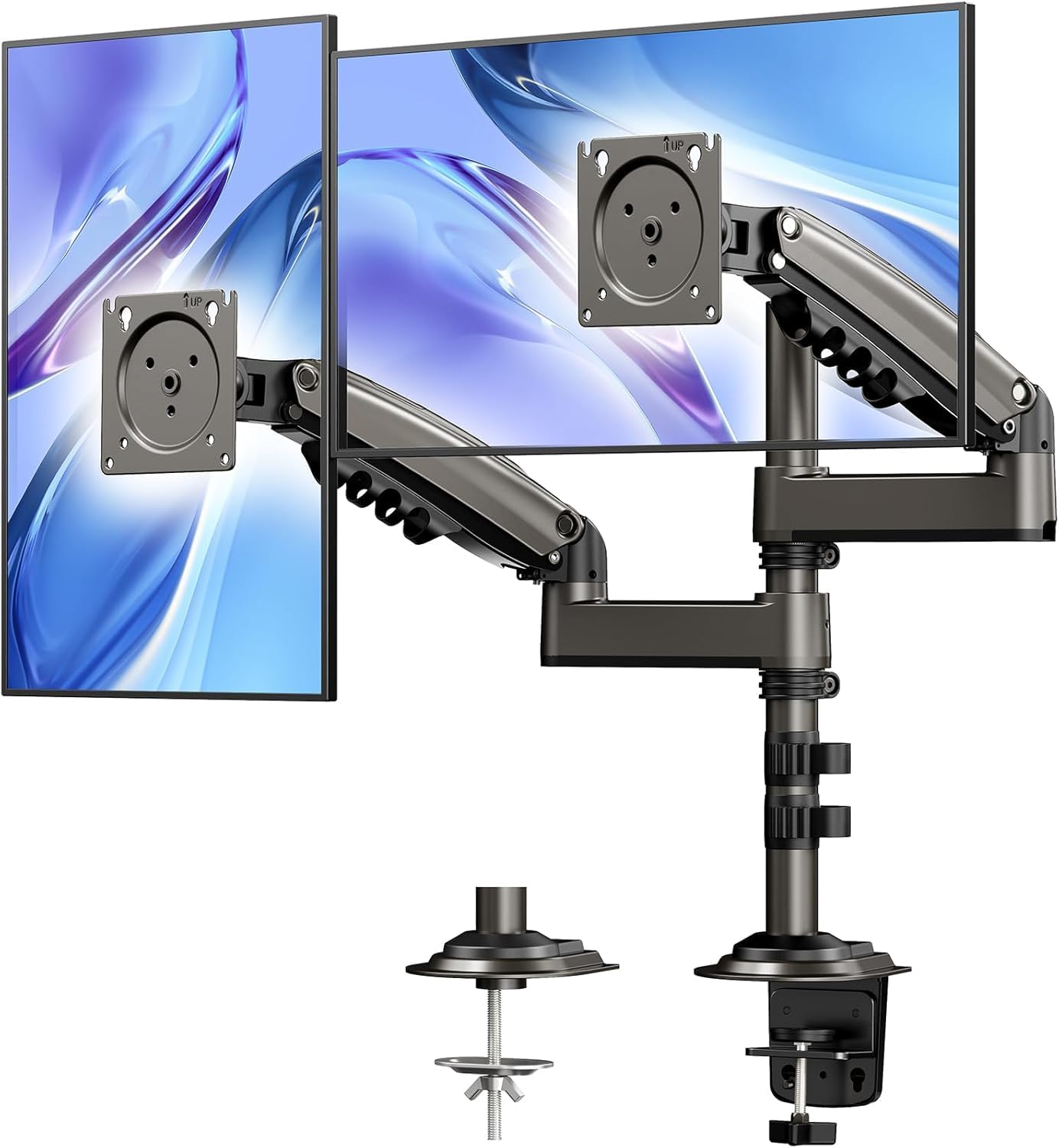
- Vertical arrangement stacks two screens rather than placing them side by side.
- The extension raises monitors up to 25.19 inches.
- Supports tilt, swivel, rotation, and clamp or grommet mounting.
Best For: People who want to stack two compatible monitors and raise them high above the desk.
HUANUO FlowLift Dual Monitor Stand
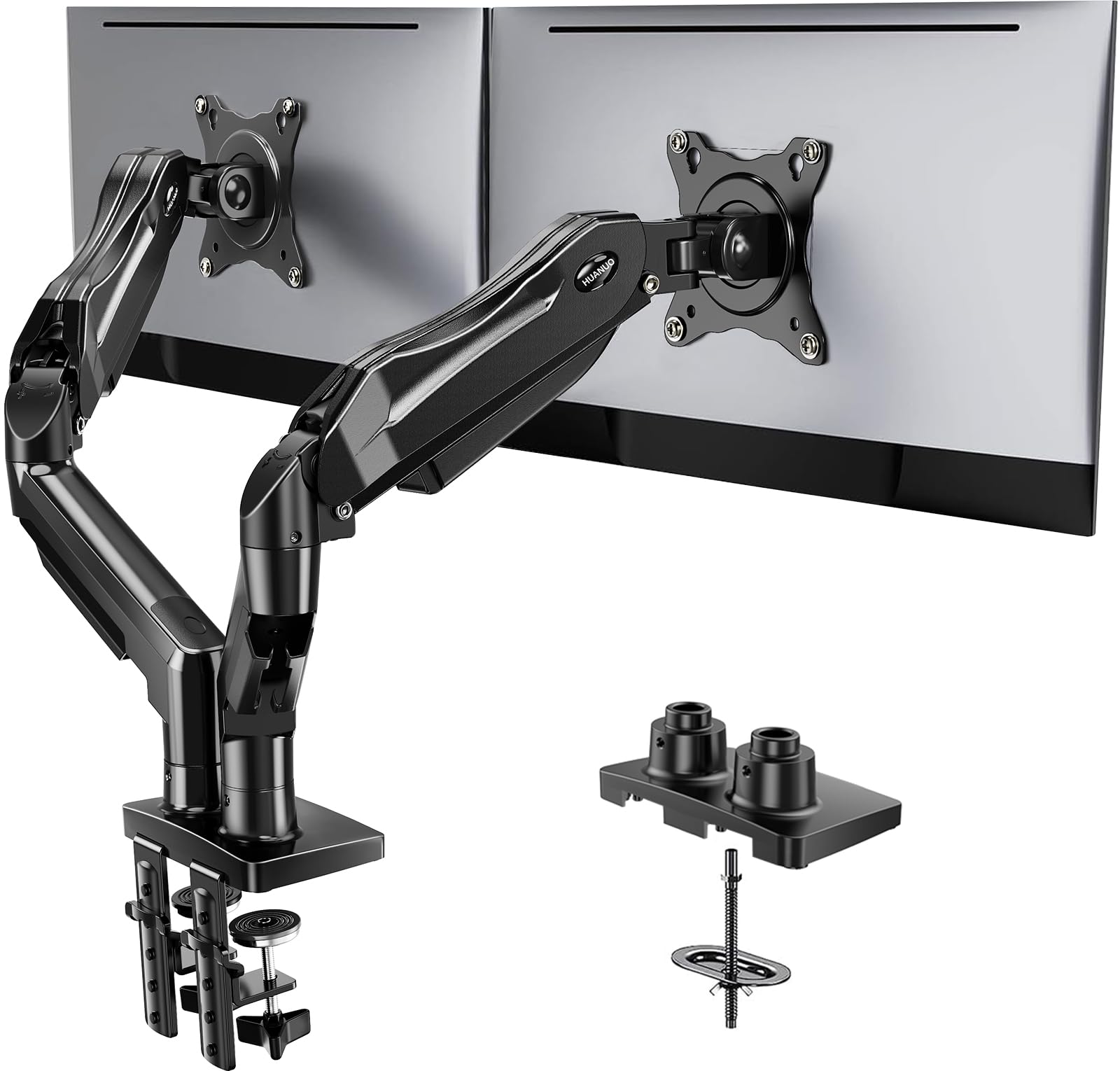
- Fits two 13–32-inch monitors weighing 4.4–19.8 pounds each.
- Offers tilt, swivel, and 360-degree rotation.
- Supports clamp or grommet mounting and routes cables along the arms.
Best For: A standard side-by-side setup with monitors in the 13–32-inch range and frequent repositioning.
HUANUO FlowLift Pro Dual Monitor Mount
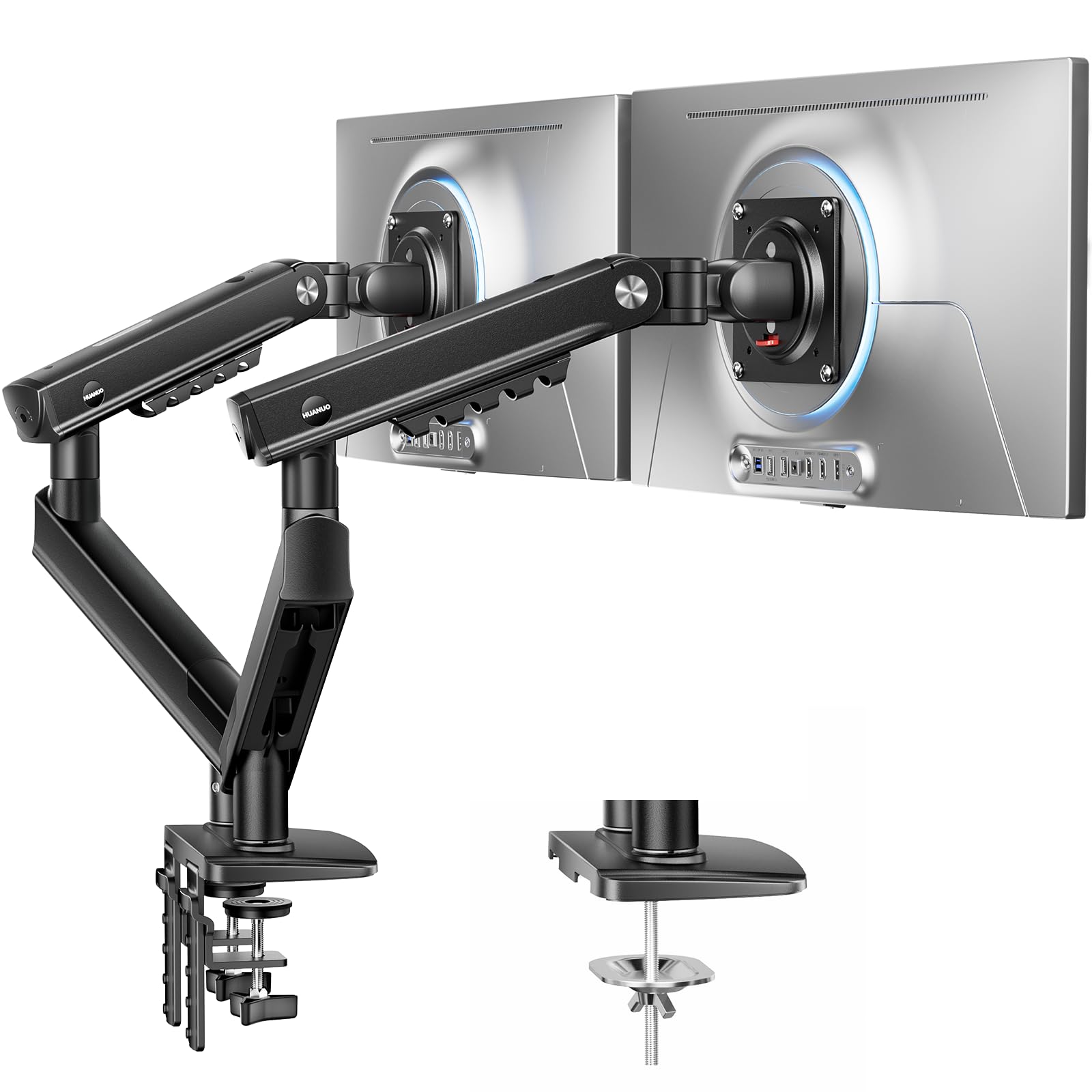
- Designed for two 13–27-inch monitors weighing 4.4–15.4 pounds each.
- Uses a tool-free InstaMount VESA plate and visual tension indicator.
- Provides tilt, swivel, and rotation adjustment.
Best For: A compact dual-screen workspace with monitors up to 27 inches and frequent adjustments.
HUANUO TitanLift Heavy Duty Monitor Arm
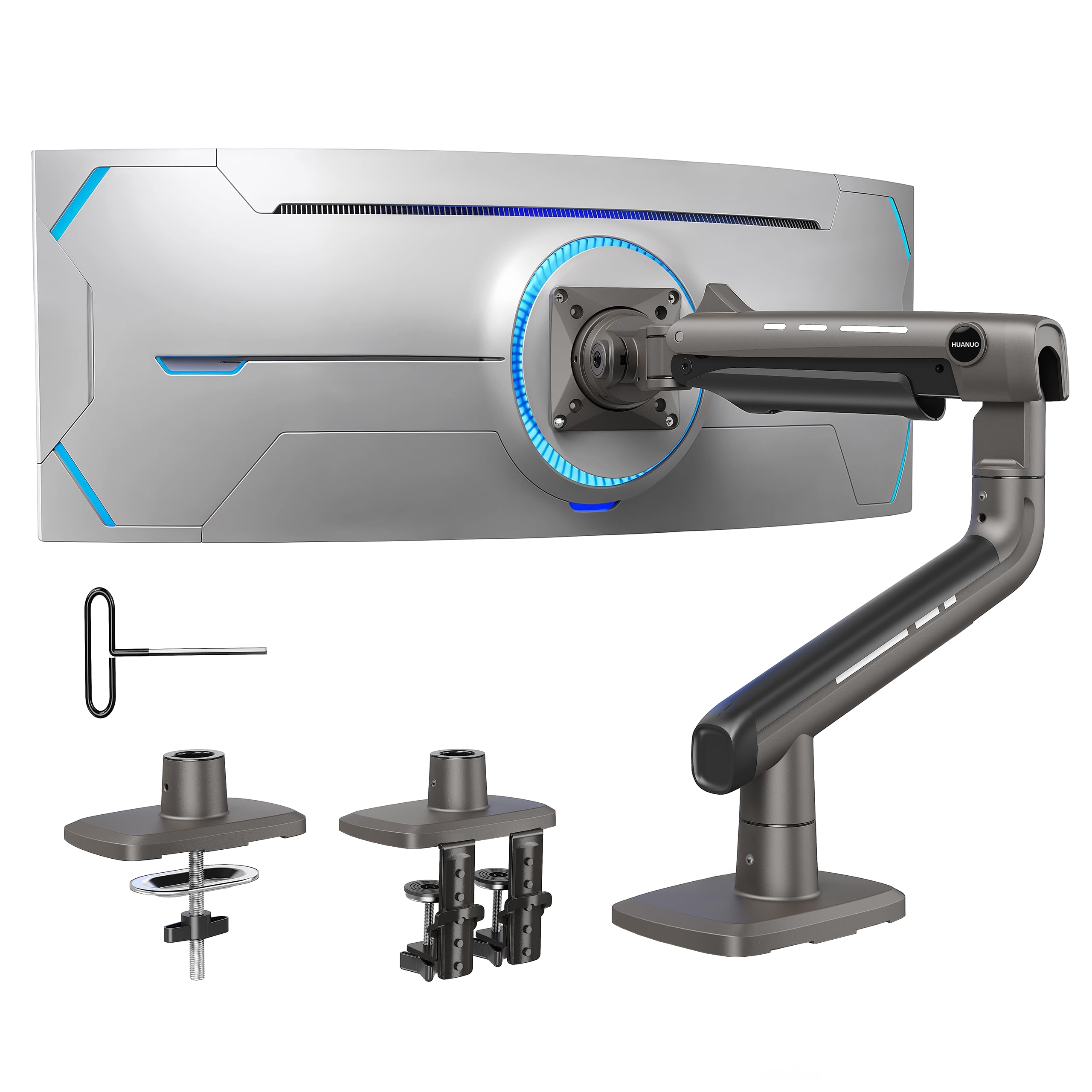
- Supports one 17–49-inch monitor weighing up to 44 pounds.
- Extends up to 22.5 inches and raises the VESA mount center up to 19.6 inches.
- Includes tilt, swivel, rotation, and cable management.
Best For: A user mounting one compatible ultrawide monitor as an alternative to two separate screens.
For Larger and Heavier Dual Screens
HUANUO Dual Monitor Stand for 13″–40″, Premium Dual Monitor Mount with USB, Height Adjustable Monitor Stand for 2 Monitors, VESA Mount with Clamp/Grommet Base, Holds 26.4lbs per Arm, HNDS7
The HUANUO HNDS7 supports two 13–40-inch monitors weighing up to 26.4 pounds per arm, making it the most accommodating dual-screen option here for larger displays. Its arms raise up to 21.1 inches and extend up to 25.59 inches, while tilt, swivel, and rotation let you change the viewing angles.
Clamp and grommet mounting are supported on desks up to 3.54 inches thick, with a specified grommet-hole diameter range. Two built-in USB ports and a 5.25-foot USB cable add convenient device charging.
Check each screen’s weight and VESA pattern before choosing it.
Best For: Workspaces with two larger or heavier VESA monitors that need flexible positioning.
| Pros | Cons |
|---|---|
|
|
Choose the HNDS7 when both monitors are larger or heavier than the limits of the other dual arms here. Its longer extension can help on deeper desks, and USB ports offer a useful extra for a workstation with nearby devices.
It costs more than the other dual-monitor options in this selection. Before buying, check each monitor’s weight, VESA pattern, desk thickness, and whether the desk edge or grommet location suits the mounting base.
For a Tall Stacked Layout
HUANUO 17-32 Inch Dual Monitor Stand, Vertical Dual Monitor Mount, Monitor Stand 2 Monitors, Ergonomic Adjustable Tilt/Swivel/Rotate, Weight Max 19.8 lbs, VESA 75/100mm
This HUANUO stand positions two monitors vertically, a layout that can keep screens centered over a narrower desk. Its 17-inch extension raises monitors up to 25.19 inches, and tilt, swivel, and rotation allow viewing-angle adjustments.
Each screen must be no larger than 32 inches, weigh between 4.4 and 19.8 pounds, and use 75×75 or 100×100 mm VESA holes. The mount supports clamp or grommet installation on desks 0.39–3.54 inches thick; solid wood or metal desks are suitable, while glass desks are not.
Confirm that a stacked arrangement fits your work and screen dimensions.
Best For: People who want to stack two compatible monitors and raise them high above the desk.
| Pros | Cons |
|---|---|
|
|
This is the clearest fit for a workspace that calls for a vertical pair of screens and extra height. It allows broad viewing-angle adjustment and supports both clamp and grommet installation.
Its screen size and weight limits are lower than the HNDS7’s, so check those figures for both monitors. Also confirm the stacked screens leave enough vertical room and that your desk material and mounting area are compatible.
For Side-by-Side Screens with Broad Movement
HUANUO FlowLift™ Dual Monitor Stand, Fully Adjustable Gaming Monitor Desk Mount for 13–32″ Computer Screens, Full Motion VESA 75x75/100x100 with C-Clamp & Grommet Base, Each Arm Holds 4.4 to 19.8 lbs
The HUANUO FlowLift is a side-by-side dual arm for two 13–32-inch monitors weighing 4.4–19.8 pounds each. Its arms provide tilt from +85 to −50 degrees, up to 90 degrees of swivel in either direction, and 360-degree rotation.
You can raise the monitors up to 15.75 inches and choose clamp or grommet mounting. Cable management follows the arms, while lifting the screens clears desk space underneath.
Desk compatibility is particularly important here: the product calls for a wooden desk 0.59–3.54 inches thick, without cross beams or panels beneath the mounting area. Check both monitors’ VESA pattern as well.
Best For: A standard side-by-side setup with monitors in the 13–32-inch range and frequent repositioning.
| Pros | Cons |
|---|---|
|
|
Choose the FlowLift for two standard-size monitors when broad angle adjustment and a choice of clamp or grommet mounting matter. Its height range is lower than the stacked HUANUO option, and it does not support screens as large or heavy as the HNDS7.
Its desk requirements also call for careful checking: measure thickness and inspect the underside for beams or panels before settling on this mount.
For Compact Screens and Tool-Free VESA Attachment
HUANUO FlowLift Pro Dual Monitor Mount for 13–27" Screens, MechaSpring Monitor Stand, Adjustable Monitor Arms for 2 Monitors with Tilt/Swivel/Rotation, Tool-Free VESA Mount, Max Load 15.4 lbs
The FlowLift Pro is sized for two 13–27-inch monitors, each weighing 4.4–15.4 pounds and using 75×75 or 100×100 mm VESA holes. Its tool-free InstaMount VESA plate is designed to simplify attaching or removing a compatible screen.
The mount also includes a visual tension indicator for setting the spring tension, plus tilt, swivel, and rotation adjustment. It is recommended for wooden desks 0.59–3.54 inches thick, and irregular desk edges call for extra care.
The product notes mention a dual C-clamp, but do not provide a full range of movement or mounting dimensions here; verify those details if they determine your setup.
Best For: A compact dual-screen workspace with monitors up to 27 inches and frequent adjustments.
| Pros | Cons |
|---|---|
|
|
The FlowLift Pro suits compact displays and users who expect to adjust their screens or remove them periodically. Its tension indicator gives a visual reference, while the tool-free VESA plate avoids holding a monitor in place during screw alignment.
It has lower size and weight limits than the FlowLift and HNDS7. Confirm the monitor weight, VESA pattern, desk material, and exact mounting clearance before buying.
For a Single Large Ultrawide
HUANUO TitanLift Heavy Duty Monitor Arm for Screens up to 49", Holds 44 lbs, Aluminum Ultrawide Screen Monitor Mount, Fully Adjustable Single Gaming Desk Mount with Dual C-Clamp, Max VESA 100x100mm
The HUANUO TitanLift is a single monitor arm, rather than a dual-screen mount, but it is relevant when a large ultrawide serves as a two-screen workspace. It supports one 17–49-inch display weighing 6.6–44 pounds with a 75×75 or 100×100 mm VESA pattern.
The arm extends up to 22.5 inches and raises the monitor up to 19.6 inches from the desk surface to the VESA mount center. Tilt, swivel, and rotation provide positioning flexibility, and cable management keeps wires along the arm.
Check desk thickness and underside clearance: the recommended wooden desk range is 0.8–3.5 inches, with no interfering cross beams or panels.
Best For: A user mounting one compatible ultrawide monitor as an alternative to two separate screens.
| Pros | Cons |
|---|---|
|
|
Consider the TitanLift if you are comparing a single ultrawide against a conventional dual monitor arm setup. It handles a much larger and heavier individual display than the dual-screen mounts here, but it cannot hold two separate monitors.
Verify that the monitor’s VESA pattern and weight fall within range. Also inspect the wooden desk thickness and underside before choosing its clamp base.
How to Choose Dual Monitor Arms
How We Picked Dual Monitor Arms
This selection focuses on mounts that can hold two separate screens and distinguishes them by screen size and weight limits, layout, height, movement, mounting method, and desk fit. The HUANUO FlowLift and HNDS7 provide side-by-side positioning, while the vertical HUANUO mount stacks its screens.
The FlowLift Pro covers compact monitors and offers a tool-free VESA attachment. Each option has specific VESA and desk requirements, so compatibility is central to choosing between them.
The TitanLift is included as a related single-ultrawide alternative. It does not meet a literal two-monitor requirement, but it may suit someone considering one wide screen in place of a pair.
Comparing Dual Monitor Arms
Start with the screens you own. The FlowLift accepts monitors up to 32 inches and 19.8 pounds per arm; the FlowLift Pro is limited to 27 inches and 15.4 pounds.
The HNDS7 supports up to 40 inches and 26.4 pounds per arm, making it the option for larger or heavier pairs. All three require compatible 75×75 or 100×100 mm VESA mounting holes.
Then consider the layout. Side-by-side arms give each screen horizontal positioning flexibility.
A vertical dual monitor mount uses height to arrange the pair, which can help when desk width is limited. A single ultrawide arm changes the arrangement entirely, so compare the screen’s dimensions and weight with the TitanLift’s stated capacity before substituting one display for two.
| Product | Standout features | Best for |
|---|---|---|
| HUANUO HNDS7 Dual Monitor StandCheck Price |
| Workspaces with two larger or heavier VESA monitors that need flexible positioning. |
| HUANUO Vertical Dual Monitor StandCheck Price |
| People who want to stack two compatible monitors and raise them high above the desk. |
| HUANUO FlowLift Dual Monitor StandCheck Price |
| A standard side-by-side setup with monitors in the 13–32-inch range and frequent repositioning. |
| HUANUO FlowLift Pro Dual Monitor MountCheck Price |
| A compact dual-screen workspace with monitors up to 27 inches and frequent adjustments. |
| HUANUO TitanLift Heavy Duty Monitor ArmCheck Price |
| A user mounting one compatible ultrawide monitor as an alternative to two separate screens. |
Check Desk Mounting and Clearance
A desk clamp needs a suitable edge, adequate thickness, and clear space underneath. The FlowLift calls for a wooden desk 0.59–3.54 inches thick with no cross beams or panels below the mount.
The FlowLift Pro has the same recommended thickness range and calls for a wooden desk. The vertical mount supports solid wood or metal desks from 0.39–3.54 inches thick, but not glass.
The HNDS7 supports desks up to 3.54 inches thick and gives a diameter range for its grommet hole.
Grommet mounting can be useful when a desk edge does not work, but the hole must fit the mount. Check whether an existing hole is usable and whether cables or desk supports obstruct the underside.
If your desk has an unusual edge or structure, compare that layout with the mount’s requirements before ordering.
Choose Height and Adjustment for Your Work
The vertical HUANUO mount raises screens up to 25.19 inches, while the HNDS7 arms raise up to 21.1 inches. The FlowLift reaches 15.75 inches.
These figures describe different mounts and arrangements, so think about where the screens need to sit and how much room is available above the desk. Movement ranges also vary: the FlowLift specifies a broad tilt range, and the other dual arms include tilt, swivel, and rotation without all providing the same numeric ranges in the available details.
For monitors that move often, look at the adjustment mechanism as well as the range. The FlowLift Pro provides a visual tension indicator and tool-free VESA plates.
The HNDS7 adds USB ports. Cable management appears across these models, but the number and location of ports, exact clearances, and full adjustment ranges are not specified for every arm.
Who Should Buy Which Dual Monitor Arm?
Choose the HUANUO HNDS7 for two larger or heavier monitors, or the vertical HUANUO stand when you want a stacked layout and extra height. The FlowLift fits standard side-by-side screens when its wooden-desk requirements work for your setup.
For smaller monitors and convenient screen attachment, consider the FlowLift Pro after checking its lower weight limit.
Choose the TitanLift only if a single ultrawide is an acceptable alternative to two screens. Before selecting any mount, verify both monitors’ weights and VESA patterns, then measure desk thickness and inspect the mounting area.
Those checks narrow the options quickly and help avoid a mismatch between the arm and your workspace.