The best office headsets under $100 should make calls straightforward while fitting your workday and device setup. These three JLab options pair boom microphones with multipoint connections, with differences in fit, battery life and controls to consider.
Quick Top Products
JLab Go Work Wireless
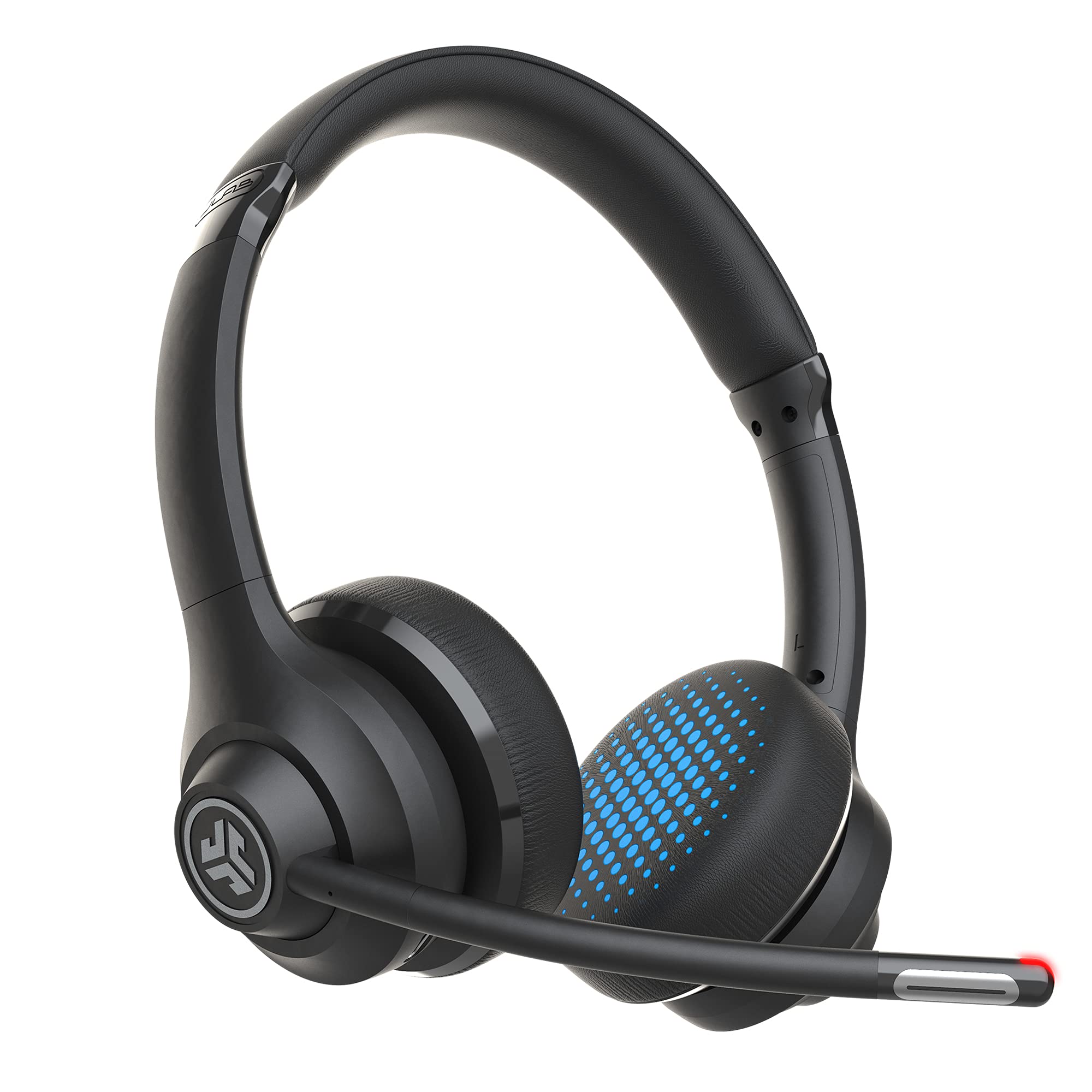
- Bluetooth multipoint connects to two devices simultaneously.
- Includes a USB-C to 3.5 mm cable for wired use.
- Rotating boom mic, headset controls and 45-plus hours of playtime.
Best For: People who want a lightweight on-ear headset with flexible wired and wireless connections.

JLab JBuds Work Wireless
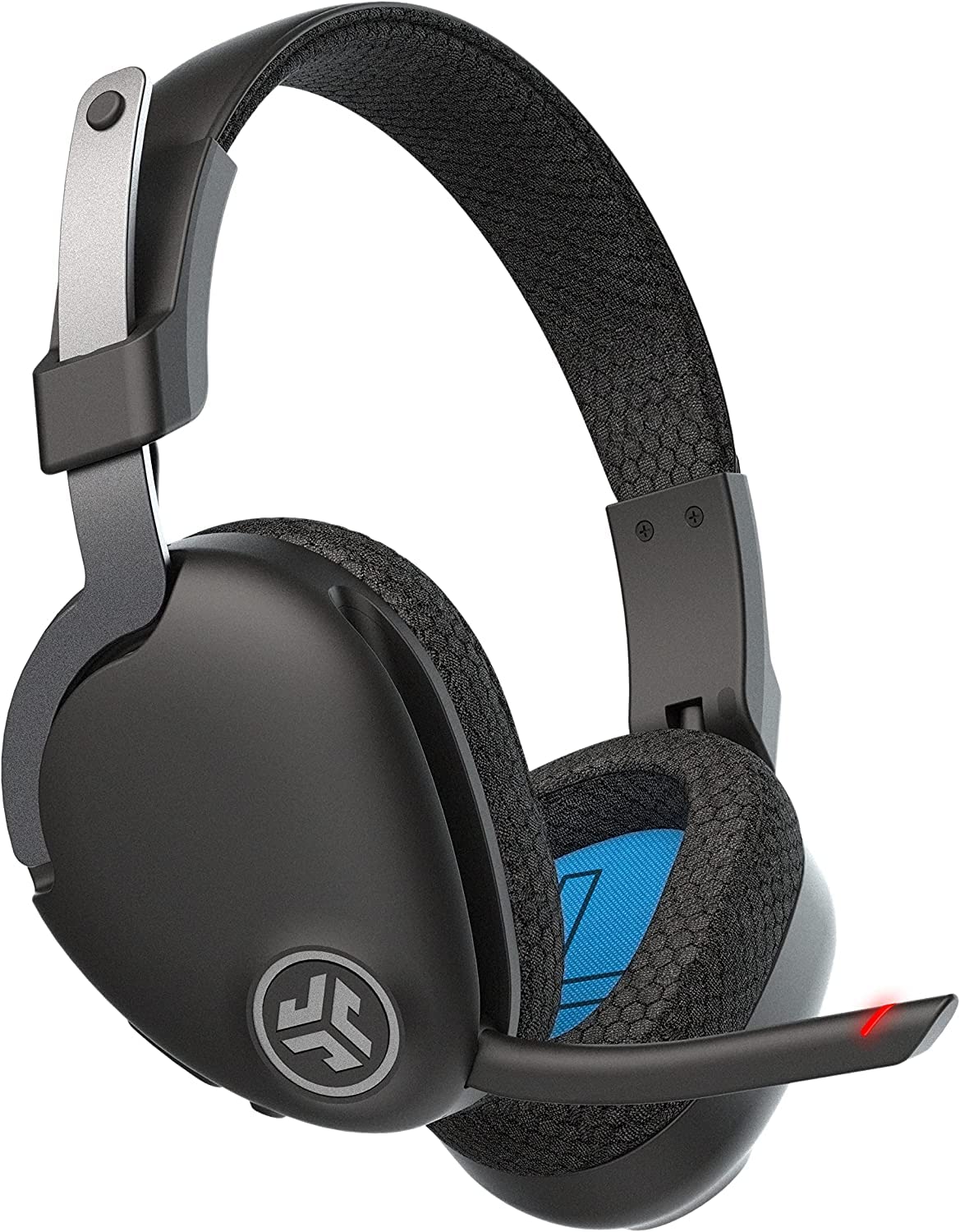
- Over-ear fit with Cloud Foam earcups and rotating boom mic.
- Bluetooth multipoint plus an included USB-C to 3.5 mm cable.
- 60-plus hours of playtime and a red mute indicator.
Best For: Workers who prefer an over-ear headset with multipoint Bluetooth and extended stated playtime.
JLab Go Work Pop
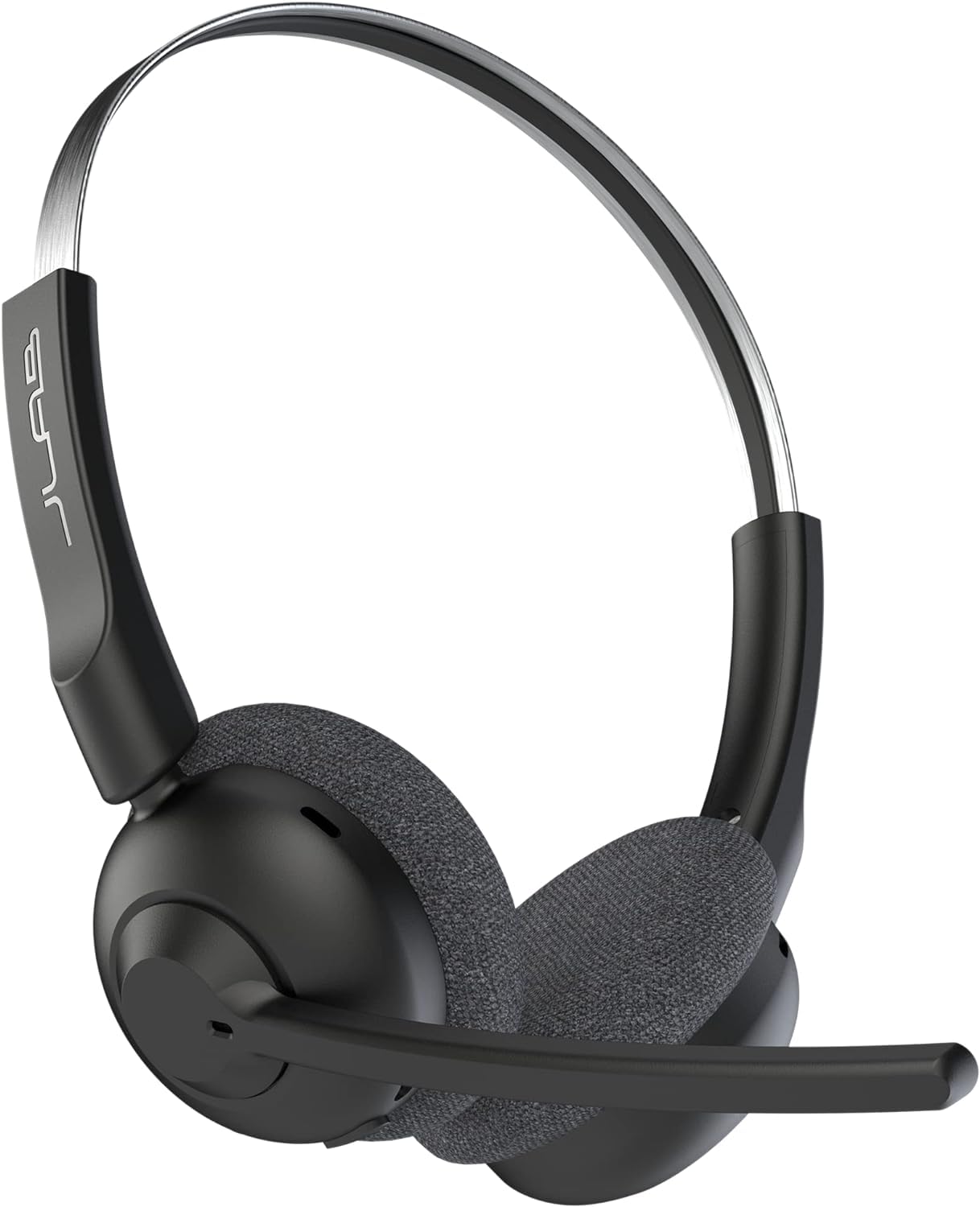
- Bluetooth multipoint connects to two devices at once.
- Flip the boom mic up to mute; rotate it away when not in use.
- 50-plus hours of playtime with Voice and Music EQ modes.
Best For: People seeking a compact on-ear headset with a boom mic that mutes when flipped up.
On-Ear Headset with Wired Backup
JLab Go Work Wireless Headsets with Microphone, 45+ Playtime PC Bluetooth Headset and Multipoint Connect to Laptop Computer and Mobile, Wired or Wireless Headphones (1 Pack)
The JLab Go Work Wireless combines an on-ear fit with a rotating boom microphone and dual connectivity. Bluetooth multipoint lets it connect to two devices at once, while the included USB-C to 3.5 mm cable provides a wired option.
Its dual microphones are designed to pick up your voice and reduce surrounding sounds during calls. JLab gives it 45-plus hours of playtime, Cloud Foam earcups, headset controls and two EQ modes for Work or Music.
This setup suits a desk where calls and listening share the same headset, though the on-ear fit may not suit everyone for long sessions.
Best For: People who want a lightweight on-ear headset with flexible wired and wireless connections.
| Pros | Cons |
|---|---|
|
|
Choose the Go Work if you want the option to connect wirelessly to a laptop and phone, then switch to a cable when needed. Its 45-plus-hour playtime and on-headset mute indicator make it practical for regular meetings.
The tradeoff is its on-ear fit, compared with the over-ear JBuds Work. Check that your computer or phone supports the included cable connection if wired use is part of your setup.
Over-Ear Fit for Long Workdays
JLab JBuds Work Wireless Headset with Microphone, Over Ear Computer Headsets, Wired or Wireless Headphones with 60+ Playtime, Multipoint Bluetooth Headset for Laptop Teams, Office with Mic (16 Pack)
The JLab JBuds Work Wireless has an over-ear fit, a rotating boom microphone and Bluetooth multipoint for two devices. It also includes a USB-C to 3.5 mm cable for wired use.
JLab gives it 60-plus hours of playtime, Cloud Foam earcups and a microphone designed to reduce environmental sounds. A red LED on the boom indicates mute status, and the headset has controls for calls, volume and playback.
The boom can flip up to end a call or down to answer one. Consider it when an over-ear shape and direct call controls matter more than compact on-ear styling.
Best For: Workers who prefer an over-ear headset with multipoint Bluetooth and extended stated playtime.
| Pros | Cons |
|---|---|
|
|
Pick the JBuds Work if over-ear coverage and a long stated charge life are priorities. Its boom can answer or end calls by moving it, while the red LED indicates mute status.
Compared with the Go Work, it has an over-ear fit and 60-plus rather than 45-plus hours of stated playtime. Check headset comfort and the cable connection for your devices before choosing it for a full day of calls.
Lightweight On-Ear with Flip-to-Mute
JLab Go Work Pop, On-Ear Wireless Headset, Bluetooth Multipoint, Noise Canceling Boom Mic, Black
The JLab Go Work Pop is an on-ear wireless headset with Bluetooth multipoint, a rotating boom mic and a stated 50-plus hours of playtime. It connects to two devices simultaneously, such as a computer and phone.
The boom flips up to mute and rotates out of the way when not in use. Voice and Music EQ modes distinguish meeting calls from listening, while Cloud Foam earcups and a lightweight design suit portable desk setups.
Unlike the two other picks here, the supplied details do not include a wired-use cable, so check whether Bluetooth meets your computer and workplace needs.
Best For: People seeking a compact on-ear headset with a boom mic that mutes when flipped up.
| Pros | Cons |
|---|---|
|
|
Choose the Go Work Pop if you want a lightweight on-ear headset and a boom that mutes when flipped up. Its 50-plus-hour runtime sits between the Go Work and JBuds Work figures, and multipoint keeps a computer and phone connected.
The supplied details do not include a wired option, so confirm Bluetooth compatibility with your work devices. If a cable backup matters, the Go Work or JBuds Work includes one.
How to Choose Office Headsets Under 100
How We Picked Office Headsets Under $100
These three JLab models fit the office-headset need through a boom microphone and features aimed at calls or desk listening. The selection covers an on-ear headset with wired backup, an over-ear option with call controls, and a lighter on-ear design with flip-to-mute.
Each has Bluetooth multipoint, making simultaneous phone and computer connections a useful point of comparison.
The focus is practical fit and connection choice, stated playtime, mute controls and call-focused features. A headset’s listed playtime does not establish how long it will last during continuous calls, so consider your meeting schedule and charging habits as well.
Comparing Office Headsets for Calls
The Go Work and JBuds Work both include a USB-C to 3.5 mm cable, giving them a wired alternative to Bluetooth. The Go Work is on-ear and has 45-plus hours of stated playtime; JBuds Work is over-ear and gives a 60-plus-hour figure.
Both have a rotating boom, two-device multipoint and an LED mute indicator.
Go Work Pop also has multipoint, but its boom flips up to mute and the supplied details do not include a wired cable. Its 50-plus-hour figure falls between the other two.
The comparison table below summarizes these differences; choose based on fit, connection flexibility and the mute control you prefer.
| Product | Standout features | Best for |
|---|---|---|
| JLab Go Work WirelessCheck Price |
| People who want a lightweight on-ear headset with flexible wired and wireless connections. |
| JLab JBuds Work WirelessCheck Price |
| Workers who prefer an over-ear headset with multipoint Bluetooth and extended stated playtime. |
| JLab Go Work PopCheck Price |
| People seeking a compact on-ear headset with a boom mic that mutes when flipped up. |
Choosing an Office Headset for Your Work Setup
Start with how you connect. If your workplace computer does not support Bluetooth or you simply want a backup, the Go Work and JBuds Work include a cable for wired use.
If Bluetooth is your normal setup, all three support multipoint to connect two devices, useful when you move between computer meetings and phone calls.
Next, consider whether you prefer an on-ear or over-ear shape. The Go Work and Go Work Pop sit on the ears, while JBuds Work is over-ear.
Fit is personal; if you already know which style you can wear comfortably for long periods, use that preference to narrow the choice.
Which Work Headset Controls Fit Your Meetings?
Mute control matters when meetings are frequent. Go Work and JBuds Work use a headset control and show mute status with a red LED at the boom.
Go Work Pop instead flips up to mute. If you often move between calls and listening, each boom rotates away or up when you do not need it in front of you.
For extended time away from a charger, compare the stated playtime figures: 45-plus hours for Go Work, 60-plus for JBuds Work and 50-plus for Go Work Pop. These are product playtime figures, not call-specific runtime guarantees.
Check your expected use and whether you can charge between workdays.
Who Should Buy Which Office Headset Under $100?
Choose JLab Go Work if you want an on-ear fit, a wired backup and a visible mute indicator. Choose JBuds Work if an over-ear shape, wired connectivity and the highest stated playtime among these three are more relevant.
Choose Go Work Pop if you want a lightweight on-ear headset with a flip-to-mute boom and Bluetooth multipoint.
Before buying, confirm the headset style works for you and that your work devices support your preferred connection. Consider how often you use mute, whether you need a cable, and how much time you typically spend away from a charger.
Those details will help match an affordable office headset to your actual desk routine.