The best microphones for video calls make your voice easier to hear and give you practical control over placement, mute, and monitoring. Choose a simple USB desktop mic for quick setup, or a dynamic USB/XLR model if you also want to connect recording gear later.
Quick Top Products
Samson Meteor Mic
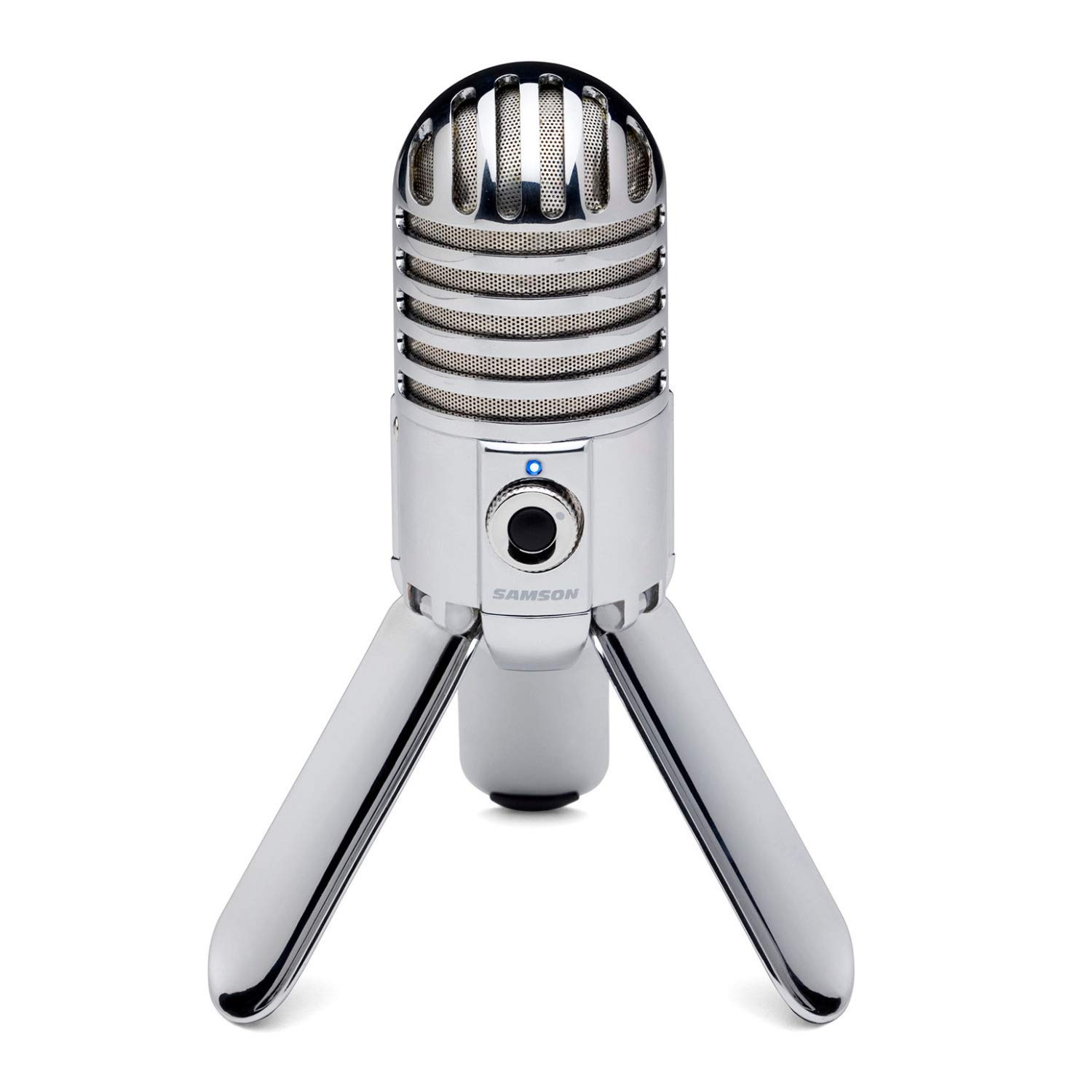
- USB desktop microphone with fold-back legs.
- Cardioid pickup pattern for front-facing speech.
- Headphone output with level control for monitoring.
Best For: People who want a compact USB microphone they can fold away between calls.

MAONO DGM20 USB Gaming Microphone
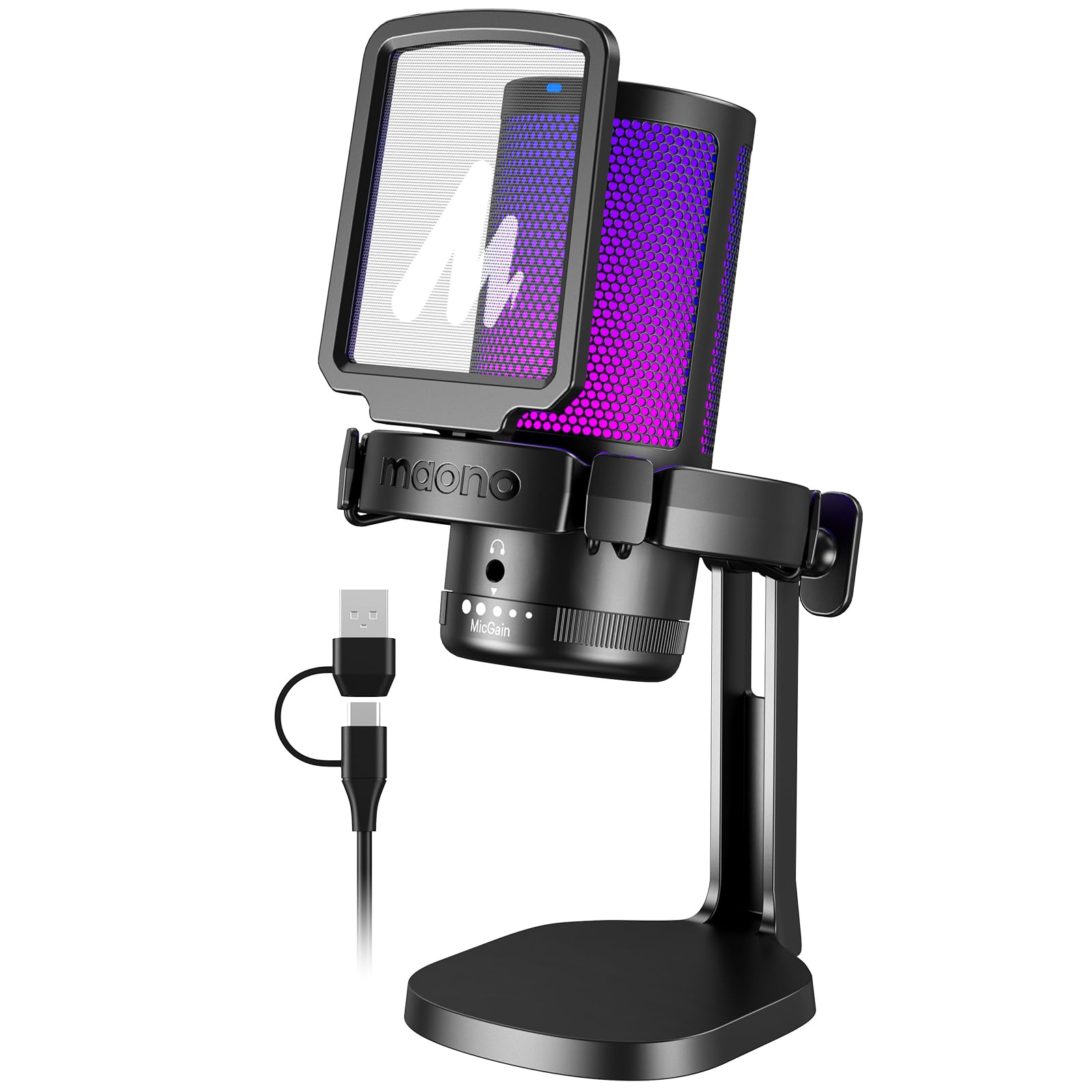
- USB and USB-C connectivity with included cable.
- Mute, gain, and headphone monitoring controls.
- Noise cancellation function and Windows software.
Best For: People who want a desktop USB mic with an easy mute and noise cancellation controls.
MAONO PD400X Dynamic Microphone
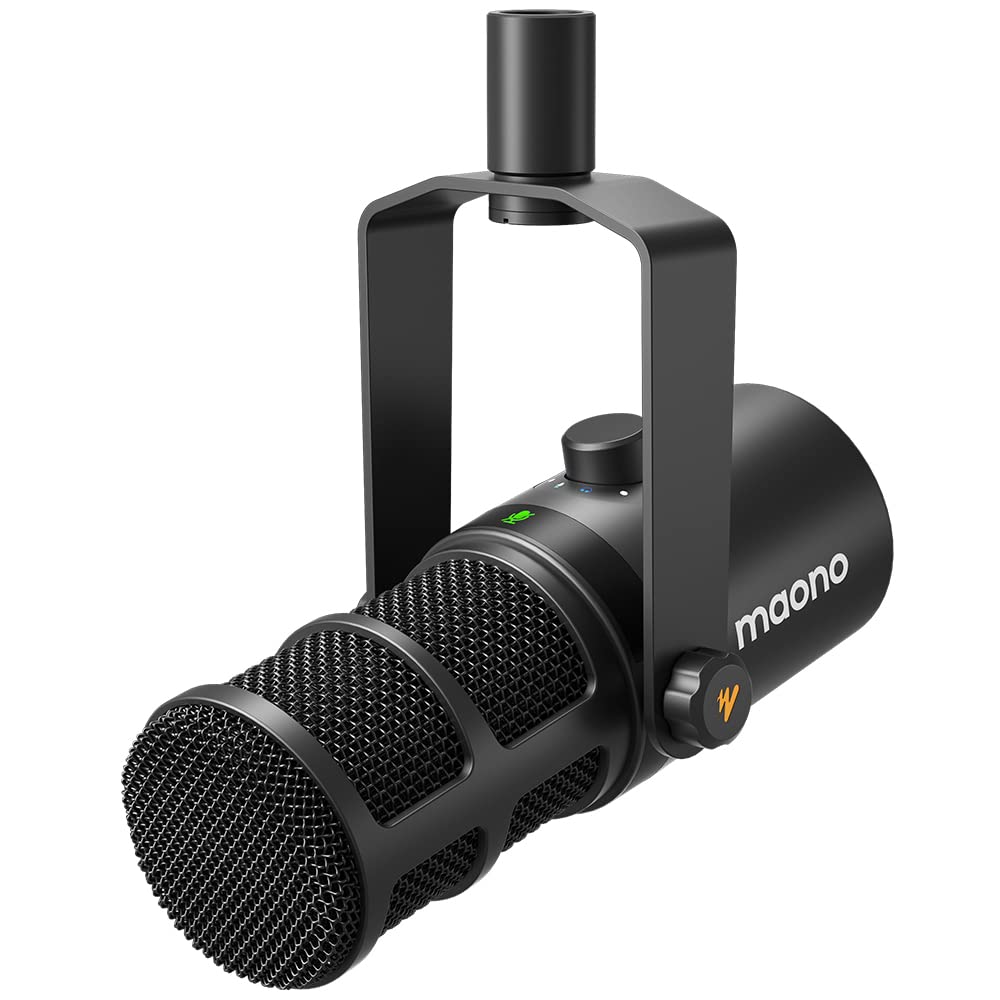
- Dynamic mic with USB and XLR outputs.
- USB controls include gain, headphone volume, and monitor mix.
- MAONO Link supports EQ, limiter, and compressor in USB mode.
Best For: People who want call-friendly controls now and a USB/XLR path for recording setups.
MAONO PD200XS Dynamic Microphone Kit
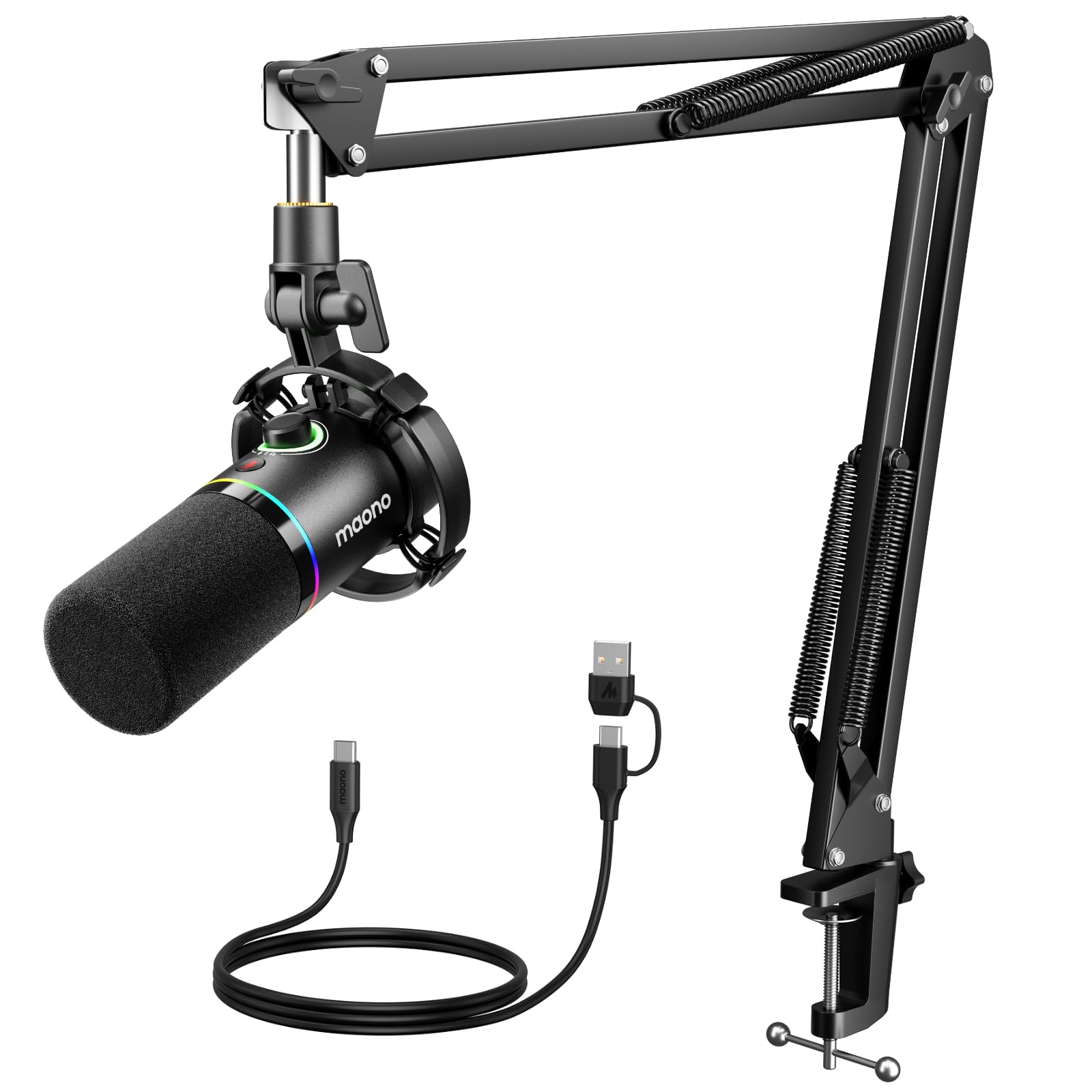
- USB and XLR connectivity with a supplied boom arm.
- One-click mute, gain and headphone volume controls.
- 3.5 mm monitoring and USB-mode software controls.
Best For: People who want a boom arm, quick mute, and headphone monitoring in one kit.
Samson Q2U Dynamic Microphone
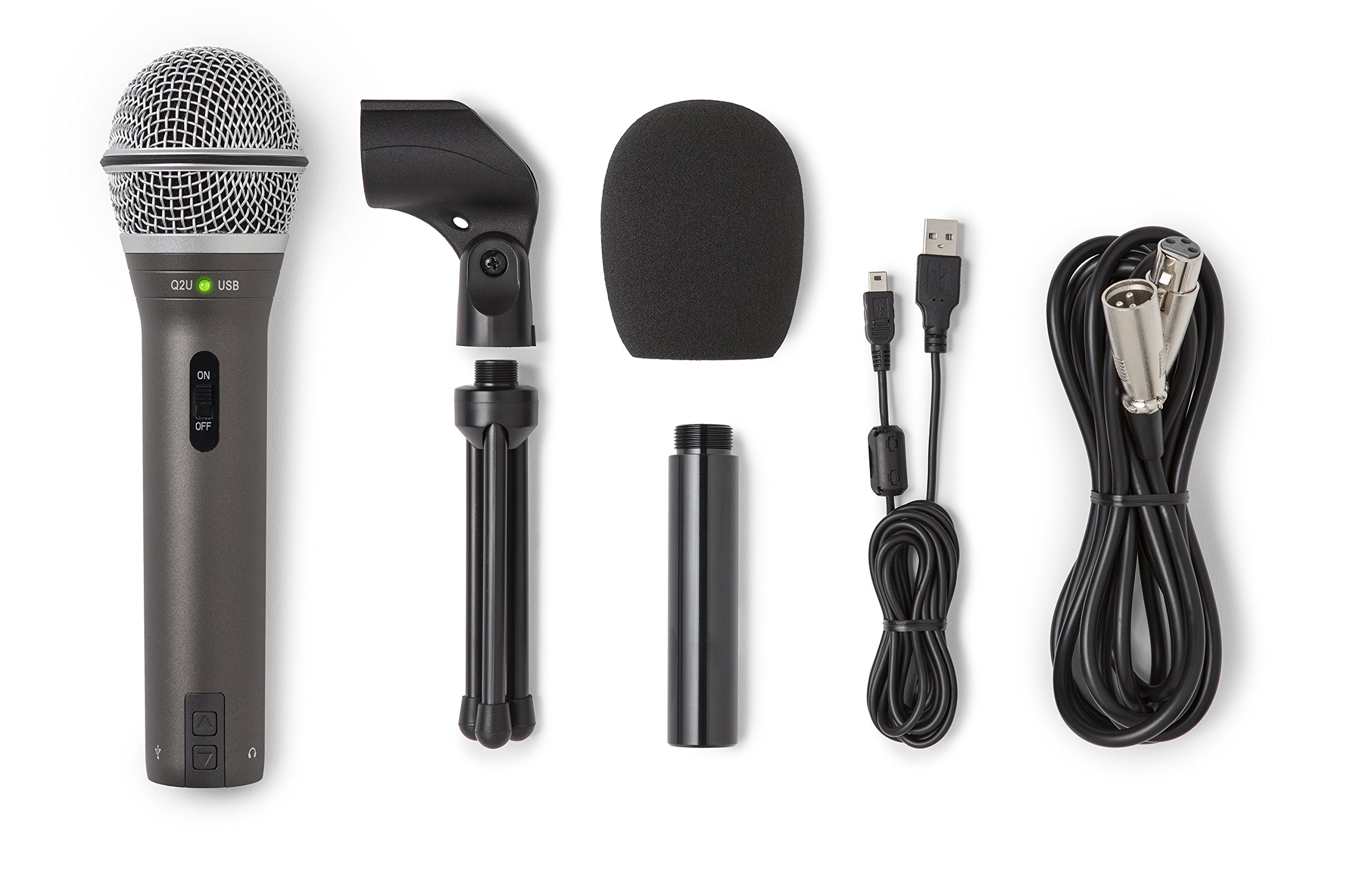
- Dynamic handheld mic with USB-C and XLR.
- Includes tripod stand, extension, clip, and windscreen.
- Both USB-C and XLR cables are included.
Best For: People who want a handheld dynamic mic with both computer USB and XLR connections.
FIFINE K658 USB Dynamic Microphone
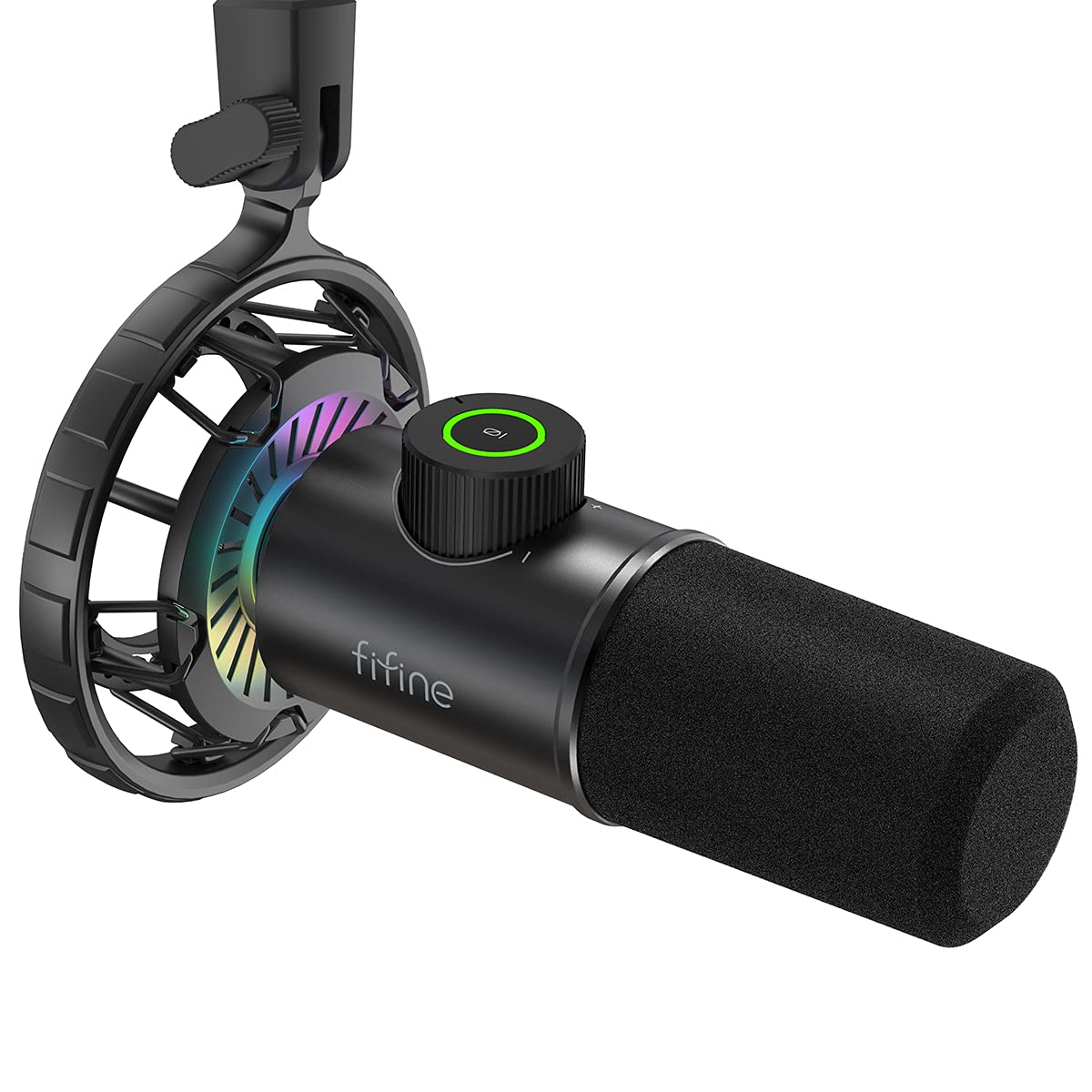
- USB dynamic mic with cardioid pickup.
- Tap mute, LED indicator, gain knob, and headphone jack.
- Shock mount and foam windscreen included; stand sold separately.
Best For: People who want a dynamic USB mic with a quick mute and headphone monitoring.
Samson Q9U Dynamic Microphone
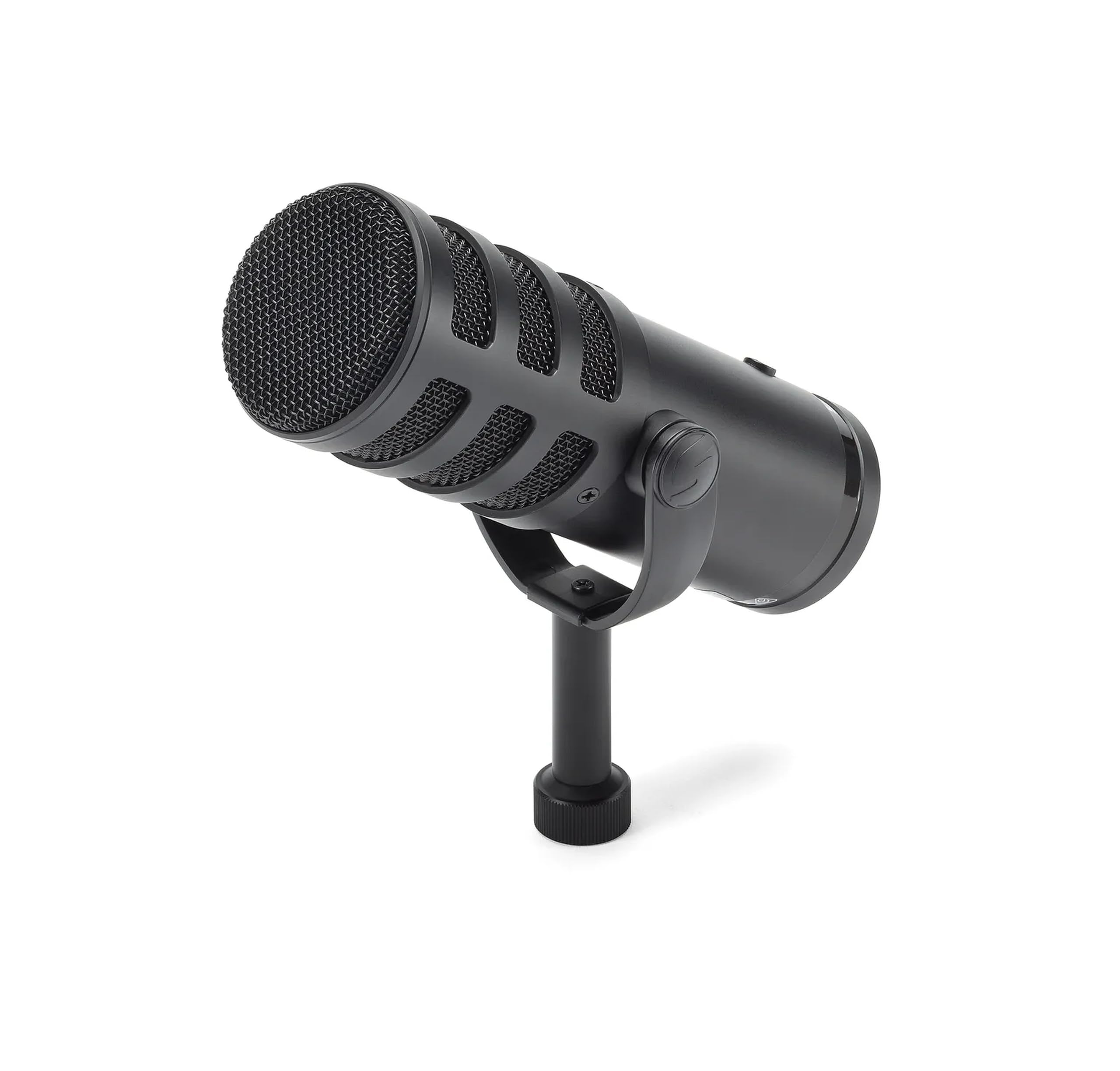
- USB-C and XLR outputs with 24-bit/96 kHz USB audio.
- Headphone monitoring and onboard mute switch.
- Internal shock mount and dual-layer windscreen.
Best For: People who want a broadcast-style dynamic mic with USB-C, XLR, and zero-latency monitoring.
SteelSeries Alias USB Microphone
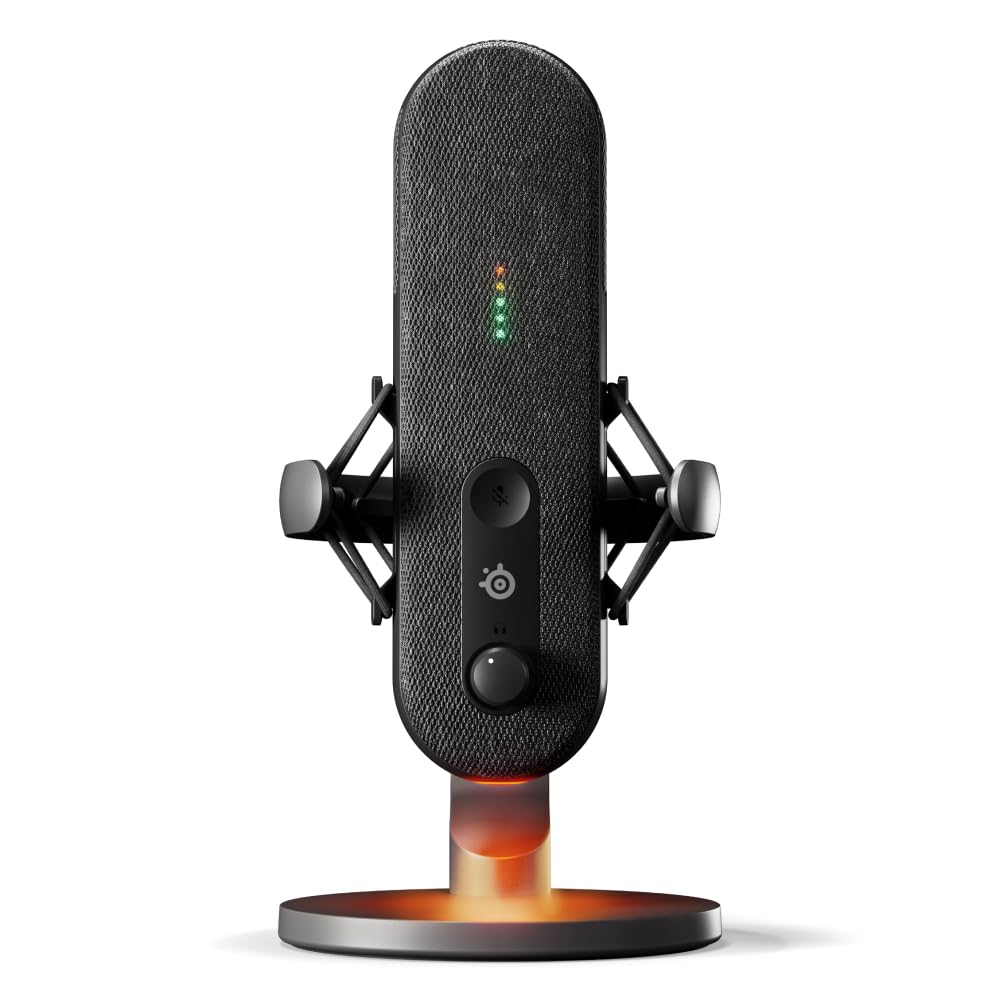
- USB cardioid mic with included desktop stand.
- Sonar offers mixing, app routing, and AI noise cancellation.
- LED level and mute indicators; integrated shock mount.
Best For: People who want USB simplicity with software routing and visible level and mute status.
Foldable Mic for a Flexible Desk
Samson Meteor Mic USB Condenser Podcasting Podcast Recording Desktop Microphone
The Samson Meteor Mic is a USB condenser microphone with fold-back legs, so it can stand on a desk and pack away more easily than a fixed arm setup. Its cardioid pickup pattern is intended to capture sound in front while reducing ambient pickup.
A headphone output with level control supports zero-latency monitoring, useful when you want to hear your voice as you speak. The listed frequency response is 20 Hz to 20 kHz.
Check the connection you need: the product notes mention iPad use with a separate Apple camera adapter, while a compatible computer connection is the straightforward setup.
Best For: People who want a compact USB microphone they can fold away between calls.
| Pros | Cons |
|---|---|
|
|
Consider the Meteor if you move between workspaces or prefer a mic that can be put away after calls. Foldable legs and headphone monitoring give it a practical desktop role without adding an arm clamp.
Compared with the more feature-rich USB models here, the supplied facts do not identify an onboard mute button or gain knob, so check whether those controls matter for your call routine. Also confirm your computer’s USB connection and placement needs before choosing it.
USB Mic with Noise Cancellation Control
MAONO USB Gaming Microphone for PC, Noise Cancellation Condenser Mic with RGB, Mute, Gain, Computer Desk Mic for Streaming, Podcast, Chat, Twitch, YouTube, Discord, PS5, PS4, GamerWave DGM20 Black
The MAONO DGM20 combines plug-and-play USB connectivity with a cardioid condenser capsule and a one-key noise cancellation function. It also has a gain control knob, a mute button, and a headphone jack for real-time monitoring.
Its noise reduction software adds adjustable noise cancellation on Windows, while the mic itself can be connected to PCs, Macs, PS5, and devices with USB or USB-C interfaces using the included cable. The available details do not identify a stand type or dimensions, so check how it will sit on your desk and whether its physical placement works for your calls.
Best For: People who want a desktop USB mic with an easy mute and noise cancellation controls.
| Pros | Cons |
|---|---|
|
|
Pick the DGM20 if background noise controls and on-mic adjustments are priorities for a USB call setup. The Windows software offers an additional adjustable cancellation option, and the physical mute and gain controls reduce reliance on conferencing app settings.
Its device compatibility includes computers and PlayStation consoles, but the supplied facts do not establish a stand configuration. Check the included mounting arrangement and leave enough room to position the capsule in front of you.
Software-Tunable USB/XLR Dynamic Mic
MAONO Dynamic Microphone, USB/XLR Podcast PC Microphone with Software, EQ,Tap-to-Mute, Headphone Jack, Gain Knob & Volume Control, Studio Mic for Broadcast, Recording, Streaming & Gaming (PD400X)
The MAONO PD400X is a dynamic microphone with USB and XLR outputs, which gives it a straightforward computer connection and a route to a mixer or audio interface. In USB mode, its 3-in-1 knob adjusts mic gain, headphone volume, and monitor mix, while a touch mute key has an LED indicator.
MAONO Link software adds vocal tone selection and controls for EQ, limiter, and compressor in USB mode. The supplied facts do not mention a stand or cable package, so check what you need for desk positioning and connection before ordering.
Best For: People who want call-friendly controls now and a USB/XLR path for recording setups.
| Pros | Cons |
|---|---|
|
|
Choose the PD400X if you want a dynamic mic that can serve video calls and later connect to recording equipment. USB provides the direct computer route, while XLR gives you another setup option.
The combined knob and tap mute are handy during calls, and the software provides more adjustment over USB. Since a desk stand and cable details are not included in the supplied facts, confirm the accessories and mounting arrangement needed to put it comfortably in reach.
Boom Arm Kit with USB Call Controls
MAONO XLR/USB Dynamic Microphone Kit, RGB Podcast Mic with Software, Mute, Gain Knob, Volume Control, Boom Arm for Streaming, Gaming, Voice-Over, Recording-PD200XS Black
The MAONO PD200XS is a dynamic USB/XLR microphone kit built around a cardioid pattern and a supplied adjustable boom arm. For computer calls, the USB connection supports plug-and-play use, a one-click mute key, a gain and headphone volume knob, and headphone monitoring through the 3.5 mm jack.
Its MAONO Link software offers EQ, limiter, and compressor adjustment in USB mode. The kit includes a USB cable and arm, but not an XLR cable.
This is a more involved desk fit than a small tripod mic, so check clamp clearance and whether your work area can accommodate an arm.
Best For: People who want a boom arm, quick mute, and headphone monitoring in one kit.
| Pros | Cons |
|---|---|
|
|
The PD200XS suits a fixed workstation where a boom arm can bring the mic close and clear desk space. Its mute key, monitoring jack, and combined gain and headphone volume knob are useful for frequent calls.
USB is the simple computer connection; XLR supports a separate mixer or interface setup. Compared with a desktop tripod mic, it needs clamp space and more setup.
Confirm your desk thickness and cable needs, especially if you plan to use XLR.
Handheld USB/XLR Flexibility
Samson Q2U Dynamic USB-C/XLR Microphone
The Samson Q2U is a handheld dynamic microphone that connects to a computer through USB-C or to other audio gear over XLR. Its included package has a tripod desktop stand, extension, mic clip, windscreen, and both USB-C and XLR cables.
That makes it adaptable to a basic call station or a setup that uses an interface. A handheld design can be useful if you need to move the mic between speaking positions, though it may take more desk attention than a permanently mounted arm.
Check that your computer's port matches the included USB-C cable.
Best For: People who want a handheld dynamic mic with both computer USB and XLR connections.
| Pros | Cons |
|---|---|
|
|
Choose the Q2U if connection flexibility matters and you want the basic stand and cables in the box. USB-C keeps computer use simple, while XLR can connect to a mixer or interface.
The tripod makes it usable at a desk, but the handheld form is less convenient to position and leave in place than a boom arm kit. Check your computer connection and decide whether a desktop stand or a clamp-mounted arm better fits your working posture.
Dynamic USB Mic with Direct Monitoring
FIFINE USB Gaming Microphone, RGB Dynamic Mic with Tap-to-Mute & Headphone Jack, Plug & Play Cardioid Mic for PC PS4/5, Streaming Podcast Twitch YouTube Discord - for Gamers and Youtubers - K658
The FIFINE K658 is a USB dynamic microphone with a cardioid pattern, tap-to-mute control, and an LED mute indicator. A gain knob lets you adjust microphone volume, and a 3.5 mm jack supports real-time headphone monitoring.
Its shock mount and foam windscreen address desk vibration and plosive sounds, while the supplied cable connects the mic to a computer or compatible PlayStation console. The mic stand is not included, so plan for a separate support and check that your desk setup can place it in front of you at the suggested close speaking distance.
Best For: People who want a dynamic USB mic with a quick mute and headphone monitoring.
| Pros | Cons |
|---|---|
|
|
The K658 fits callers who want a dynamic USB mic and value direct mute and monitoring controls. It also includes a shock mount and windscreen, but you will need to supply a stand or other support.
Its suggested 2 to 4 inch recording distance calls for close placement, so consider whether the mic can sit comfortably in front of you without obstructing your workspace. Confirm operating system and console compatibility for your specific setup.
High-Resolution USB-C or XLR Setup
SAMSON Q9U XLR/USB Dynamic Broadcast Microphone
The Samson Q9U is a dynamic broadcast microphone with USB-C and XLR outputs, providing a computer connection as well as compatibility with mixers or audio interfaces. Over USB, it supports 24-bit/96 kHz digital audio without driver downloads.
A headphone output provides zero-latency monitoring, and an onboard mute switch silences both USB and XLR outputs. The cardioid pattern, internal pneumatic shock mount, and dual-layer windscreen are useful considerations for a call station where speech clarity and desk handling matter.
The supplied facts do not identify a stand, so check how you will mount or position it.
Best For: People who want a broadcast-style dynamic mic with USB-C, XLR, and zero-latency monitoring.
| Pros | Cons |
|---|---|
|
|
Consider the Q9U if you want a dynamic mic with both a direct computer connection and XLR expansion, plus a mute switch that covers both outputs. Its headphone monitoring and included windscreen support a more controlled desk setup.
It may require additional mounting gear, since a stand is not identified in the supplied facts. Compare that setup need with kits that include boom arms, and verify your computer has USB-C if you plan to connect directly.
Software Noise Control and Level Lights
SteelSeries Alias USB Mic for PC — 3x Bigger Capsule for Gaming, Streaming and Podcasting — Sonar for Streamers Audio Software — AI Noise Cancelling — LED Mute & Level Monitoring — Shock Mount
The SteelSeries Alias is a cardioid USB microphone with a capsule described as up to three times bigger than other mics. Its Sonar software includes mixing, app routing, and AI noise cancellation.
On the mic, LED lighting shows audio levels and mute status, and customizable RGB lighting adds an optional visual effect. An integrated shock mount helps reduce unwanted vibration, and the microphone works with the included desktop stand or a boom arm sold separately.
This is aimed at gaming, streaming, and podcasting as well as calls. Check whether the software features fit your computer workflow before choosing it.
Best For: People who want USB simplicity with software routing and visible level and mute status.
| Pros | Cons |
|---|---|
|
|
Choose the Alias if you value software controls and a clear visual indication of mute status and audio levels. It connects over USB and includes a desktop stand, while the integrated shock mount supports desk placement.
Sonar adds mixing and app routing beyond the basic controls of simpler USB microphones. If you prefer a boom arm, it is a separate purchase; also check the software and operating system compatibility for your work computer before relying on its noise cancellation or routing.
How to Choose Microphones For Video Calls
How We Picked Microphones for Video Calls
We prioritized microphones with a direct computer connection, features that help during live conversations, and a practical way to place the mic near the speaker. The selected options include simple USB desktop models, dynamic microphones with mute or headphone monitoring, and kits with boom arms.
The roundup also includes USB/XLR choices for people who may connect a mixer or audio interface later.
Pickup pattern and placement both matter for calls. Several models use cardioid pickup, which is directed toward sound in front of the microphone.
A mic with a close speaking distance may help keep it positioned near you, while a boom arm can move it into place and free desk space.
Comparing USB Microphones for Video Calls
The K669B, Meteor, DGM20, Alias, and K658 connect over USB, though their layouts differ. The K669B and Meteor use desktop stands; the DGM20 adds mute, gain, monitoring, and Windows noise cancellation software.
The Alias pairs USB with Sonar mixing and app routing, while the K658 is dynamic and requires a separate stand. Compare the actual controls and placement before selecting by broad mic type alone.
For flexibility beyond a computer, the Q2U, Q9U, PD200XS, PD400X, and PD200XS offer XLR alongside USB or USB-C. The Q2U includes both cables and a tripod stand.
The Q9U adds USB monitoring and a mute switch for both outputs. The MAONO options include software controls, but the PD200XS kit supplies a boom arm while the PD400X's stand and cable details need checking.
| Product | Standout features | Best for |
|---|---|---|
| Samson Meteor MicCheck Price |
| People who want a compact USB microphone they can fold away between calls. |
| MAONO DGM20 USB Gaming MicrophoneCheck Price |
| People who want a desktop USB mic with an easy mute and noise cancellation controls. |
| MAONO PD400X Dynamic MicrophoneCheck Price |
| People who want call-friendly controls now and a USB/XLR path for recording setups. |
| MAONO PD200XS Dynamic Microphone KitCheck Price |
| People who want a boom arm, quick mute, and headphone monitoring in one kit. |
| Samson Q2U Dynamic MicrophoneCheck Price |
| People who want a handheld dynamic mic with both computer USB and XLR connections. |
| FIFINE K658 USB Dynamic MicrophoneCheck Price |
| People who want a dynamic USB mic with a quick mute and headphone monitoring. |
| Samson Q9U Dynamic MicrophoneCheck Price |
| People who want a broadcast-style dynamic mic with USB-C, XLR, and zero-latency monitoring. |
| SteelSeries Alias USB MicrophoneCheck Price |
| People who want USB simplicity with software routing and visible level and mute status. |
Choosing a Desktop Mic or Boom Arm for Calls
A compact tripod or foldable stand can suit a desk that needs to stay clear between meetings. The FIFINE K669B includes a tripod, and the Samson Meteor folds its legs for storage.
The Q2U also has a desktop tripod, making it a flexible option if you want both USB and XLR connections.
A boom arm can bring the capsule closer and move it away when the call ends. The MAONO PD200XS includes an adjustable arm.
Check that the desk edge has enough clamp clearance and that the arm can reach your speaking position. Several products here need a separately chosen stand or arm, so confirm mounting parts before buying.
Mute, Monitoring, and Noise Controls for Online Meetings
A physical mute can be quicker to reach than an app control when someone enters the room. The DGM20, PD400X, PD200XS, Q9U, and Alias all include mute functions, while the K669B has a volume knob that can turn the mic down to zero.
The Q9U's mute switch applies to both USB and XLR outputs; on the PD400X and PD200XS, the listed advanced software controls are available in USB mode.
Headphone monitoring helps you hear the input path, but the feature set varies. The Meteor and Q9U provide zero-latency monitoring, while the K658 and DGM20 include headphone jacks for real-time monitoring.
For background noise, compare the DGM20's Windows noise-cancellation software and the Alias's Sonar noise cancellation with the pickup patterns and placement of other models. A close, stable position remains an important part of choosing a microphone for remote meetings.
Who Should Buy Which Video Call Microphone?
Choose a straightforward desktop USB setup with the K669B or foldable Meteor if simple computer connection and compact positioning are the priority. Pick the DGM20 if you want mute, gain, headphone monitoring, and Windows noise cancellation controls in one USB mic.
For a USB/XLR path, consider the Q2U if you want included cables and a tripod, or the Q9U if you want zero-latency monitoring and a mute switch for both outputs. The PD200XS suits a desk that can use its included arm; the PD400X adds software adjustment but requires checking stand and cable needs.
The Alias is a fit for users who want USB software routing and visible level and mute status.