The best microphones for streaming depend on your setup, from a simple USB desk mic to a wireless model or an XLR kit with a mixer. Compare connection options, mute and monitoring controls, included mounts, and noise-handling features to find a practical fit for your stream.
Quick Top Products
FIFINE AmpliGame AM8T
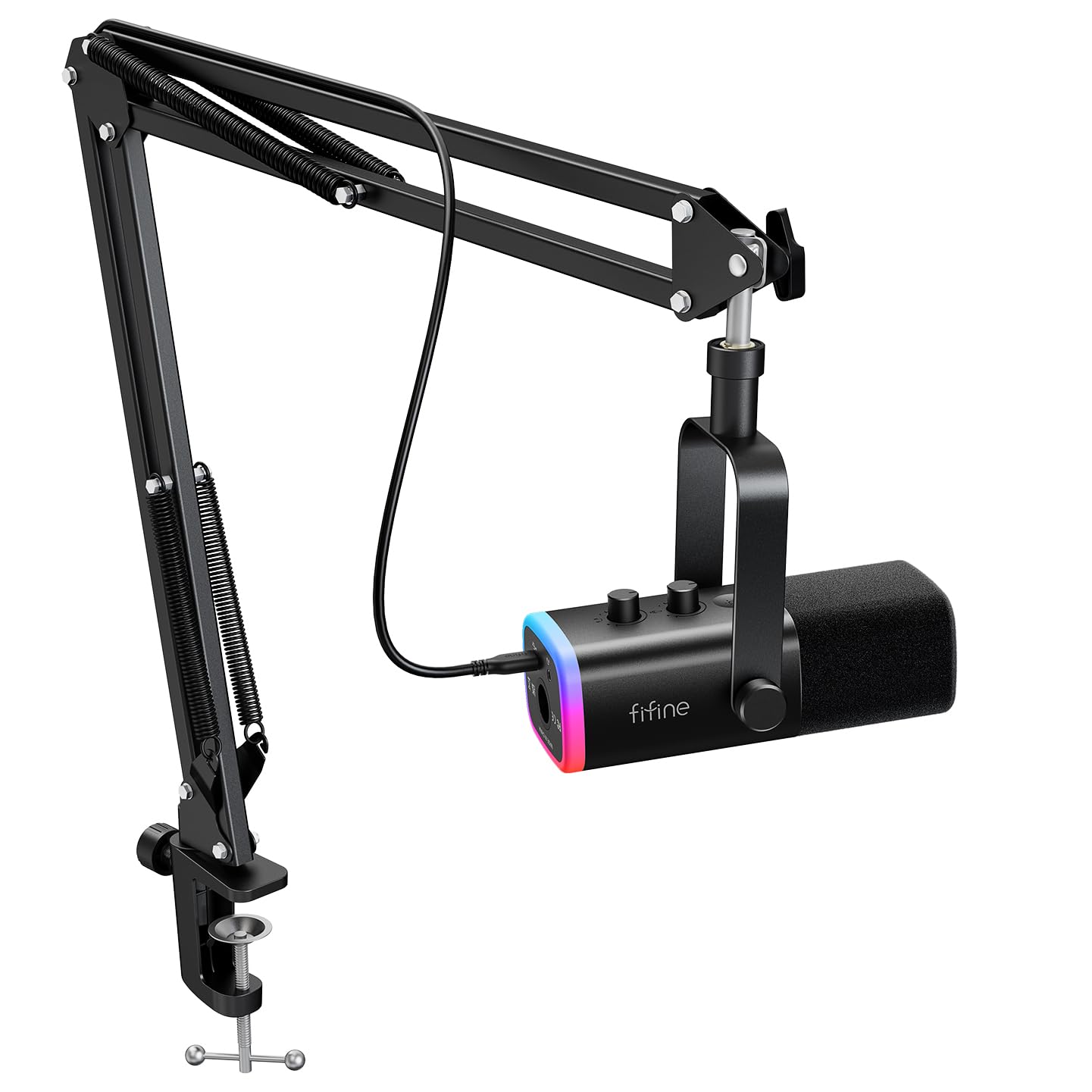
- USB and XLR connections support computer and mixer setups.
- Includes a boom arm, desk clamp, and USB cable.
- On-mic controls include mute, gain, and headphone monitoring.
Best For: Streamers who want a dynamic mic with a boom arm and room to add XLR gear later.

MAONO PD200XS
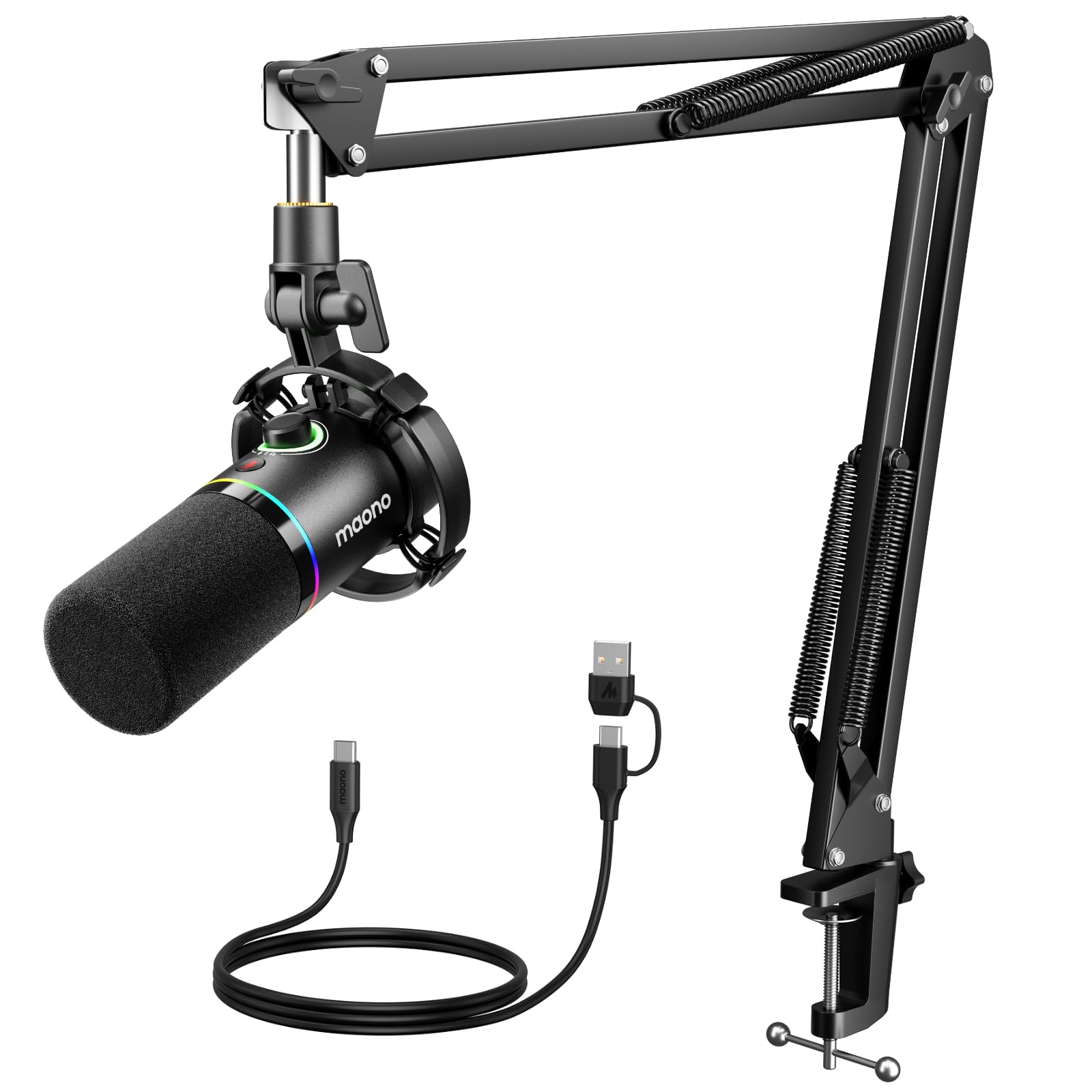
- USB and XLR connections support computer and studio workflows.
- MAONO Link offers EQ, limiter, and compressor adjustments in USB mode.
- Includes a boom arm, shock mount, and headphone monitoring jack.
Best For: Streamers who want a dynamic XLR/USB microphone and software audio adjustments over USB.
SteelSeries Alias Pro Kit
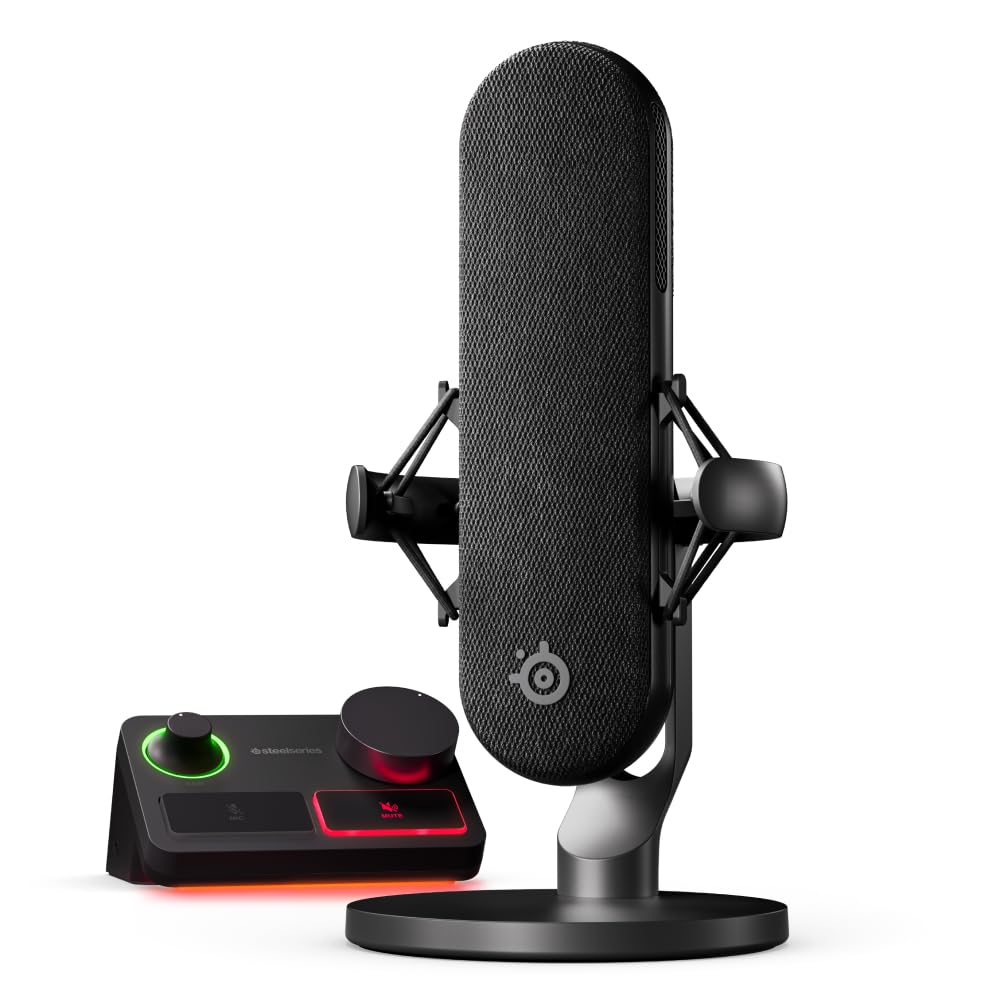
- Includes an XLR microphone and stream mixer with customizable controls.
- Supports USB-C connection to one or two PCs.
- Sonar software includes mixing and app routing features.
Best For: Experienced streamers who want an XLR microphone and dedicated stream mixer for one or two PCs.
MAONO DGM20W
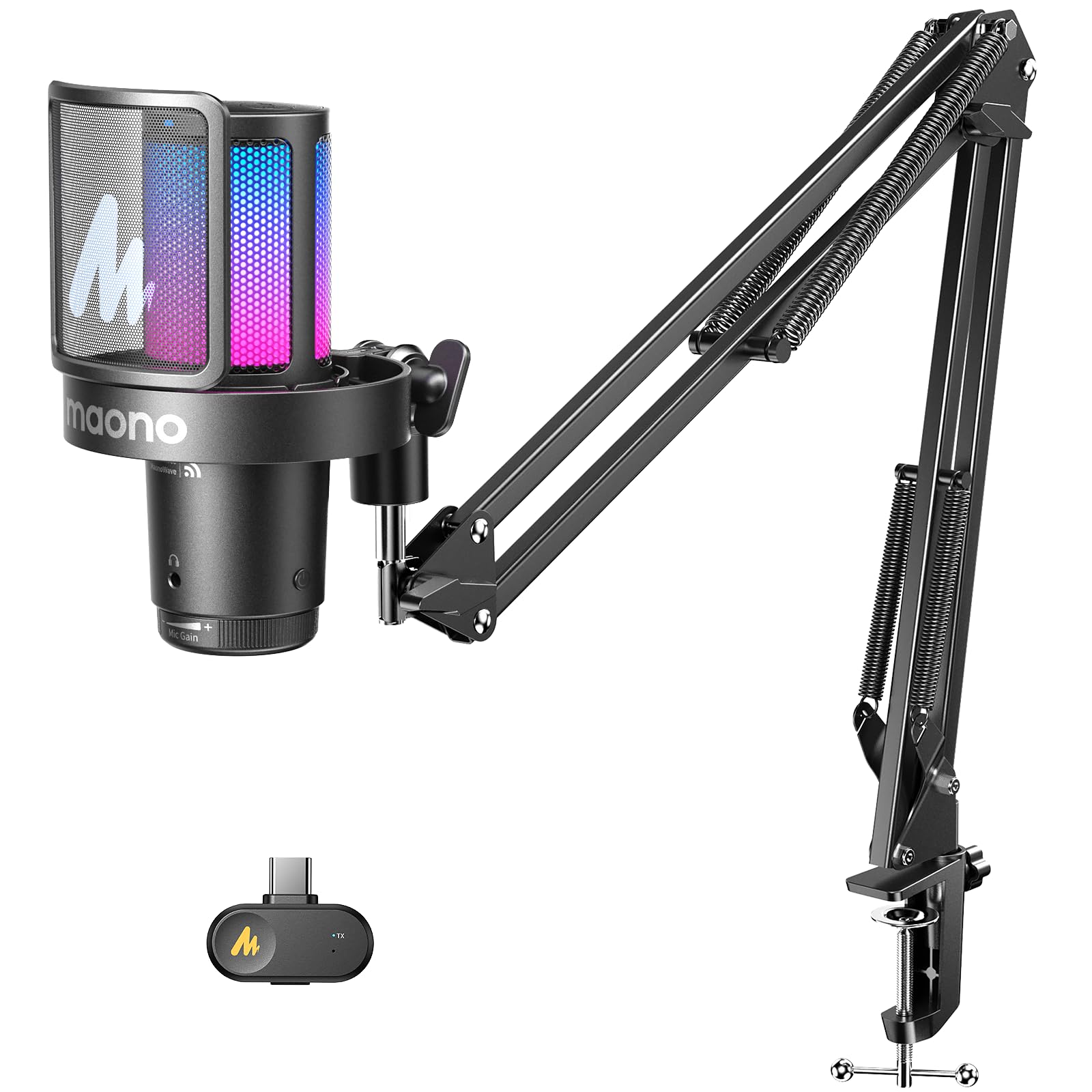
- Supports 2.4 GHz wireless and USB wired connections.
- Includes a USB-C receiver and adapter cable.
- Up to 40 hours of battery use with RGB lighting off.
Best For: Streamers who want wireless or wired connections and a boom arm without a desktop cable run.
SteelSeries Alias USB
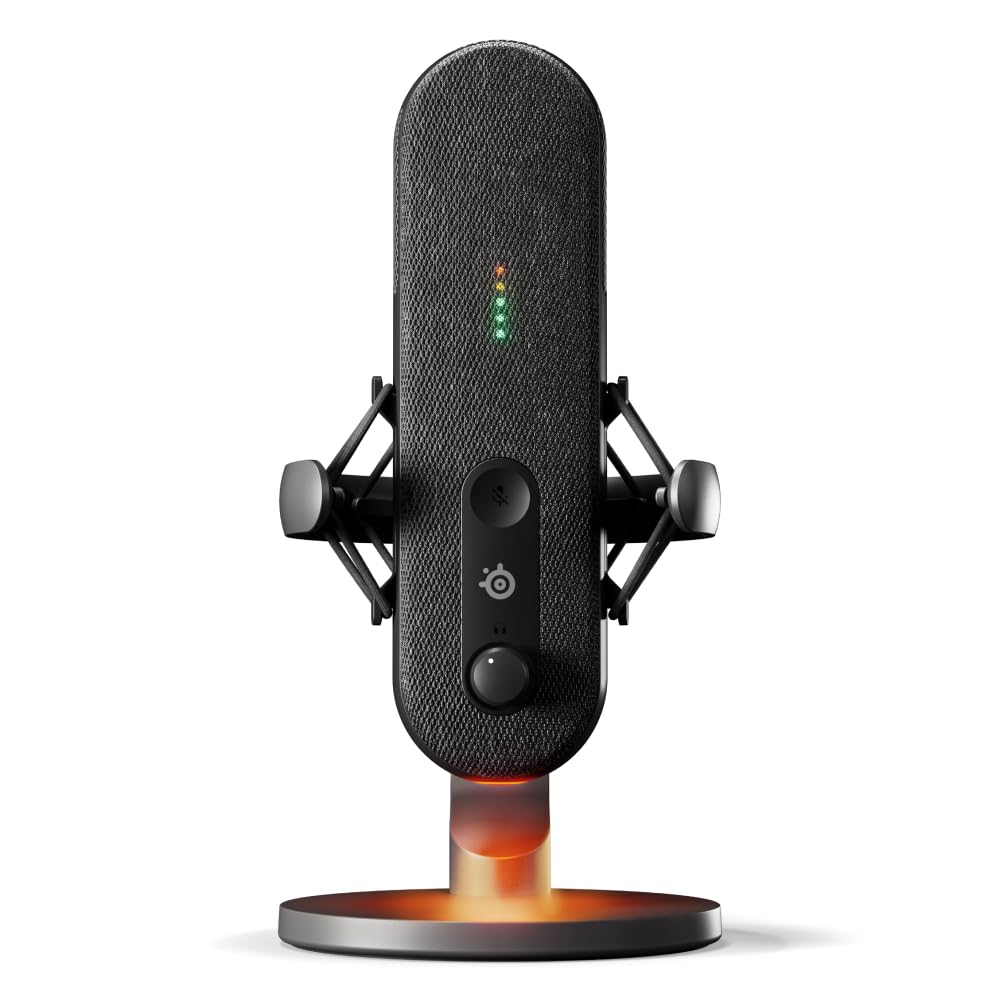
- Cardioid USB microphone designed for gaming, broadcasting, and podcasting.
- LED lighting shows audio level and mute status.
- Sonar software includes mixing, app routing, and AI noise cancellation.
Best For: PC streamers who want a USB microphone with visible mute and audio-level indicators.
MAONO DGM20S
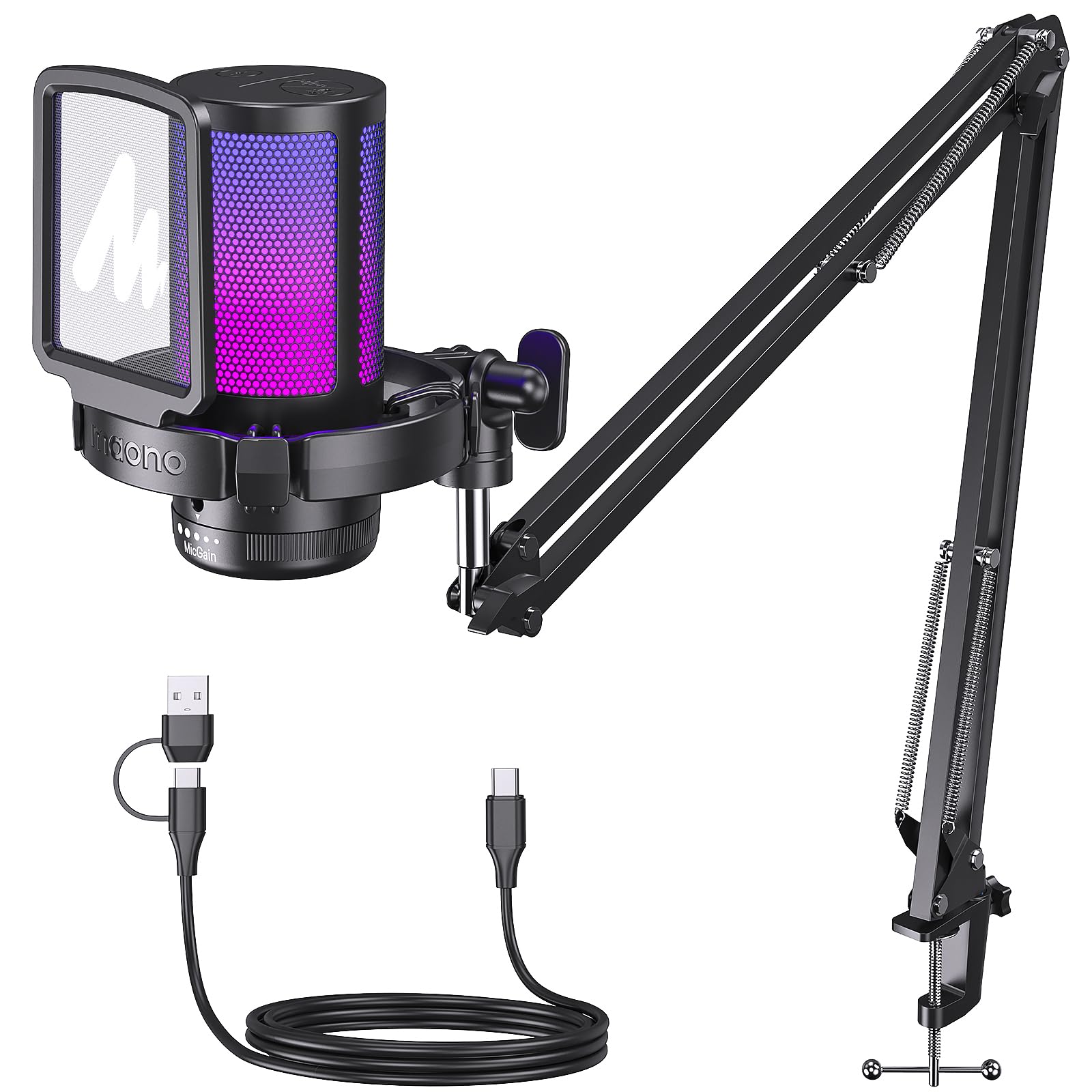
- USB setup works with Windows, Mac, PS4, and PS5.
- Includes a metal arm, shock mount, and removable pop filter.
- Offers one-click noise cancellation and zero-latency monitoring.
Best For: PC and console streamers who want a condenser mic, adjustable arm, and bundled pop filter.
FIFINE AmpliGame A6T
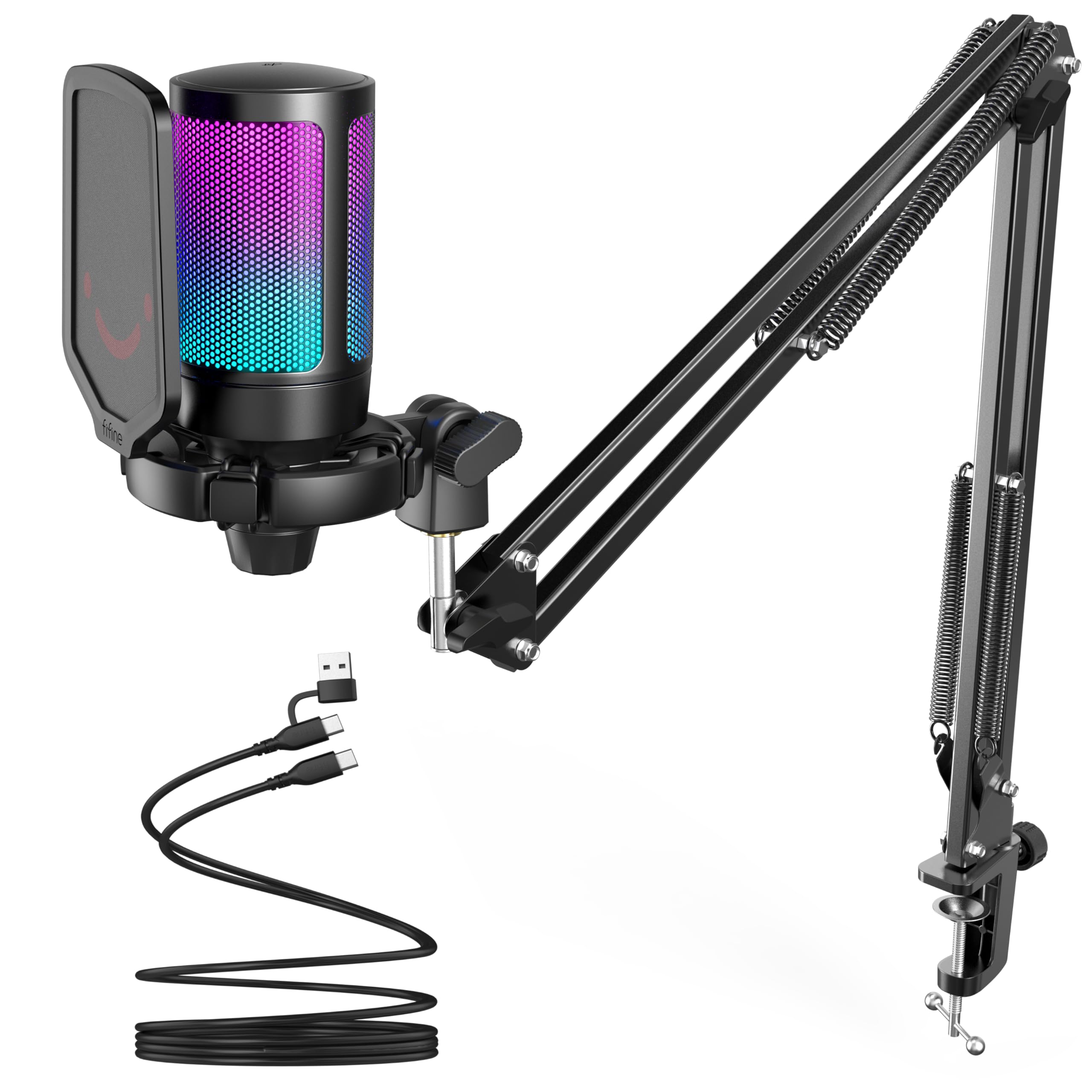
- USB plug-and-play compatibility includes PC, Mac, PS4, and PS5.
- Includes a boom arm, shock mount, and detachable pop filter.
- Touch mute and gain controls are built into the microphone.
Best For: Streamers who want a USB condenser mic with a boom arm, touch mute, and included pop filter.
FIFINE AmpliGame AM8W
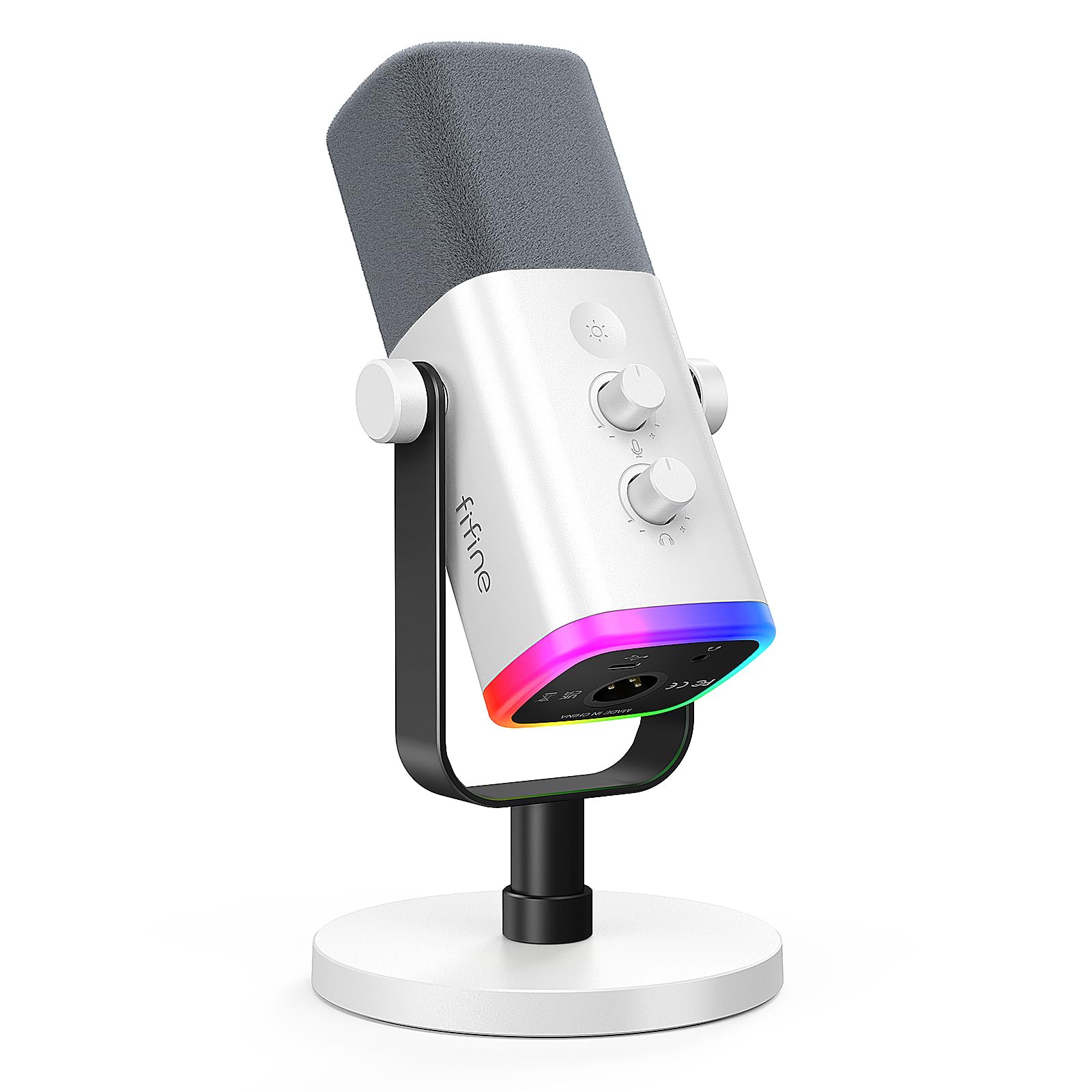
- USB and XLR connectivity support computer and mixer setups.
- USB mode adds RGB, mute, gain, and headphone controls.
- White finish coordinates with a light-colored streaming setup.
Best For: Streamers building a white-themed setup who want USB and XLR connectivity.
MAONO DGM20
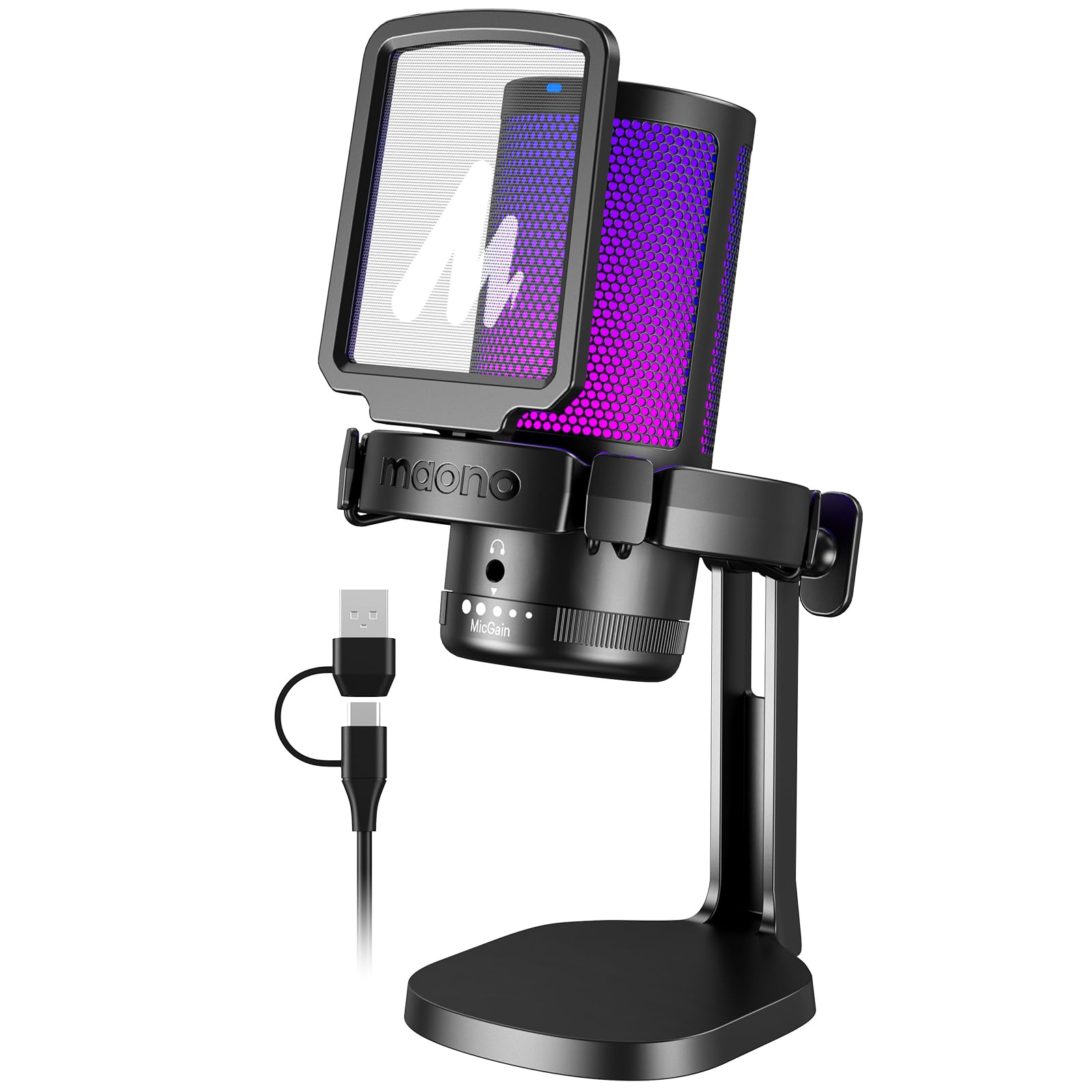
- USB connection supports PC, Mac, and PS4 or PS5.
- Includes a noise-cancellation control and gain knob.
- 3.5 mm headphone jack supports real-time monitoring.
Best For: Streamers seeking a USB condenser mic with noise cancellation, gain, and headphone monitoring.
FIFINE AmpliGame A8
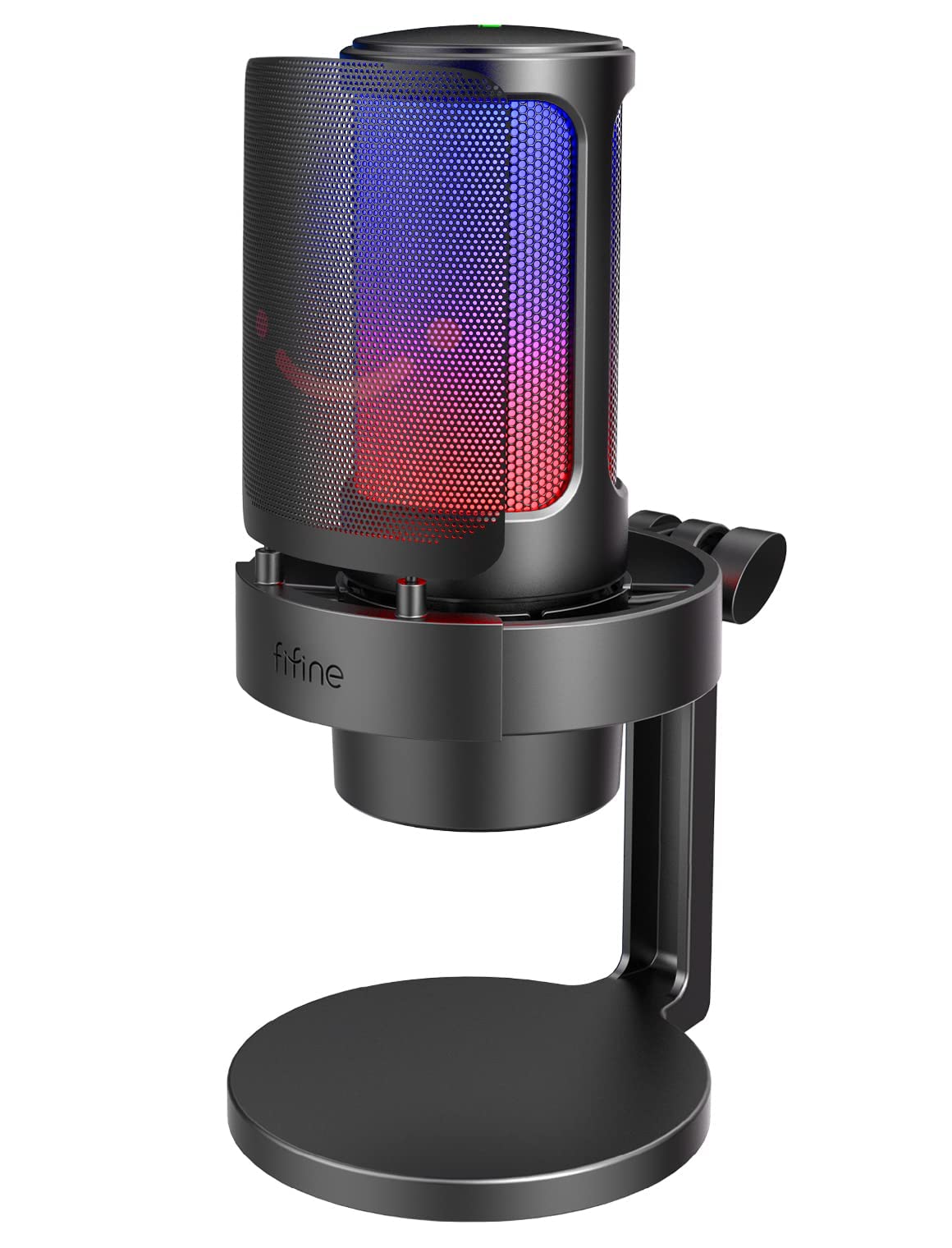
- USB plug-and-play compatibility includes PC, Mac, and PS5.
- Includes a desktop stand, metal pop filter, and shock mount.
- Offers headphone monitoring, gain control, and selectable RGB modes.
Best For: Streamers who prefer a desktop stand and hands-on RGB, gain, and monitoring controls.
Flexible USB and XLR Setup
FIFINE XLR/USB Gaming Microphone Set, Dynamic PC Mic for Streaming Podcasting, Computer RGB Mic Kit with Boom Arm Stand, Mute Button, Headphones Jack, for Recording Vocal Voice-Over-AmpliGame AM8T
The FIFINE AmpliGame AM8T combines a dynamic microphone with a boom arm and offers USB and XLR connections. USB provides plug-and-play use with a PC, while XLR connects to a mixer or sound card.
Its cardioid pickup pattern and -50 dB sensitivity are designed to focus on the voice in front of the mic. A gain knob, mute button, headphone jack, and headphone volume control help manage a stream from the desk.
The RGB lighting can be changed or switched off with a button. The kit suits creators who want a flexible starting setup, though the XLR cable is not included.
Best For: Streamers who want a dynamic mic with a boom arm and room to add XLR gear later.
| Pros | Cons |
|---|---|
|
|
Choose the AM8T if you want a dynamic mic and boom arm now, with an XLR connection available for a later mixer or interface. For a USB-only setup, it still offers direct controls and headphone monitoring.
Check your desk thickness before buying, and plan to provide an XLR cable if you intend to use that connection. Its documented pickup pattern and sensitivity give useful setup details, but the record does not specify a sample rate.
Software-Tunable Dynamic Kit
MAONO XLR/USB Dynamic Microphone Kit, RGB Podcast Mic with Software, Mute, Gain Knob, Volume Control, Boom Arm for Streaming, Gaming, Voice-Over, Recording-PD200XS Black
The MAONO PD200XS pairs a dynamic microphone with a boom arm and offers USB and XLR outputs. USB mode works with the included cable and enables MAONO Link adjustments for EQ, limiter, compressor, and RGB settings.
The cardioid pattern is intended to emphasize vocals while reducing unwanted background sound, and its 40 Hz–16 kHz frequency response gives a defined range for voice work. A combined knob adjusts mic gain and headphone volume, and a mute key has an LED indicator.
The kit includes a shock mount, but not an XLR cable. It fits streamers who want software control in USB mode and an analog connection option.
Best For: Streamers who want a dynamic XLR/USB microphone and software audio adjustments over USB.
| Pros | Cons |
|---|---|
|
|
This kit suits creators who want to start over USB and value access to MAONO Link controls, while keeping XLR as an option for compatible audio equipment. Its bundled boom arm and shock mount help organize a desk setup.
Before buying, check whether your workflow depends on software processing, since those features apply in USB mode. If using XLR, budget for a separate cable and compatible mixer or interface.
Mixer Controls for Dual-PC Streams
SteelSeries Alias Pro Kit — XLR Mic + Stream Mixer — 3x Bigger Capsule for Gaming, Streaming and Podcasting — USB/XLR Interface — Free Sonar Audio Software — Custom Controls — RGB — Single or Dual PC
The SteelSeries Alias Pro Kit pairs an XLR microphone with a USB/XLR stream mixer. Its cardioid mic is designed for gaming, broadcasting, and podcasting, while the mixer provides customizable controls and RGB level visibility.
The kit supports USB-C connection to one or two PCs, which makes its routing setup relevant to creators working with a dual-computer stream. SteelSeries Sonar software adds mixing, drag-and-drop app routing, and AI noise cancellation.
An integrated shock mount is compatible with the included desktop stand; a boom arm is sold separately. This is a more involved choice for streamers who want hands-on mixer controls and already have a multi-device workflow to manage.
Best For: Experienced streamers who want an XLR microphone and dedicated stream mixer for one or two PCs.
| Pros | Cons |
|---|---|
|
|
Consider the Alias Pro Kit if you plan to manage stream audio through a dedicated mixer or connect two PCs. Its software routing and customizable controls offer options beyond a simple desktop USB connection.
It is less suited to a minimal plug-and-play setup, and the boom arm is an additional purchase if you prefer that mounting style. Check that your streaming workflow can make use of the mixer and Sonar features before choosing this more involved kit.
Wireless Boom-Arm Convenience
MAONO DGM20W Wireless Gaming Microphone for PC, Condenser USB Mic with Boom Arm for Streaming, Touch Noise Cancellation, Quick Mute,Gain Control,RGB, Computer Boom Mic for PS5 Twitch Discord, Black
The MAONO DGM20W offers both 2.4 GHz wireless and USB wired modes, with a USB-C receiver and adapter cable included. It is a condenser mic with a cardioid pattern, 24-bit/48 kHz sampling, and a headphone jack for real-time monitoring.
A touch control provides mute and noise reduction, while the gain knob adjusts input sensitivity. MaonoLink software allows noise reduction intensity and RGB customization.
The built-in battery provides up to 40 hours of use with RGB off. Compatibility includes computers, phones, and PS5; it does not support Xbox, and a Lightning receiver is not included.
Its wireless flexibility is useful when a cable-free desktop matters.
Best For: Streamers who want wireless or wired connections and a boom arm without a desktop cable run.
| Pros | Cons |
|---|---|
|
|
Choose the DGM20W if wireless placement is a priority but you also want a wired fallback. Its receiver and adapter cable support several connection setups, and the included boom arm helps position the mic without using a desktop stand.
Check device compatibility carefully: Xbox is excluded, and iPhone users need a separate Lightning receiver. For the longest stated battery life, the RGB lighting must remain off.
USB Mic with On-Device Level Display
SteelSeries Alias USB Mic for PC — 3x Bigger Capsule for Gaming, Streaming and Podcasting — Sonar for Streamers Audio Software — AI Noise Cancelling — LED Mute & Level Monitoring — Shock Mount
The SteelSeries Alias USB is a cardioid microphone for gaming, streaming, and podcasting. Its capsule is described as up to three times bigger than other microphones, and its built-in green-to-red lighting shows audio level and mute status.
The microphone also has customizable RGB lighting below the body and an integrated shock mount to reduce unwanted vibration. SteelSeries Sonar software adds mixing, drag-and-drop app routing, and AI noise cancellation.
The mic is designed for PC use and comes with a desktop stand; a boom arm is sold separately. It suits creators who want software routing and at-a-glance status on the microphone itself.
Best For: PC streamers who want a USB microphone with visible mute and audio-level indicators.
| Pros | Cons |
|---|---|
|
|
The Alias USB fits PC streamers who want status indicators on the mic and software routing for managing apps. Its included desktop stand supports a straightforward setup, while a boom arm requires a separate purchase.
Compare it with the Alias Pro Kit if you need a dedicated mixer or dual-PC connections; this model’s supplied facts describe a USB microphone and Sonar software rather than a separate mixer.
Noise-Reduction USB Bundle
MAONO DGM20S Gaming Microphone for PC with Clear Voice & Noise Reduction | RGB Lighting, Tap-to-mute, Gain Control, Headphone Monitoring and Boom Arm for Discord Gaming, Streaming, Content Creation
The MAONO DGM20S is a USB condenser microphone kit with a cardioid pickup pattern, one-click noise cancellation, and nine RGB lighting modes. Its gain knob, top-mounted mute button, and zero-latency monitoring jack provide direct control while streaming or recording.
The included metal arm can move the microphone closer or fold away, and the kit also includes a shock mount and removable pop filter. It connects to Windows PCs, Macs, and PS4 or PS5, but not Xbox.
This bundle suits streamers who want a flexible arm-mounted setup with noise-reduction controls, without choosing an XLR interface or wireless system.
Best For: PC and console streamers who want a condenser mic, adjustable arm, and bundled pop filter.
| Pros | Cons |
|---|---|
|
|
Pick the DGM20S if you want an arm-mounted USB kit with direct controls and a bundled pop filter. Its compatibility covers common computer platforms and PlayStation consoles, but Xbox users should look elsewhere.
The noise cancellation is a selectable feature, so consider whether you want that control in your streaming workflow. If you expect to connect through an XLR mixer, this model’s documented connection is USB.
Arm-Mounted Condenser Kit
FIFINE Gaming PC USB Microphone, Podcast Condenser Mic with Boom Arm, Pop Filter, Mute Button for Streaming, Twitch, Online Chat, RGB Computer Mic for PS4/5 PC Gamer Youtuber-AmpliGame A6T
The FIFINE AmpliGame A6T is a plug-and-play USB condenser microphone kit for Windows, Mac, and PS4 or PS5. Its cardioid pattern focuses on sound from the front, while the touch-mute button and gain control are easy to reach during a stream.
The included boom arm can move the mic toward the speaker or fold away, and the kit also contains a shock mount and detachable pop filter. The 8.2-foot USB cable offers reach between a desk and computer.
Its clamp fits desks up to 2 inches thick. This option is a practical fit for creators who want an arm and basic controls in one USB kit.
Best For: Streamers who want a USB condenser mic with a boom arm, touch mute, and included pop filter.
| Pros | Cons |
|---|---|
|
|
The A6T makes sense if you need a boom arm and pop filter bundled with a USB mic, and your computer or console is among its compatible devices. Its touch mute and gain control help keep routine adjustments close at hand.
Check the clamp limit against your desk before buying. If you want a dynamic mic with an XLR upgrade path, compare the FIFINE AM8T instead.
White Dynamic Mic with Dual Outputs
FIFINE XLR/USB Gaming Microphone for Streaming Podcasting, PC Computer RGB Mic, with Gain Knob, Mute Button, Monitoring Jack, Gamer Mic for Recording Video Creation-AmpliGame AM8 White
The white FIFINE AmpliGame AM8W is a dynamic microphone with USB and XLR connections for streaming, podcasting, voiceovers, and other recording. USB mode adds RGB lighting, a gain knob, tap-to-mute, headphone monitoring, and headphone volume control.
XLR mode connects to a mixer or sound card, giving the microphone a path into an analog setup. The mic uses a cardioid pattern and is designed to be positioned with its end facing the sound source; the suggested recording range is 2 to 6 inches.
This model suits creators who want a coordinated white desktop look and flexible connectivity, while its included setup details do not specify a boom arm.
Best For: Streamers building a white-themed setup who want USB and XLR connectivity.
| Pros | Cons |
|---|---|
|
|
Consider the AM8W if you want a white dynamic microphone and may move from USB to an XLR mixer later. Its USB controls are useful for live sessions, but those features are limited to USB mode.
The suggested 2-to-6-inch recording range means placement matters, so make sure your desk or stand can bring the mic close. The supplied details do not identify an included boom arm.
Simple USB Noise-Control Setup
MAONO USB Gaming Microphone for PC, Noise Cancellation Condenser Mic with RGB, Mute, Gain, Computer Desk Mic for Streaming, Podcast, Chat, Twitch, YouTube, Discord, PS5, PS4, GamerWave DGM20 Black
The MAONO DGM20 is a USB condenser microphone for streaming, gaming, podcasts, and voice chat. Its cardioid pattern focuses on sound from the front, and a one-key control enables noise cancellation.
On Windows, MAONO’s software offers adjustable smart noise cancellation. A separate mute control, gain knob, and 3.5 mm headphone jack provide access to common adjustments and real-time monitoring.
The included USB and USB-C cable supports PCs, laptops, Macs, and PS4 or PS5. The supplied details do not identify a boom arm or desktop stand, so check the mounting arrangement that comes with the offer if you need a particular position.
It is a straightforward wired choice for common streaming devices.
Best For: Streamers seeking a USB condenser mic with noise cancellation, gain, and headphone monitoring.
| Pros | Cons |
|---|---|
|
|
Choose the DGM20 if you want a wired USB condenser mic with direct monitoring and noise cancellation across PC, Mac, and PlayStation setups. Windows users can also access adjustable software noise reduction.
Before buying, check what mounting hardware is included if you need an arm or stand, since the supplied details do not establish that. For wireless use, compare it with MAONO’s DGM20W.
Desktop Mic with RGB Control
FIFINE Gaming Microphone, USB PC Mic for Streaming, Podcasts, Recording, Condenser Computer Desktop Mic on Mac, with RGB Control, Mute Touch, Headphone Jack, Pop Filter, Stand-AmpliGame A8
The FIFINE AmpliGame A8 is a USB condenser microphone with a desktop stand, a 3.5 mm headphone jack, and a gain knob. The cardioid pickup pattern is designed to emphasize voice in front of the mic, while the included metal pop filter and compact shock mount help address plosive sounds and desktop vibration.
RGB controls offer three lighting modes and up to nine colors. It is plug-and-play with PC, Mac, and PS5.
The suggested recording range is 6 to 12 inches. Its fixed desktop format keeps the setup simple, though creators who need to move a mic away from desk space may prefer an arm-mounted kit.
Best For: Streamers who prefer a desktop stand and hands-on RGB, gain, and monitoring controls.
| Pros | Cons |
|---|---|
|
|
The A8 suits a streamer who wants a desktop stand, monitoring jack, and adjustable RGB without a boom arm occupying desk space. Its pop filter and shock mount add useful accessories for voice capture.
Check that the suggested 6-to-12-inch placement works with your desk layout. If you want to move the mic closer or fold it away, the arm-mounted FIFINE A6T or MAONO DGM20S may fit better.
How to Choose Microphones For Streaming
How We Picked Microphones for Streaming
This selection prioritizes microphones with clear streaming use cases and practical setup details: USB convenience, XLR expansion, wireless connections, direct mute and gain controls, headphone monitoring, and included mounts. It includes desktop and boom-arm formats, condenser and dynamic designs, and options for both simple solo streams and more involved multi-PC audio routing.
We also considered device compatibility and what each kit contains. For example, the MAONO DGM20W adds wireless operation, the FIFINE AM8T and MAONO PD200XS offer USB and XLR, and the SteelSeries Alias Pro Kit includes a mixer for one or two PCs.
These differences affect setup and workflow more than lighting alone.
Comparing Streaming Microphones and Connections
A direct USB mic is usually the simplest route for a first stream. Models such as the FIFINE A6T, MAONO DGM20S, and SteelSeries Alias USB connect to a computer without requiring a separate XLR interface.
USB models with headphone jacks can also support monitoring from the mic, while mute and gain controls help with quick adjustments during a live session.
USB/XLR designs give more room to change equipment later. The FIFINE AM8T and AM8W, plus the MAONO PD200XS, can connect by USB to a computer or by XLR to compatible audio gear.
The SteelSeries Alias Pro Kit goes further by pairing an XLR mic with a mixer and supporting a one- or two-PC arrangement. Check whether required cables are included; XLR cables are not included with the AM8T or PD200XS.
| Product | Standout features | Best for |
|---|---|---|
| FIFINE AmpliGame AM8TCheck Price |
| Streamers who want a dynamic mic with a boom arm and room to add XLR gear later. |
| MAONO PD200XSCheck Price |
| Streamers who want a dynamic XLR/USB microphone and software audio adjustments over USB. |
| SteelSeries Alias Pro KitCheck Price |
| Experienced streamers who want an XLR microphone and dedicated stream mixer for one or two PCs. |
| MAONO DGM20WCheck Price |
| Streamers who want wireless or wired connections and a boom arm without a desktop cable run. |
| SteelSeries Alias USBCheck Price |
| PC streamers who want a USB microphone with visible mute and audio-level indicators. |
| MAONO DGM20SCheck Price |
| PC and console streamers who want a condenser mic, adjustable arm, and bundled pop filter. |
| FIFINE AmpliGame A6TCheck Price |
| Streamers who want a USB condenser mic with a boom arm, touch mute, and included pop filter. |
| FIFINE AmpliGame AM8WCheck Price |
| Streamers building a white-themed setup who want USB and XLR connectivity. |
| MAONO DGM20Check Price |
| Streamers seeking a USB condenser mic with noise cancellation, gain, and headphone monitoring. |
| FIFINE AmpliGame A8Check Price |
| Streamers who prefer a desktop stand and hands-on RGB, gain, and monitoring controls. |
Choosing a Streaming Mic for Your Desk and Room
Mounting affects where the microphone sits and how much desk space it uses. A desktop stand, as included with the SteelSeries Alias USB and FIFINE A8, keeps the setup self-contained.
Boom arms in the FIFINE A6T, MAONO DGM20S, AM8T, and PD200XS kits can bring a mic closer or fold away. Check clamp thickness limits and confirm a separately sold arm fits your plan.
Consider the type of microphone and the way you speak. Several included dynamic options suggest close placement: FIFINE’s AM8W recommends 2 to 6 inches.
The FIFINE A8 suggests 6 to 12 inches. These are useful positioning cues when arranging a keyboard, screen, and mic.
Cardioid pickup is common across the selected models and is designed to focus on sound from the front; noise-reduction features vary, from a single control to software adjustments.
Which Streaming Microphone Fits Your Setup?
Choose a straightforward USB kit if you want to get online with a computer or console and prefer an included arm or desktop stand. For wireless placement, the MAONO DGM20W offers both wireless and wired modes, but note its stated compatibility limits and the separate Lightning receiver requirement for iPhone use.
If you want to grow into an XLR workflow, compare the AM8T, AM8W, and PD200XS by their included controls and accessories. For a two-PC stream with mixer controls, the Alias Pro Kit is the more specialized option.
For software routing without a separate mixer, consider the Alias USB. Match the connection and mounting format to your devices and desk before weighing lighting or other extras.