The best WiFi router for your setup depends on whether you need broader home coverage, newer Wi-Fi 7 features, gaming controls, or a private network on the road. Compare wireless bands, wired ports, mesh options, and device capacity against your internet plan and the spaces you need to connect.
Quick Top Products
TP-Link Archer BE600
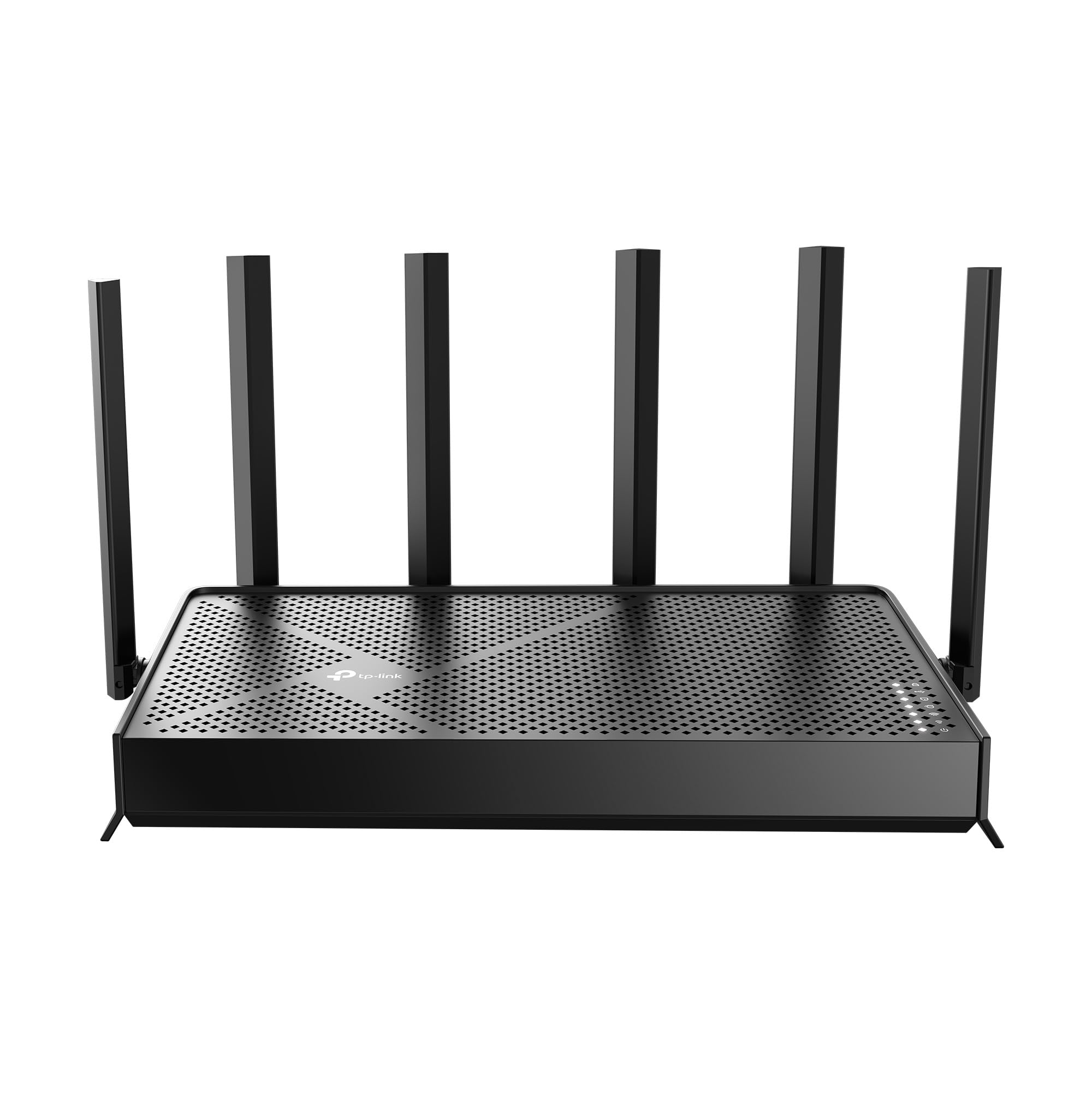
- Tri-band Wi-Fi 7 with a 6 GHz band and channels up to 320 MHz.
- Five wired ports, including one 10 Gbps port and four multi-gig ports.
- Advertised coverage up to 2,600 sq. ft. for up to 120 devices.
Best For: Households seeking tri-band Wi-Fi 7 and multi-gig wired connections across a larger home.

TP-Link Archer BE400
- Dual-band Wi-Fi 7 with Multi-Link Operation, Multi-RUs, and 4K-QAM.
- Two 2.5 Gbps ports plus three 1 Gbps LAN ports.
- Advertised coverage up to 2,400 sq. ft. and support for up to 90 devices.
Best For: Homes upgrading to Wi-Fi 7 that want multiple multi-gig ports and EasyMesh expansion.
TP-Link Archer GE800
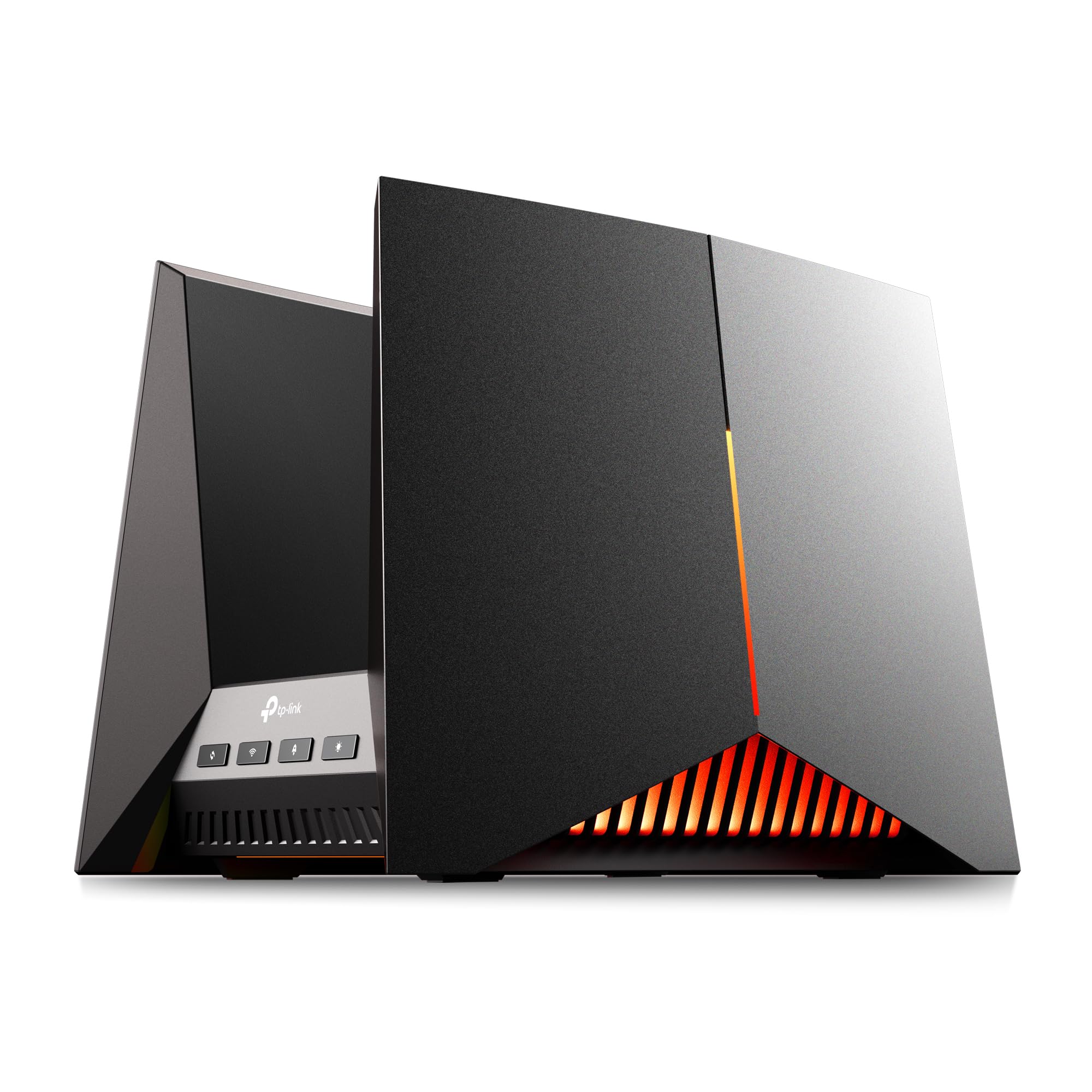
- Tri-band Wi-Fi 7 with up to 19 Gbps combined advertised speed.
- Two 10 Gbps ports and four 2.5 Gbps ports.
- Includes a dedicated gaming port, game panel, and customizable RGB lighting.
Best For: Gaming-focused setups with multi-gig wired equipment and interest in network monitoring tools.
TP-Link Archer GE650
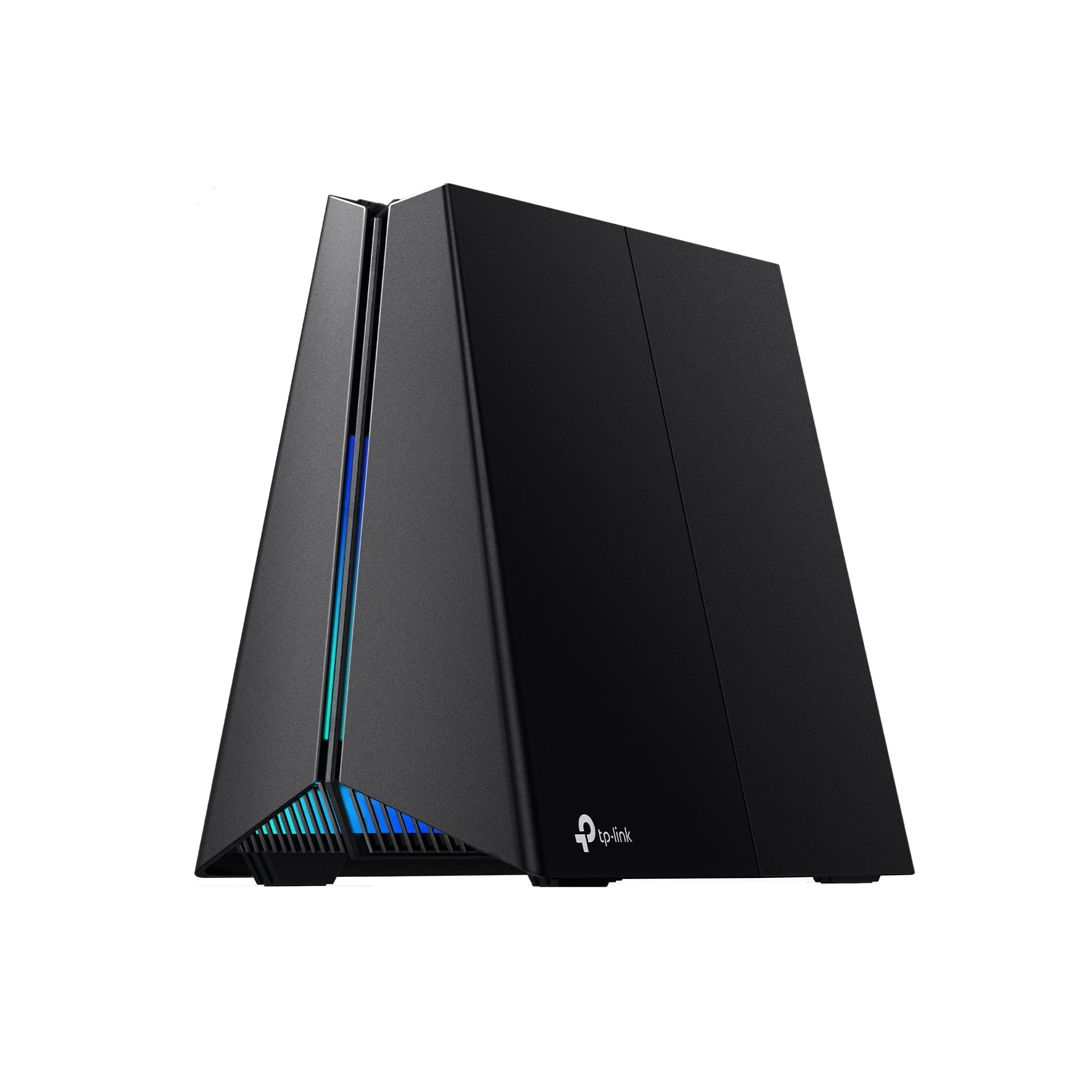
- Tri-band Wi-Fi 7 with a dedicated 5 GHz gaming band.
- Two 5 Gbps ports and three 2.5 Gbps LAN ports.
- Includes game acceleration, a performance panel, and customizable RGB lighting.
Best For: Gamers who want a dedicated gaming band, acceleration tools, and multi-gig wired ports.
TP-Link Archer AXE75
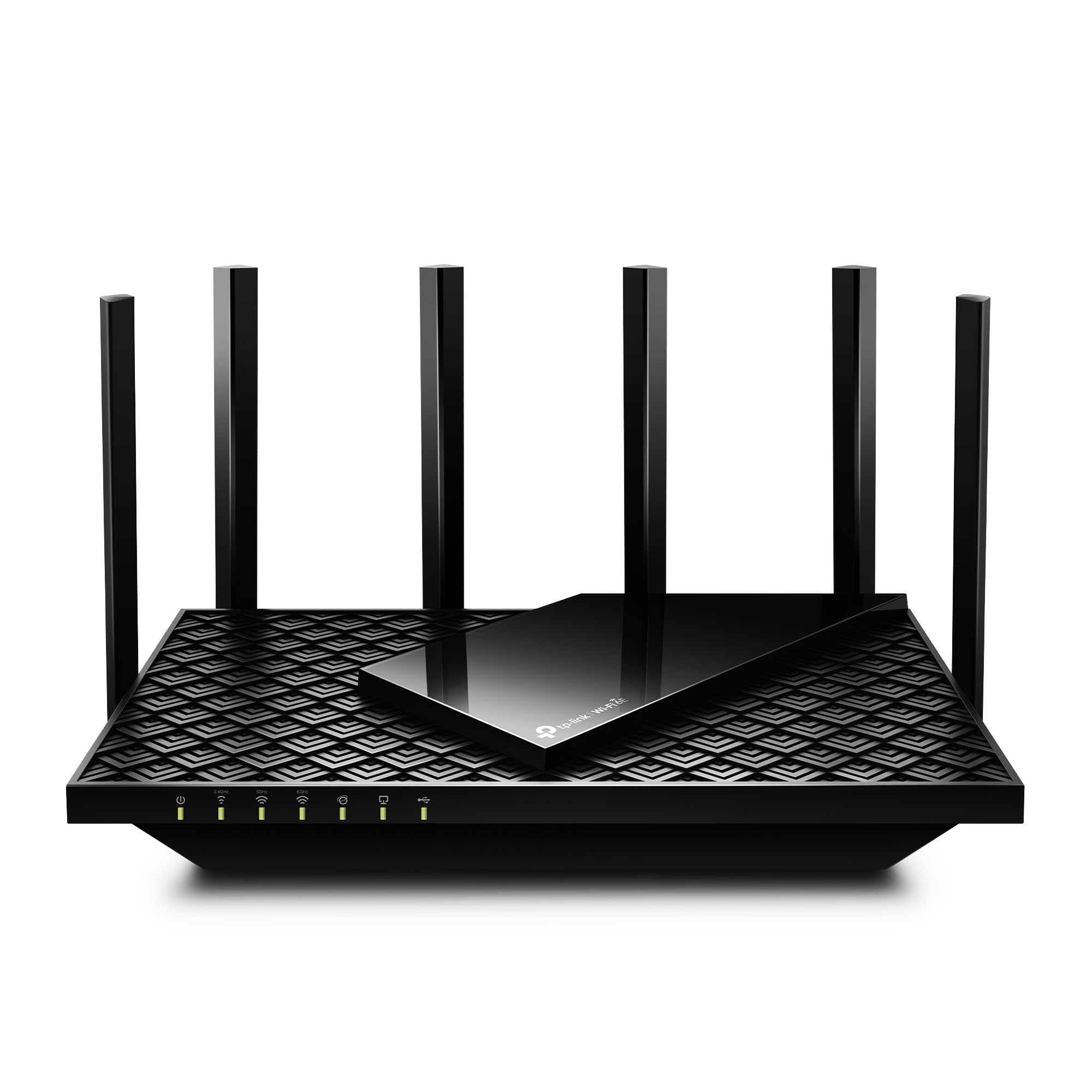
- Tri-band Wi-Fi 6E with 6 GHz, 5 GHz, and 2.4 GHz bands.
- Advertised combined wireless speed up to 5,400 Mbps.
- Includes a 2.5 Gbps WAN port and OneMesh extender support.
Best For: Households seeking a tri-band Wi-Fi 6E router with a 6 GHz band and OneMesh support.
TP-Link Archer BE230
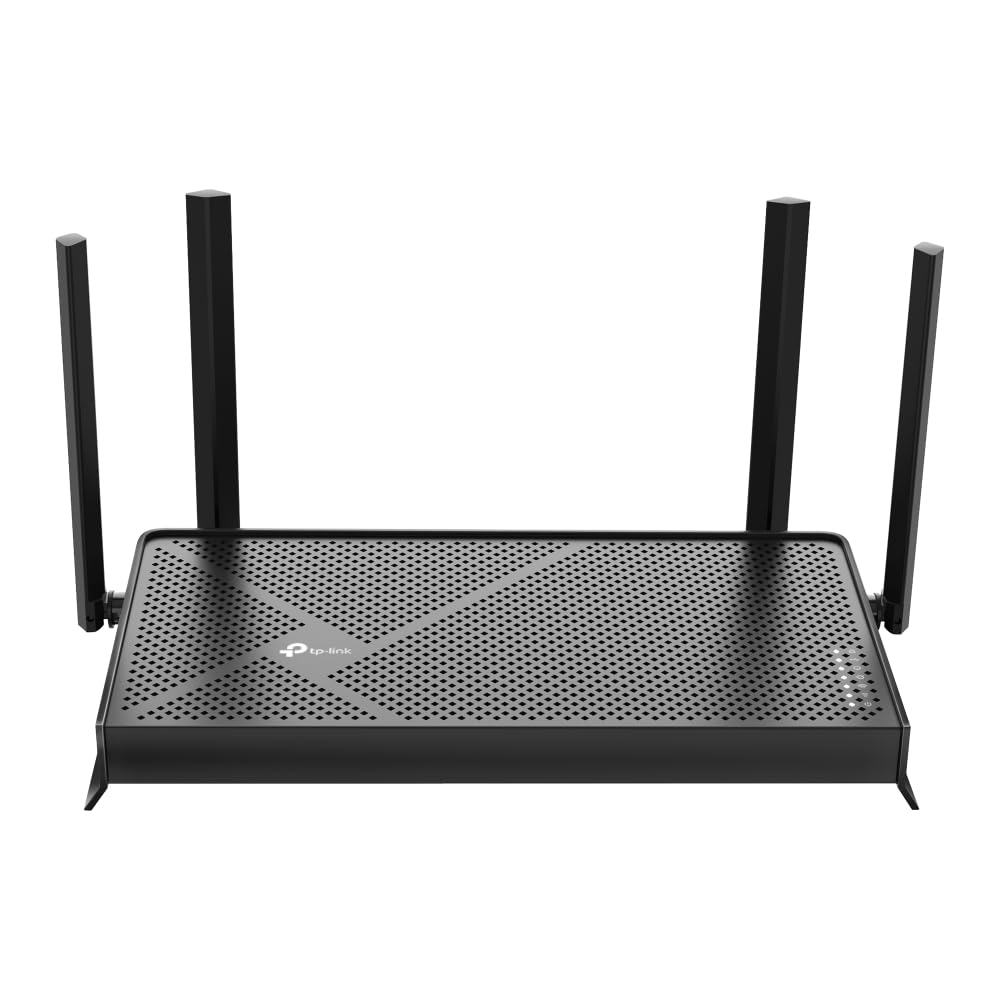
- Dual-band Wi-Fi 7 with Multi-Link Operation and 4K-QAM.
- Two 2.5 Gbps ports plus three 1 Gbps LAN ports.
- Advertised coverage up to 2,000 sq. ft. for up to 60 devices.
Best For: Homes seeking dual-band Wi-Fi 7, two 2.5 Gbps ports, and EasyMesh support.
TP-Link Deco 7 BE23
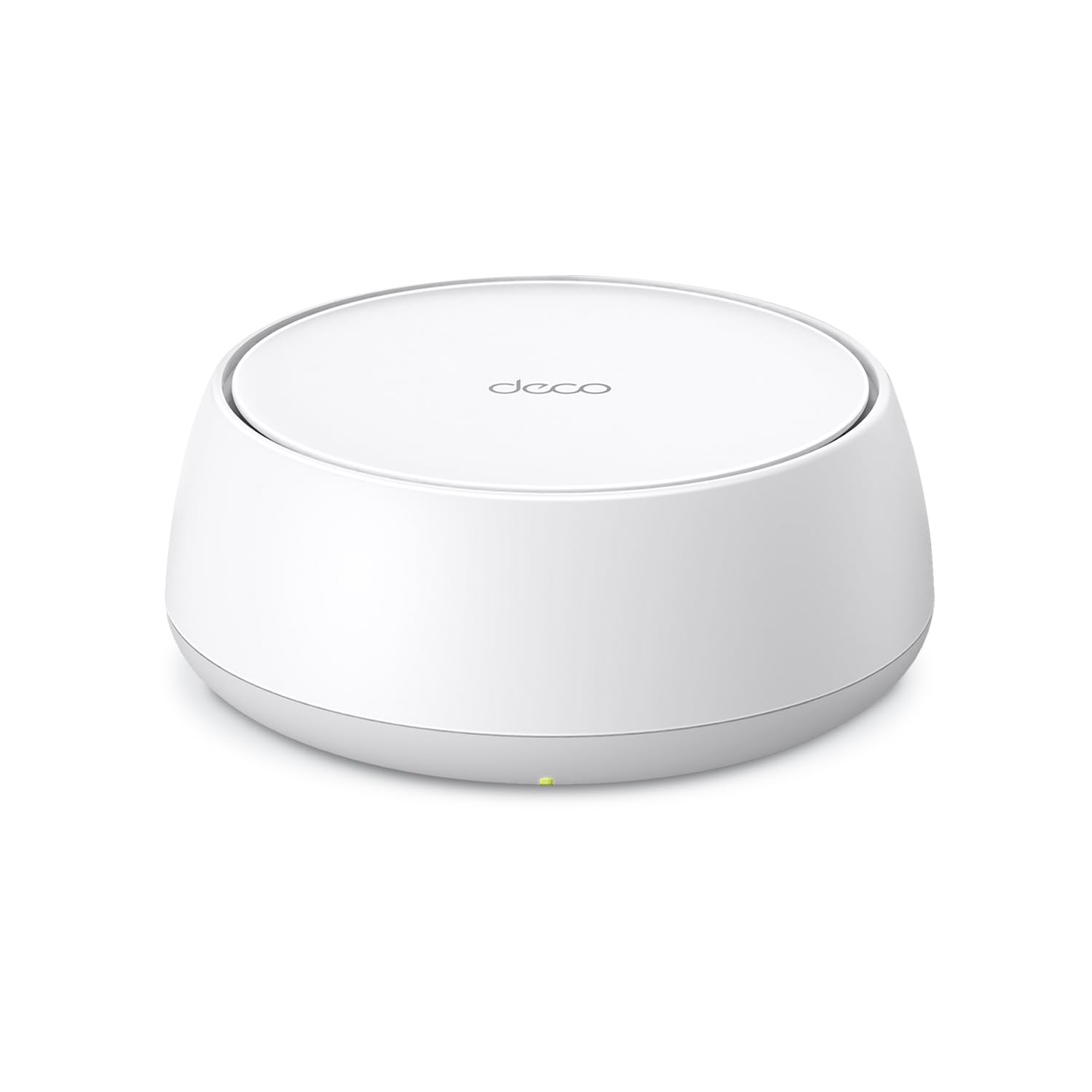
- Dual-band Wi-Fi 7 mesh unit with MLO and 4K-QAM.
- Two 2.5 Gbps WAN/LAN ports and wired or wireless backhaul support.
- One-pack coverage advertised up to 2,500 sq. ft. and up to 150 devices.
Best For: Households wanting a mesh-style Wi-Fi 7 system with two 2.5 Gbps ports on the included unit.
Tenda RX12 Pro V3.0
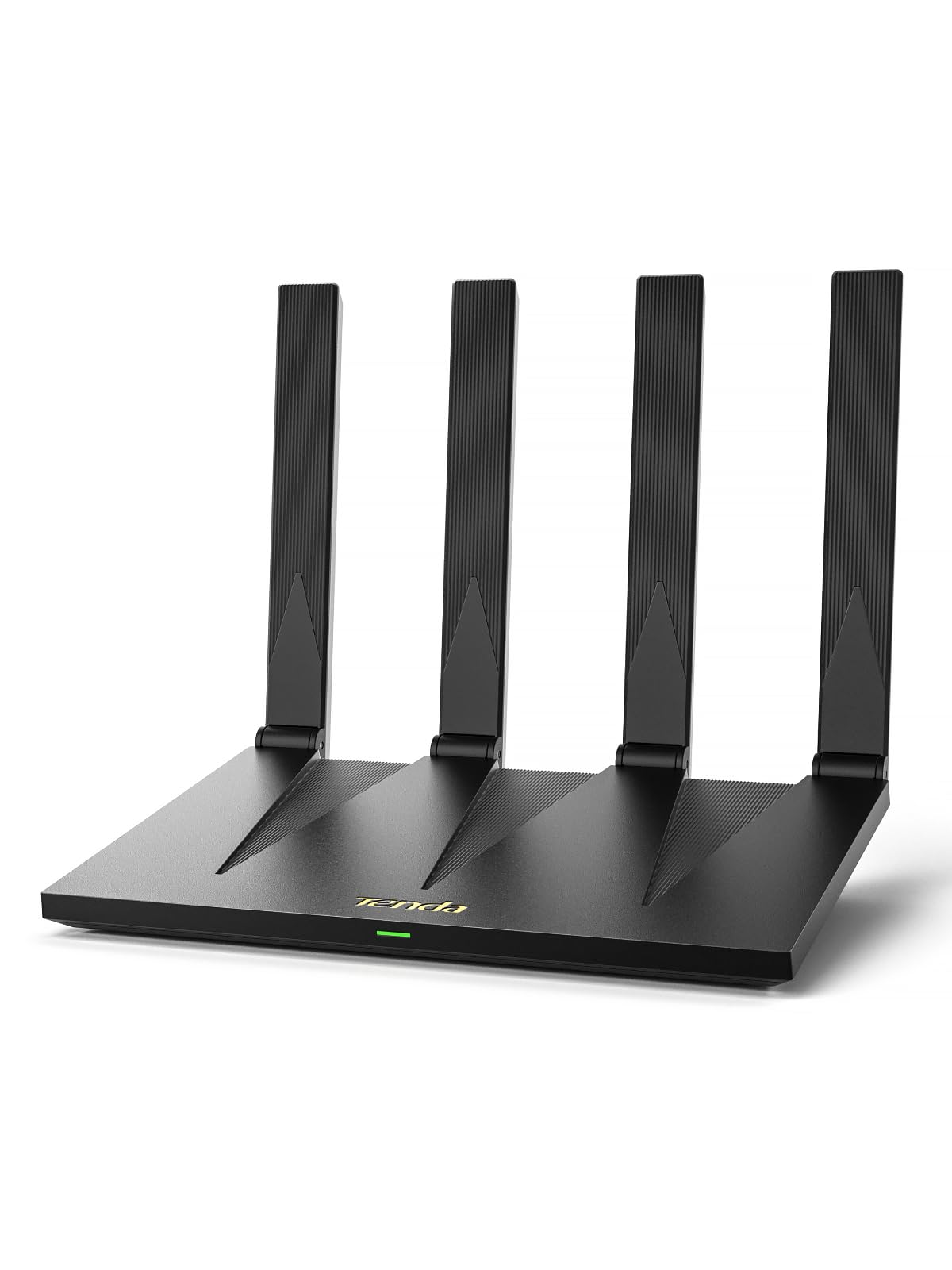
- Dual-band Wi-Fi 6 with advertised AX3000 speeds.
- Four gigabit ports with automatic WAN/LAN detection.
- Includes NFC tap-to-connect for compatible Android phones.
Best For: Budget-conscious homes seeking Wi-Fi 6, gigabit ports, and a quick NFC connection option.
TP-Link Roam 7 BE3600
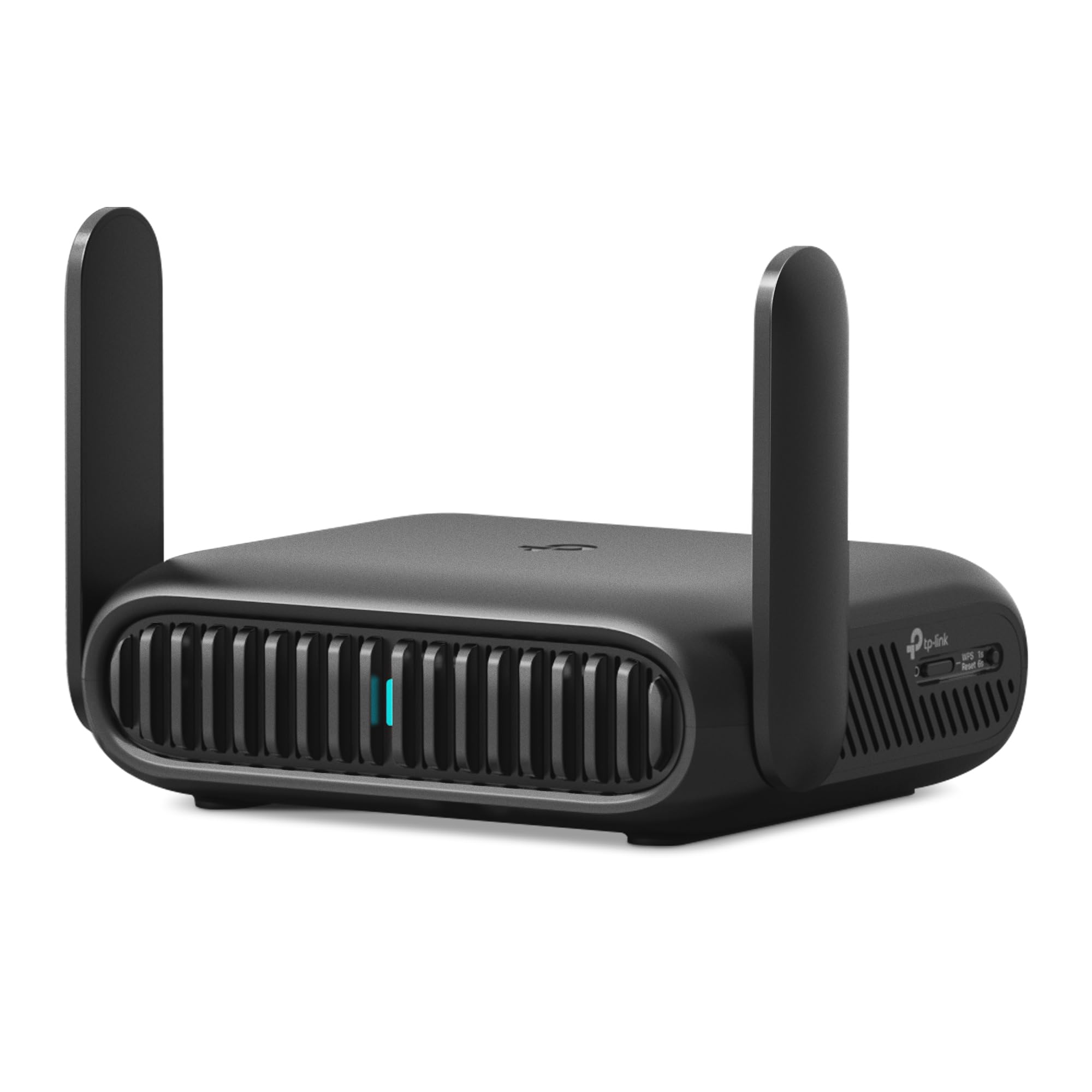
- Portable Wi-Fi 7 router with router, hotspot, access point, repeater, and client modes.
- Supports public Wi-Fi sharing and one-step captive portal authentication.
- Includes a 2.5 Gbps WAN port and OpenVPN and WireGuard support.
Best For: Travelers who want to turn public Wi-Fi or a wired connection into a private network.
TP-Link Roam 6 AX1500
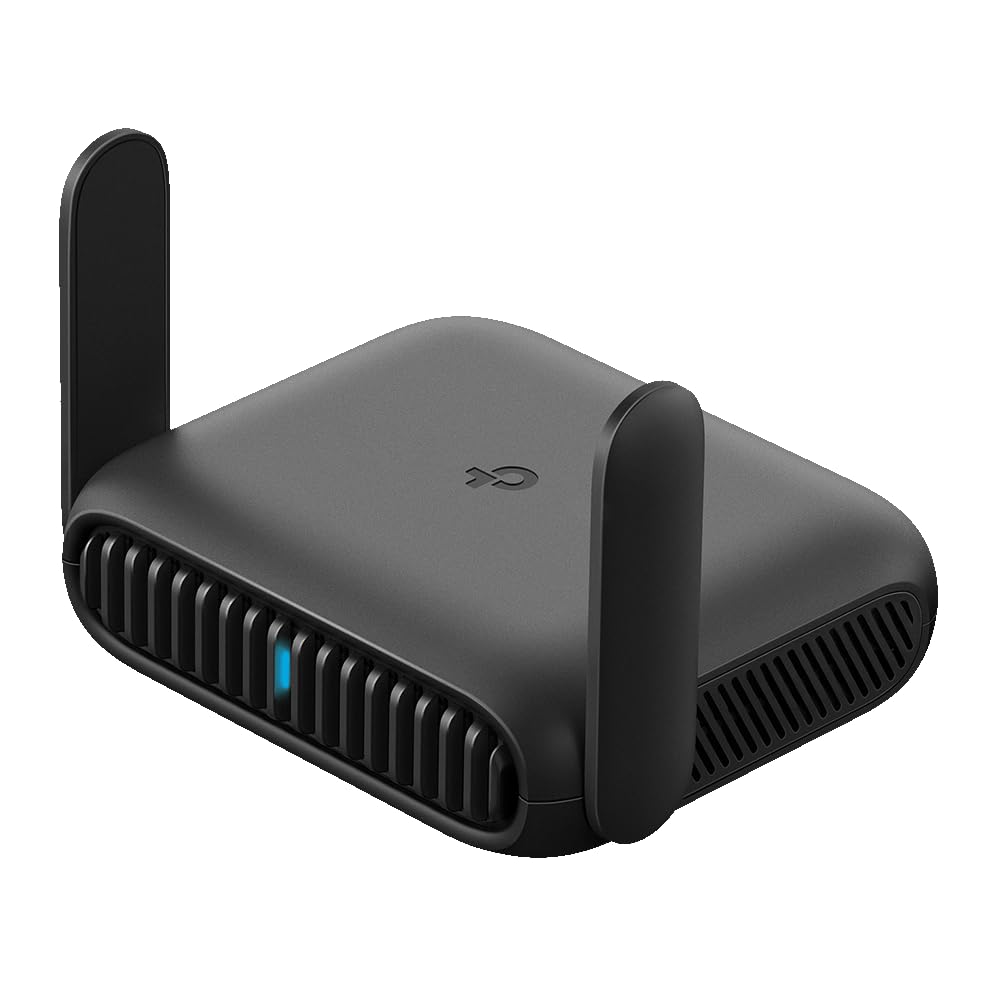
- Pocket-sized Wi-Fi 6 travel router with up to 60 supported devices.
- Supports public Wi-Fi, USB phone tethering, and multiple connection modes.
- Has two gigabit ports and USB-C power options.
Best For: Travelers seeking a compact Wi-Fi 6 router for sharing hotel Wi-Fi or phone tethering.
Tri-Band Wi-Fi 7 for Larger Homes
TP-Link Tri-Band BE9700 WiFi 7 Router (Archer BE600) – 10G Port, 2.5G Port, 3× 2.5G LAN, 320MHz Channel, Covers up to 2,600 sq. ft., 120 Devices, VPN, HomeShield Security
The TP-Link Archer BE600 combines tri-band Wi-Fi 7 with a 10 Gbps WAN/LAN port, a 2.5 Gbps WAN/LAN port, and three 2.5 Gbps LAN ports. Its advertised coverage reaches up to 2,600 square feet for up to 120 devices, making the stated capacity useful to compare against a busy household’s needs.
The router supports channels up to 320 MHz, Multi-Link Operation, and VPN client and server functions. Its 6 GHz band can be useful with compatible devices, but the band and advertised speeds do not guarantee a particular connection rate in every home.
Best For: Households seeking tri-band Wi-Fi 7 and multi-gig wired connections across a larger home.
| Pros | Cons |
|---|---|
|
|
Choose the BE600 if you want Wi-Fi 7 with a 6 GHz band and have multi-gig wired equipment to connect. Its mix of one 10 Gbps and four 2.5 Gbps ports stands apart from routers that offer fewer faster connections.
Check your modem, internet service, and wired devices before paying for those port speeds. If your priority is gaming-specific controls or a mesh setup, compare those features with the gaming and Deco options.
Wi-Fi 7 with Two 2.5 Gbps Ports
TP-Link BE6500 Dual-Band WiFi 7 Router (BE400) – Dual 2.5Gbps Ports, USB 3.0, Covers up to 2,400 sq. ft., 90 Devices, Quad-Core CPU, HomeShield, Private IoT, Free Expert Support
The Archer BE400 is a dual-band Wi-Fi 7 router with Multi-Link Operation, Multi-RUs, and 4K-QAM. It has one 2.5 Gbps WAN/LAN port, one 2.5 Gbps LAN port, and three 1 Gbps LAN ports, a practical mix for a multi-gig modem and one fast wired device.
TP-Link gives maximum coverage of 2,400 square feet and capacity for up to 90 devices. EasyMesh compatibility allows expansion with compatible routers or extenders.
Since this model is dual-band, it does not provide the 6 GHz band available on the tri-band Wi-Fi 7 choices here.
Best For: Homes upgrading to Wi-Fi 7 that want multiple multi-gig ports and EasyMesh expansion.
| Pros | Cons |
|---|---|
|
|
Consider the BE400 if you want Wi-Fi 7 and two 2.5 Gbps ports without choosing a tri-band router. It offers more advertised coverage and device capacity than the BE230, though the two models have different port and antenna configurations.
Check whether dual-band suits your compatible devices and whether you plan to expand with EasyMesh. If you need a 6 GHz band or several 2.5 Gbps LAN connections, the BE600 has a different port and band mix.
Gaming Controls and 10 Gbps Ports
TP-Link Tri-Band BE19000 Wi-Fi 7 Gaming Router Archer GE800 | 12-Stream | 2×10G + 4×2.5G Ports, USB 3.0 | Turbo Acceleration, Dedicated Gaming Port & Panel, RGB Lighting, HomeShield, Free Expert Help
The Archer GE800 is a tri-band Wi-Fi 7 gaming router with advertised combined speeds up to 19 Gbps across its three bands. Its wired connections include two 10 Gbps ports and four 2.5 Gbps ports, giving a gaming setup several high-speed connection options.
The router also includes a dedicated gaming port, game acceleration features, a performance panel, and customizable RGB lighting. EasyMesh compatibility provides an expansion path with compatible devices.
This is a specialized, high-capacity choice; households that need ordinary Wi-Fi and fewer multi-gig connections may not use its gaming controls or extensive port selection.
Best For: Gaming-focused setups with multi-gig wired equipment and interest in network monitoring tools.
| Pros | Cons |
|---|---|
|
|
Choose the GE800 when its gaming dashboard, dedicated port, and extensive multi-gig connections match your setup. Its six high-speed ports distinguish it from the GE650, while both are gaming-focused tri-band Wi-Fi 7 routers.
Check the speed of your internet service and wired devices to see whether the 10 Gbps ports are useful. For a standard home network or a simpler Wi-Fi 7 upgrade, the BE400 or BE230 has a less specialized feature set.
Tri-Band Gaming with a Dedicated 5 GHz Band
TP-Link Tri-Band BE11000 Wi-Fi 7 Gaming Router Archer GE650 | 6-Stream 11 Gbps supports 320MHz | 2×5G + 3×2.5G Ports USB 3.0 | Game Acceleration, Dedicated Gaming Port & Panel, RGB Lighting|HomeShield
The Archer GE650 combines tri-band Wi-Fi 7 with a dedicated 5 GHz gaming band, a game acceleration feature, and a dashboard for network and router information. Its bands have advertised speeds up to 5,764 Mbps on 6 GHz, 4,320 Mbps on 5 GHz, and 574 Mbps on 2.4 GHz.
For wired equipment, it provides two 5 Gbps ports and three 2.5 Gbps LAN ports. The GE650 also has customizable RGB lighting and works with EasyMesh devices.
These gaming-specific features make it distinct from general-purpose WiFi routers, though the advertised wireless rates depend on compatible devices and conditions.
Best For: Gamers who want a dedicated gaming band, acceleration tools, and multi-gig wired ports.
| Pros | Cons |
|---|---|
|
|
The GE650 is a fit if a dedicated gaming band and gaming controls matter, but you do not need the GE800’s two 10 Gbps ports. Its two 5 Gbps ports and three 2.5 Gbps LAN ports still support a multi-gig wired setup.
Check whether your modem and gaming devices can use those connections. If you need a more general router with stated area and device capacity, compare the BE400 and BE600.
6 GHz Wi-Fi 6E and OneMesh Expansion
TP-Link AXE5400 Tri-Band WiFi 6E Router (Archer AXE75), 2025 PCMag Editors' Choice, 2.5Gbps WAN Port for Gaming & Streaming, 6GHz Band, 160MHz, OneMesh, Dual-Core CPU, VPN & WPA3 Security
The Archer AXE75 uses tri-band Wi-Fi 6E, adding a 6 GHz band alongside 5 GHz and 2.4 GHz. Its advertised combined speed is up to 5,400 Mbps, and OFDMA is designed to help serve multiple devices.
The router has a 2.5 Gbps WAN port, a dual-core 1.0 GHz CPU, and 512 MB of memory. OneMesh compatibility lets you expand the network with a compatible TP-Link extender.
It also supports VPN client and server functions and includes basic HomeShield features. It may suit buyers who want the 6 GHz band without moving to a Wi-Fi 7 model.
Best For: Households seeking a tri-band Wi-Fi 6E router with a 6 GHz band and OneMesh support.
| Pros | Cons |
|---|---|
|
|
Consider the AXE75 if your priority is tri-band Wi-Fi 6E and you want a 6 GHz band without choosing Wi-Fi 7. It includes a 2.5 Gbps WAN port and OneMesh support, while the BE-series routers offer newer Wi-Fi 7 features and different port arrangements.
Check that your devices support 6 GHz and whether OneMesh suits your planned coverage. Its advertised combined speed is a theoretical maximum, so device capability and placement still matter.
Compact Wi-Fi 7 Port Mix for Wired Gear
TP-Link Dual-Band BE3600 Wi-Fi 7 Router Archer BE230 | 4-Stream | 2×2.5G + 3×1G Ports, USB 3.0, 2.0 GHz Quad Core, 4 Antennas | VPN, EasyMesh, HomeShield, MLO, Private IOT | Free Expert Support
The Archer BE230 is a dual-band Wi-Fi 7 router with a 2.0 GHz quad-core processor, four internal antennas, and beamforming. Its advertised wireless rates reach up to 2,882 Mbps on 5 GHz and 688 Mbps on 2.4 GHz.
The port mix includes two 2.5 Gbps connections and three 1 Gbps LAN ports. TP-Link gives a maximum coverage figure of 2,000 square feet and support for up to 60 devices.
EasyMesh allows pairing with compatible routers or extenders. This is a straightforward Wi-Fi 7 option for a smaller or moderately connected home, without a 6 GHz band.
Best For: Homes seeking dual-band Wi-Fi 7, two 2.5 Gbps ports, and EasyMesh support.
| Pros | Cons |
|---|---|
|
|
Pick the BE230 if you want a dual-band Wi-Fi 7 router with two 2.5 Gbps ports and EasyMesh support. Its stated coverage and device capacity are lower than the BE400’s, which may help distinguish them when matching the router to the home.
Check whether your internet plan or wired equipment needs multi-gig speeds. If 6 GHz is important, compare the tri-band AXE75 or BE600 instead.
Deco Mesh with Wired Backhaul Support
TP-Link Deco 7 BE23 Dual-Band BE3600 WiFi 7 Mesh Wi-Fi Router | 4-Stream 3.6 Gbps,160 Mhz | Covers up to 2,500 Sq.Ft | 2× 2.5G Ports Wired Backhaul | VPN, MLO, HomeShield, Free Expert Help, 1-Pack
The Deco 7 BE23 is a one-pack dual-band Wi-Fi 7 mesh unit with advertised coverage up to 2,500 square feet and capacity for up to 150 devices. It has two 2.5 Gbps WAN/LAN ports, and the system supports both wired and wireless backhaul.
The Deco platform creates a unified network name and supports roaming across compatible Deco units. It also includes VPN client and server support and a separate IoT network option.
Because this is a one-pack, check whether one unit suits your floor plan or whether you intend to add compatible Deco units for broader mesh coverage.
Best For: Households wanting a mesh-style Wi-Fi 7 system with two 2.5 Gbps ports on the included unit.
| Pros | Cons |
|---|---|
|
|
Choose the Deco 7 BE23 if you prefer the Deco mesh approach and want the option of wired backhaul. The included unit has two 2.5 Gbps ports, while the Archer BE230 is a conventional router with a different antenna and port layout.
Check whether existing Deco products are compatible and whether one unit covers your spaces. Consider how you will connect additional units if your home needs a broader mesh network.
Wi-Fi 6 with NFC Guest Connection
Tenda AX3000 WiFi 6 Router,Dual-Band Gigabit Wireless Internet Router, Mesh & AP Mode, Built-in VPN, NFC Tap-to-Connect, OFDMA MU-MIMO, Secure IoT Network for Home Gaming & 4K Streaming(RX12 Pro V3.0)
The Tenda RX12 Pro V3.0 is a dual-band Wi-Fi 6 router with advertised AX3000 speeds: up to 2,402 Mbps on 5 GHz and 574 Mbps on 2.4 GHz. It has four gigabit ports with automatic WAN/LAN detection, plus OFDMA and MU-MIMO.
The router supports EasyMesh, access point mode, and VPN protocols including OpenVPN and WireGuard through a firmware update. An NFC-enabled Android phone can use the tap-to-connect feature.
The router does not include a modem, so plan to connect it to a separate modem or ISP gateway for internet access.
Best For: Budget-conscious homes seeking Wi-Fi 6, gigabit ports, and a quick NFC connection option.
| Pros | Cons |
|---|---|
|
|
The RX12 Pro suits a home that needs Wi-Fi 6 and gigabit wired ports, while its NFC feature can simplify connecting compatible Android devices. It does not offer the Wi-Fi 7 features or multi-gig ports found on several other picks.
Check that your modem or ISP gateway can connect to it and that the four gigabit ports meet your wired needs. If you need a 6 GHz band or faster wired links, compare the tri-band options.
Travel Router with 2.5 Gbps WAN
TP-Link Roam 7 BE3600 Wi-Fi 7 Portable Travel Router | Dual-Band, 2.5G Port, USB 3.0 | Multi-Modes in One | OpenVPN, WireGuard® | Public WiFi Sharing for Hotel/Cruise/RV/Plane | No 6 GHz | TL-WR3602BE
The Roam 7 BE3600 is a portable dual-band Wi-Fi 7 travel router built for connecting through hotel or other public Wi-Fi, Ethernet, or USB phone tethering. Hotspot mode can create a private network from public Wi-Fi, and a one-step captive portal process is designed to reduce repeated logins for connected devices.
It has a 2.5 Gbps WAN port and a 1 Gbps LAN port, and supports OpenVPN and WireGuard. The router can be powered over USB-C with the included adapter or a 5V PD source.
It does not support 6 GHz, despite being a Wi-Fi 7 model.
Best For: Travelers who want to turn public Wi-Fi or a wired connection into a private network.
| Pros | Cons |
|---|---|
|
|
Choose the Roam 7 if your main need is portable Wi-Fi sharing for hotel stays, remote work, or similar travel. Its hotspot mode, captive portal process, multiple operating modes, and VPN support are more relevant on the road than a home router’s area coverage.
Check the available power source and whether the public network’s sign-in process works with your devices. The Roam 6 is a lower-speed Wi-Fi 6 alternative with gigabit ports.
Pocket Travel Router with Gigabit Ports
TP-Link Roam 6 AX1500 Portable Wi-Fi 6 Travel Router Dual-Band | Easy Public WiFi Sharing | Hotel/RV/Travel Approved | Phone WiFi Tether | USB C 3.0 | Multi-Mode | OpenVPN, WireGuard® | TL-WR1512X
The Roam 6 AX1500 is a pocket-sized, dual-band Wi-Fi 6 travel router for public Wi-Fi, ISP connections, and USB phone tethering. Its advertised wireless speeds reach up to 1,201 Mbps on 5 GHz and 300 Mbps on 2.4 GHz, with support for up to 60 devices.
It has one 1 Gbps WAN/LAN port and one 1 Gbps LAN port. Router, access point, repeater, and client modes make it adaptable to different connections, while captive portal authentication can simplify sharing a public network.
It supports OpenVPN and WireGuard and can run from a USB-C power source.
Best For: Travelers seeking a compact Wi-Fi 6 router for sharing hotel Wi-Fi or phone tethering.
| Pros | Cons |
|---|---|
|
|
The Roam 6 is a sensible fit when small size and travel-focused modes matter more than Wi-Fi 7 or a 2.5 Gbps port. It supports phone tethering, public Wi-Fi sharing, VPN protocols, and USB-C power.
Compare its advertised speeds and gigabit ports with the Roam 7 if you expect to connect faster wired equipment. Before traveling, check that your power source and the venue’s Wi-Fi login process work with your setup.
How to Choose Wifi Routers
How We Picked WiFi Routers
This selection includes conventional home routers, mesh equipment, gaming-focused models, and portable travel routers because each addresses a different WiFi need. We compared the supplied wireless generation and band layout, wired port speeds, mesh options, stated coverage and device capacity, and distinct features such as VPN support or gaming controls.
Those differences matter in practical settings. A large household with multi-gig wired devices may value the BE600’s port mix, while a traveler may get more use from the Roam models’ public Wi-Fi and tethering modes.
Advertised coverage, device counts, and wireless speeds are maximums; walls, placement, client devices, and the internet connection affect what a particular setup can use.
Comparing WiFi Routers
Start with the wireless generation and bands. The Wi-Fi 7 models here include dual-band routers such as the BE230 and BE400, plus tri-band options such as the BE600 and gaming routers.
The AXE75 is tri-band Wi-Fi 6E with a 6 GHz band. Check which bands your devices support; a router’s highest advertised rate does not mean every connected device will reach it.
Next, count and compare wired ports against your equipment. The BE230 and BE400 offer two 2.5 Gbps connections, while the BE600 has one 10 Gbps port and four 2.5 Gbps connections.
The GE800 and GE650 target gaming setups with several multi-gig ports. If the modem or devices you plan to connect are limited to gigabit, faster router ports may not change those links.
| Product | Standout features | Best for |
|---|---|---|
| TP-Link Archer BE600Check Price |
| Households seeking tri-band Wi-Fi 7 and multi-gig wired connections across a larger home. |
| TP-Link Archer BE400Check Price |
| Homes upgrading to Wi-Fi 7 that want multiple multi-gig ports and EasyMesh expansion. |
| TP-Link Archer GE800Check Price |
| Gaming-focused setups with multi-gig wired equipment and interest in network monitoring tools. |
| TP-Link Archer GE650Check Price |
| Gamers who want a dedicated gaming band, acceleration tools, and multi-gig wired ports. |
| TP-Link Archer AXE75Check Price |
| Households seeking a tri-band Wi-Fi 6E router with a 6 GHz band and OneMesh support. |
| TP-Link Archer BE230Check Price |
| Homes seeking dual-band Wi-Fi 7, two 2.5 Gbps ports, and EasyMesh support. |
| TP-Link Deco 7 BE23Check Price |
| Households wanting a mesh-style Wi-Fi 7 system with two 2.5 Gbps ports on the included unit. |
| Tenda RX12 Pro V3.0Check Price |
| Budget-conscious homes seeking Wi-Fi 6, gigabit ports, and a quick NFC connection option. |
| TP-Link Roam 7 BE3600Check Price |
| Travelers who want to turn public Wi-Fi or a wired connection into a private network. |
| TP-Link Roam 6 AX1500Check Price |
| Travelers seeking a compact Wi-Fi 6 router for sharing hotel Wi-Fi or phone tethering. |
Choosing Home WiFi Coverage and Mesh
For a single home router, compare the stated coverage and device capacity with the layout and number of connected devices, then treat those figures as a starting point rather than a guaranteed radius. The BE230 gives a maximum of 2,000 square feet and 60 devices; the BE400 lists up to 2,400 square feet and 90 devices.
The BE600 raises those figures to 2,600 square feet and 120 devices. Walls and router placement still affect signal reach.
Mesh choices have their own compatibility rules. The Deco 7 BE23 is a one-pack with Deco mesh expansion and wired or wireless backhaul support.
The Archer models listed with EasyMesh can pair with compatible routers or extenders, while the AXE75 uses OneMesh with compatible TP-Link extenders. Check the system family and backhaul connection you intend to use before adding equipment.
WiFi Routers for Gaming and Connected Work
Gaming-focused routers add controls beyond general Wi-Fi. The GE650 has a dedicated 5 GHz gaming band, game acceleration, and a dashboard.
The GE800 adds a dedicated gaming port, a performance panel, and two 10 Gbps ports. These features may suit a wired gaming setup or someone who wants network activity controls; compare the ports with your console, PC, modem, and service speed.
For shared household use, VPN and IoT options can matter too. The BE600, BE400, BE230, AXE75, and Deco 7 BE23 include VPN client and server support.
Tenda’s RX12 Pro offers an independent IoT Wi-Fi option and VPN protocol support, with WireGuard requiring a firmware update. Check the specific controls and connection modes you need rather than assuming that every router offers the same management features.
Travel WiFi Router Features to Check
A travel router solves a different problem from a home router: it can share a hotel’s public Wi-Fi or a phone’s tethered connection with your devices. The Roam 7 adds a 2.5 Gbps WAN port and supports Wi-Fi 7 but has no 6 GHz band.
The Roam 6 is a pocket-sized Wi-Fi 6 model with gigabit ports and support for up to 60 devices. Both support public Wi-Fi sharing, USB-C power, and VPN features.
Before a trip, check how the router connects to the venue network, whether captive portal authentication works for the devices you plan to use, and what power source you will carry. Phone tethering also depends on a compatible phone and an available data connection.
For a fixed home connection, compare the home-router and mesh options instead.
Who Should Buy Which WiFi Router?
Choose a BE-series home router when Wi-Fi 7 and the listed wired ports or coverage figures match your equipment and layout. The BE230 is a dual-band option; the BE400 adds higher stated coverage and device capacity; the BE600 adds a 6 GHz band and more multi-gig ports.
Choose the Deco 7 BE23 if you prefer a mesh system and may use wired backhaul.
Consider the GE650 or GE800 for gaming controls and multi-gig wired setups, and the AXE75 if Wi-Fi 6E with 6 GHz is the feature you want. The RX12 Pro is a Wi-Fi 6 choice with gigabit ports and NFC connection support.
For travel, select the Roam 7 for its Wi-Fi 7 and 2.5 Gbps WAN port, or the Roam 6 for a pocket-sized Wi-Fi 6 design with gigabit ports.