The best wireless headsets for work balance clear call controls and device connections with a fit and battery life suited to your day. Choose a dedicated boom mic for frequent meetings, an open ear design to stay aware of your surroundings, or noise control for a quieter listening space.
Quick Top Products
JLab Epic Work ANC
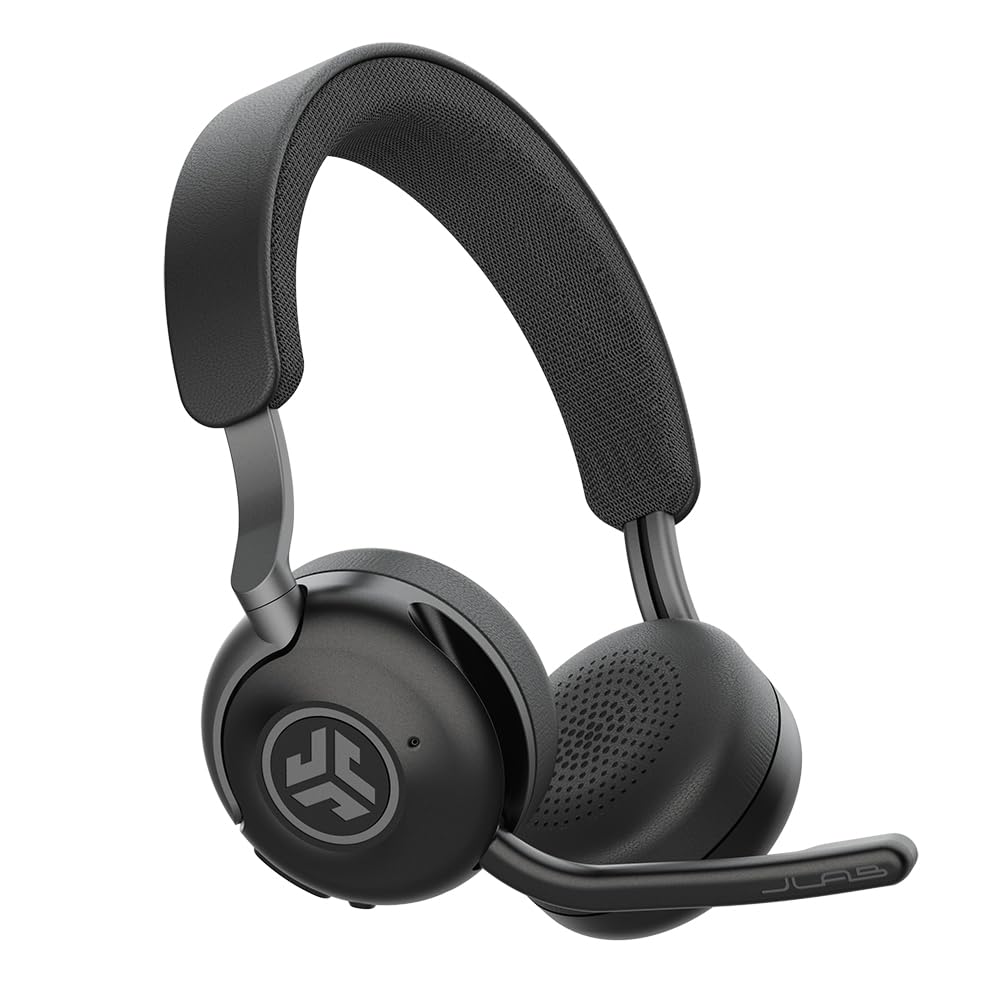
- Active noise cancellation reduces ambient noise by up to 30 dB.
- Up to 90 hours of wireless playtime and a charging hub.
- Multipoint Bluetooth, adaptive boom mic, and quick mute.
Best For: People who want active noise control, long runtime, and a charging hub for a busy work week.

JLab Go Work Pop
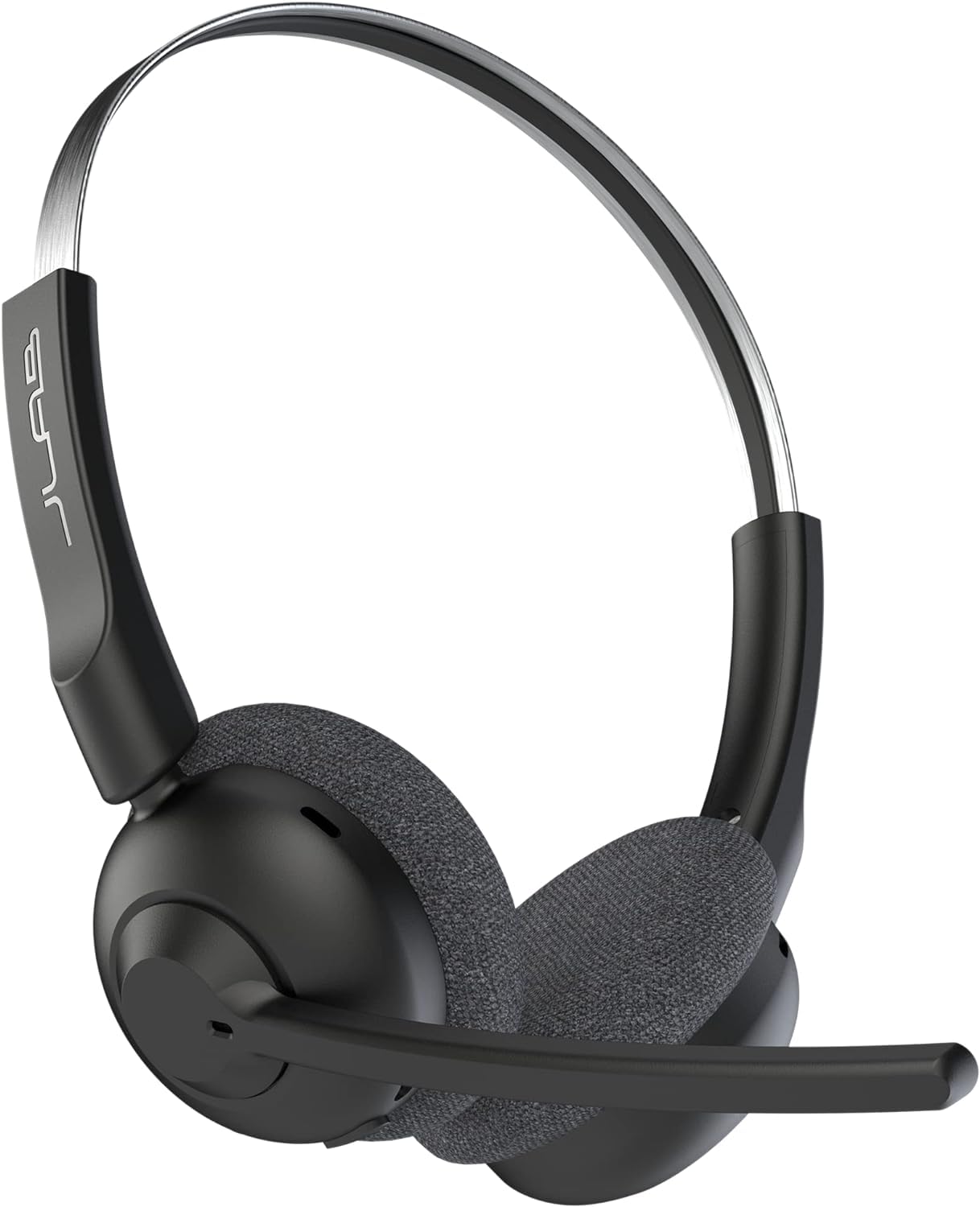
- Flip the rotating boom mic up to mute and down for calls.
- Bluetooth multipoint pairs with two devices simultaneously.
- More than 50 hours of playtime with Voice and Music EQ modes.
Best For: Remote workers who want an affordable on-ear headset with a boom mic and two-device Bluetooth pairing.
JLab JBuds Work
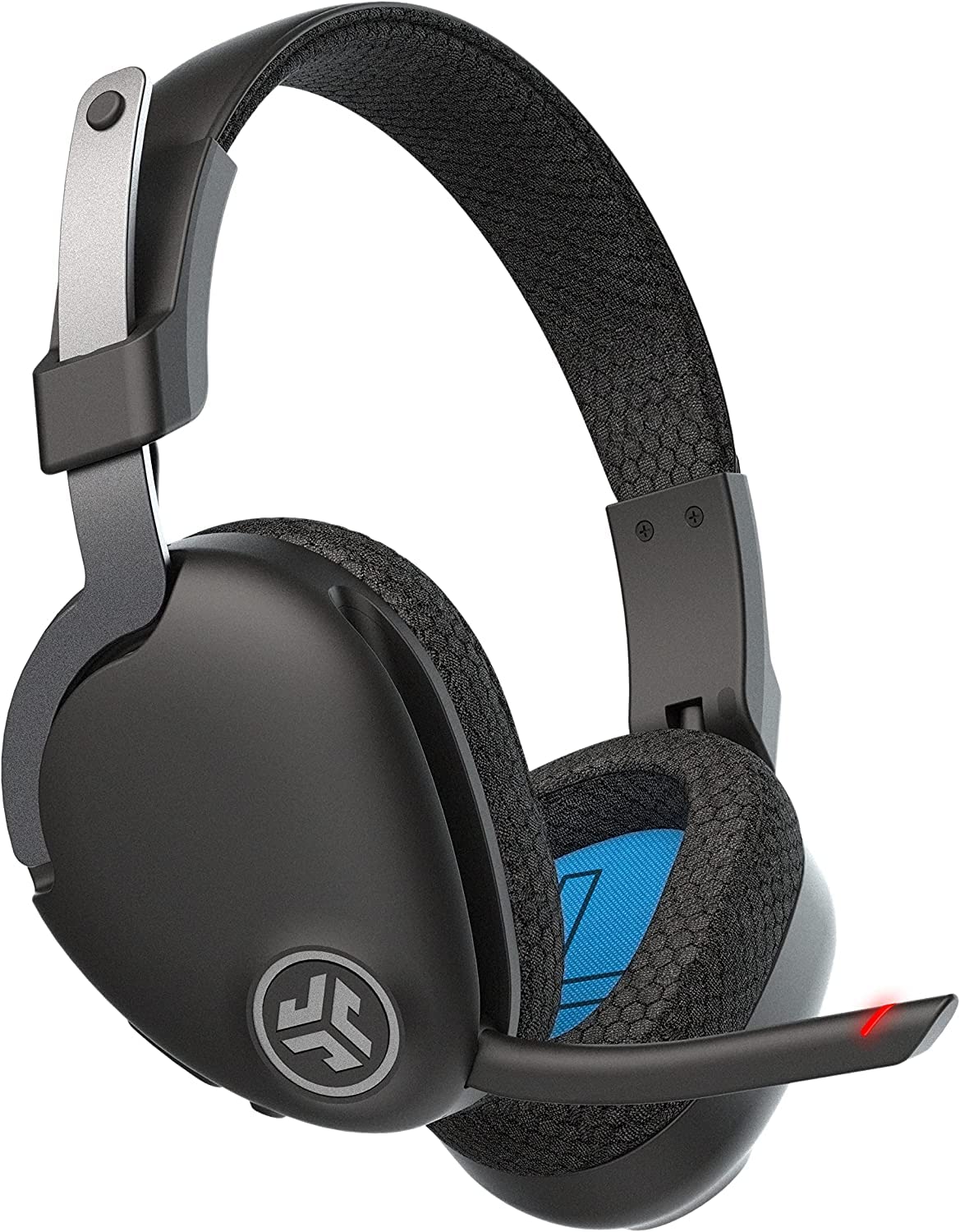
- Over-ear Cloud Foam cups and a rotating boom microphone.
- More than 60 hours of playtime and Bluetooth multipoint for two devices.
- Includes USB-C to 3.5 mm cable, mute control, and mute indicator.
Best For: People who prefer over-ear cups, wired fallback, and a dedicated boom mic for frequent meetings.
JLab Go Work
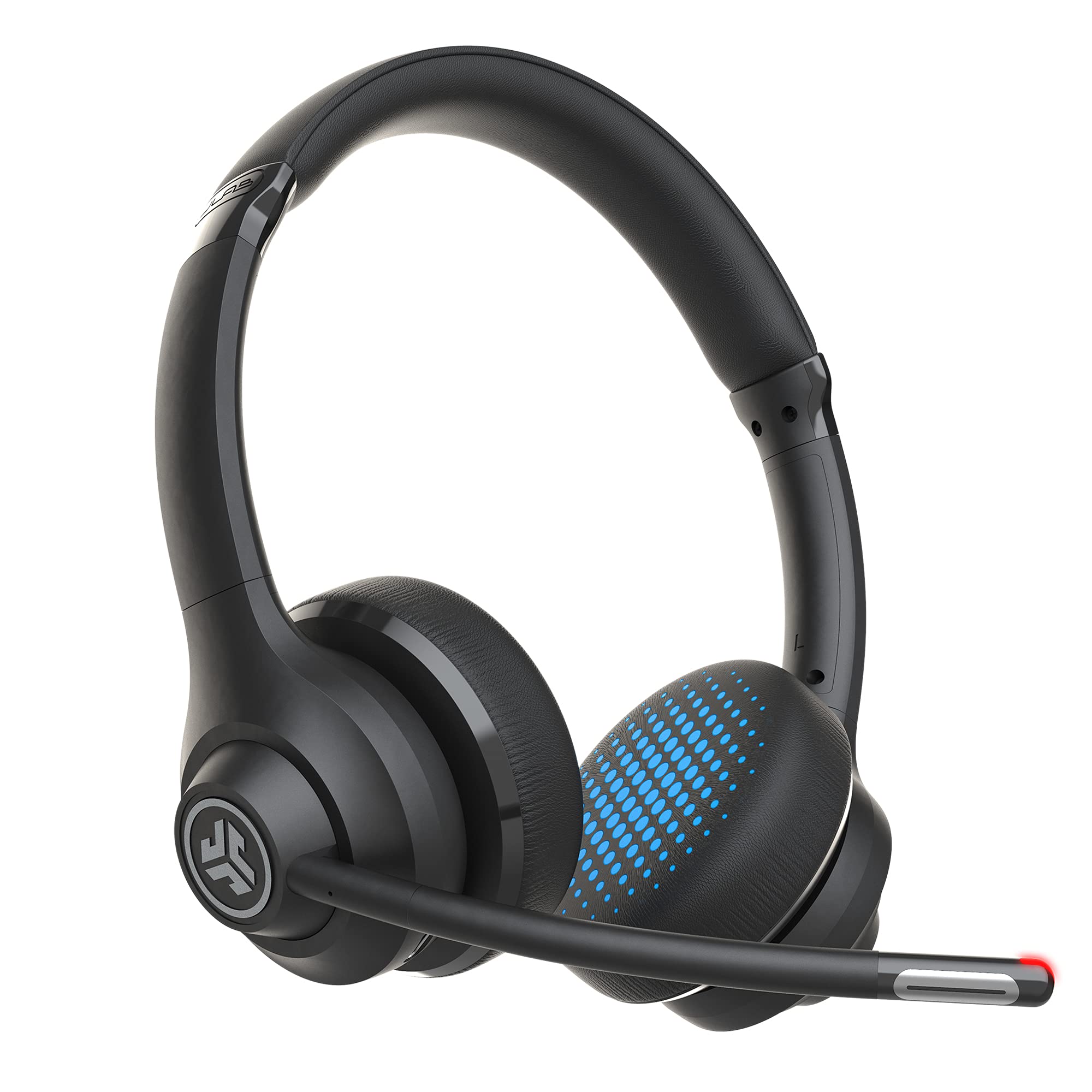
- More than 45 hours of playtime and Cloud Foam earcups.
- Dual microphones and a rotating boom mic with red mute indicator.
- Connects to two devices by Bluetooth or use the included audio cable.
Best For: Workers who want a lightweight on-ear headset with multipoint, a boom mic, and a wired option.
SHOKZ OpenMeet
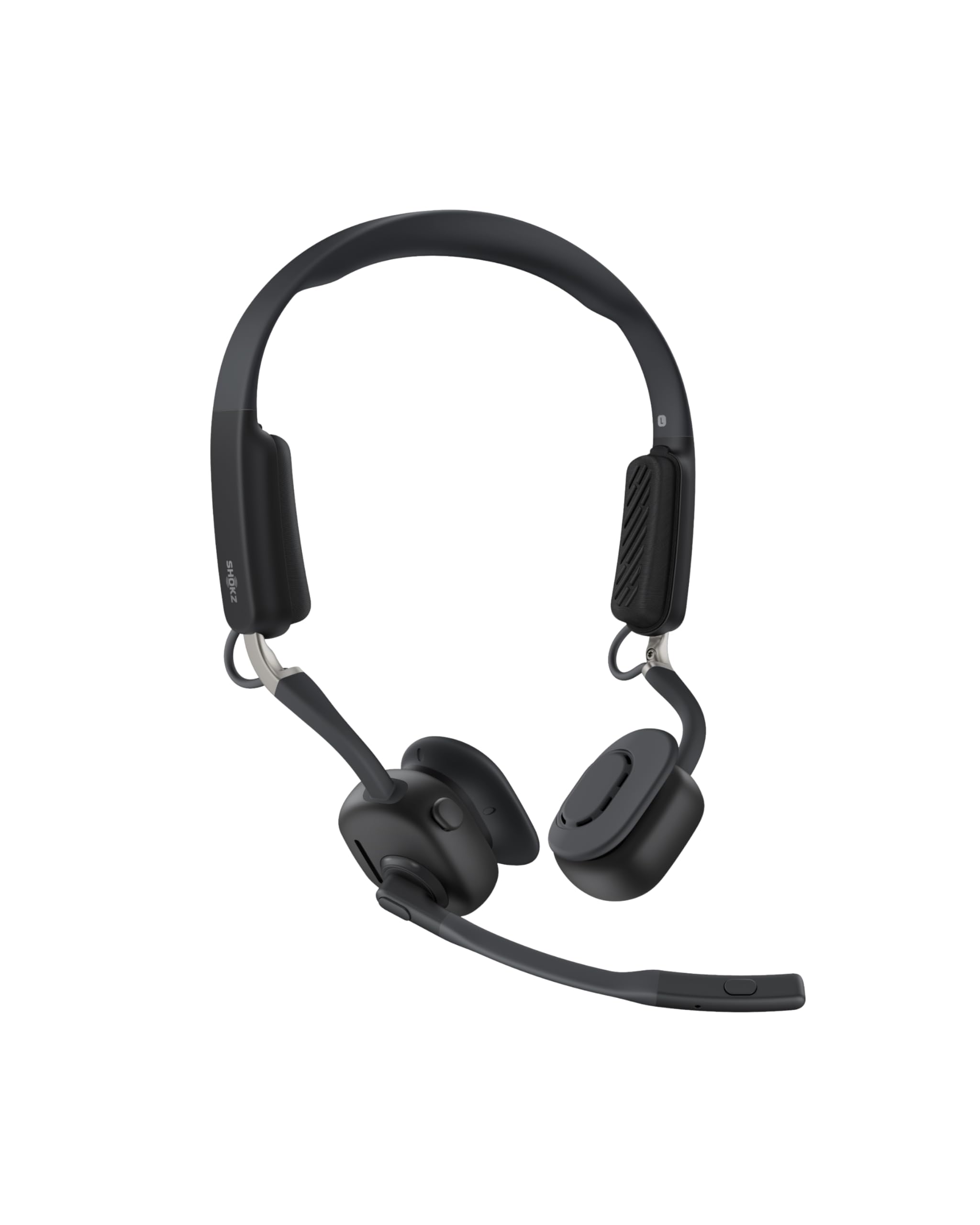
- Open-ear design with three interchangeable temple cushion sizes.
- Dedicated mute button, busy indicator, and multipoint for two devices.
- Up to 15 hours of battery life and quick-charge talk time.
Best For: People who need to hear coworkers or nearby activity while taking wireless calls.
JLab Go Lux ANC
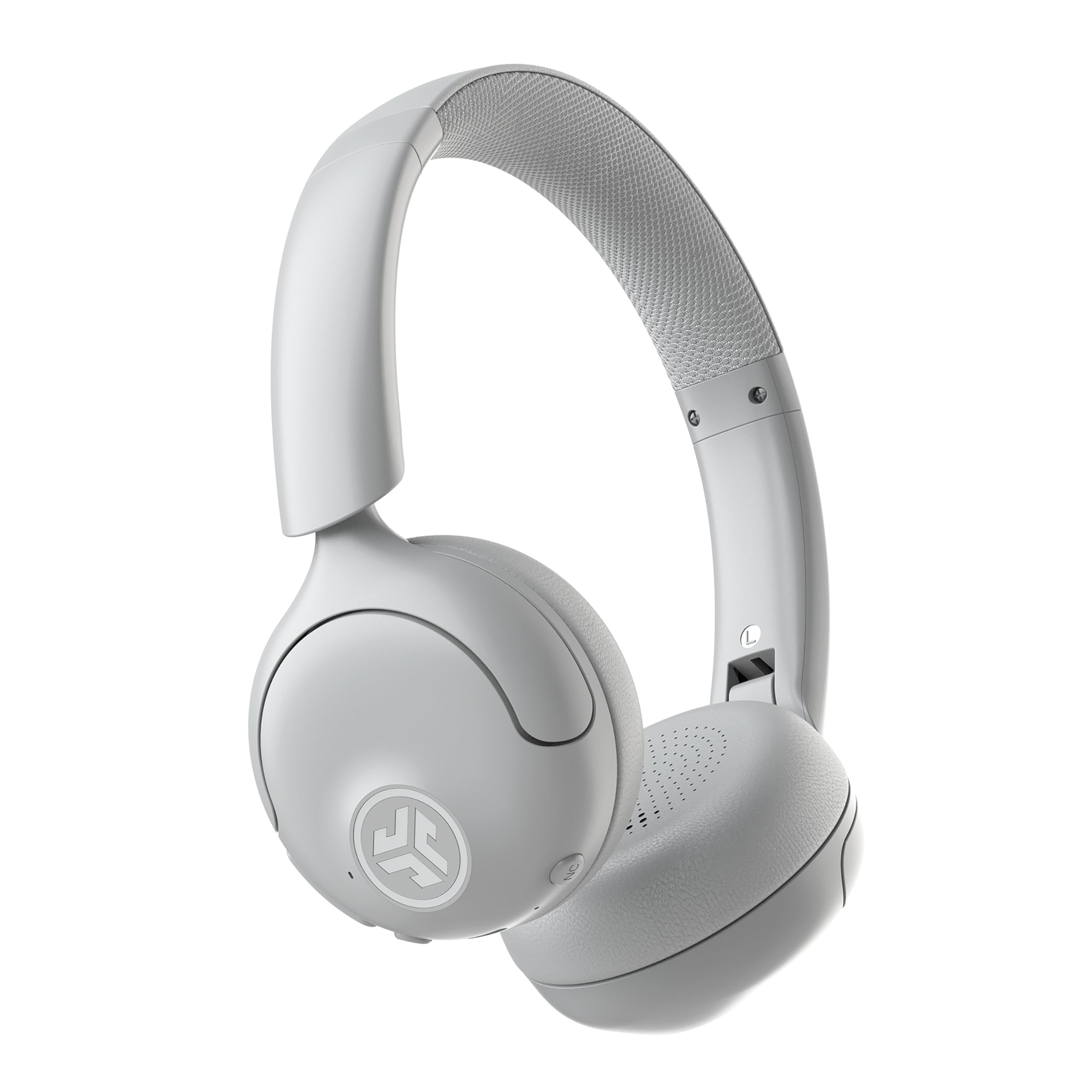
- Hybrid ANC reduces ambient noise by up to 30 dB, with Be Aware mode.
- Bluetooth multipoint connects two devices simultaneously.
- Up to 50 hours of playtime and app-based sound controls.
Best For: Workers who want active noise cancellation for listening and multipoint pairing across two devices.
SteelSeries Arctis Nova Pro Wireless
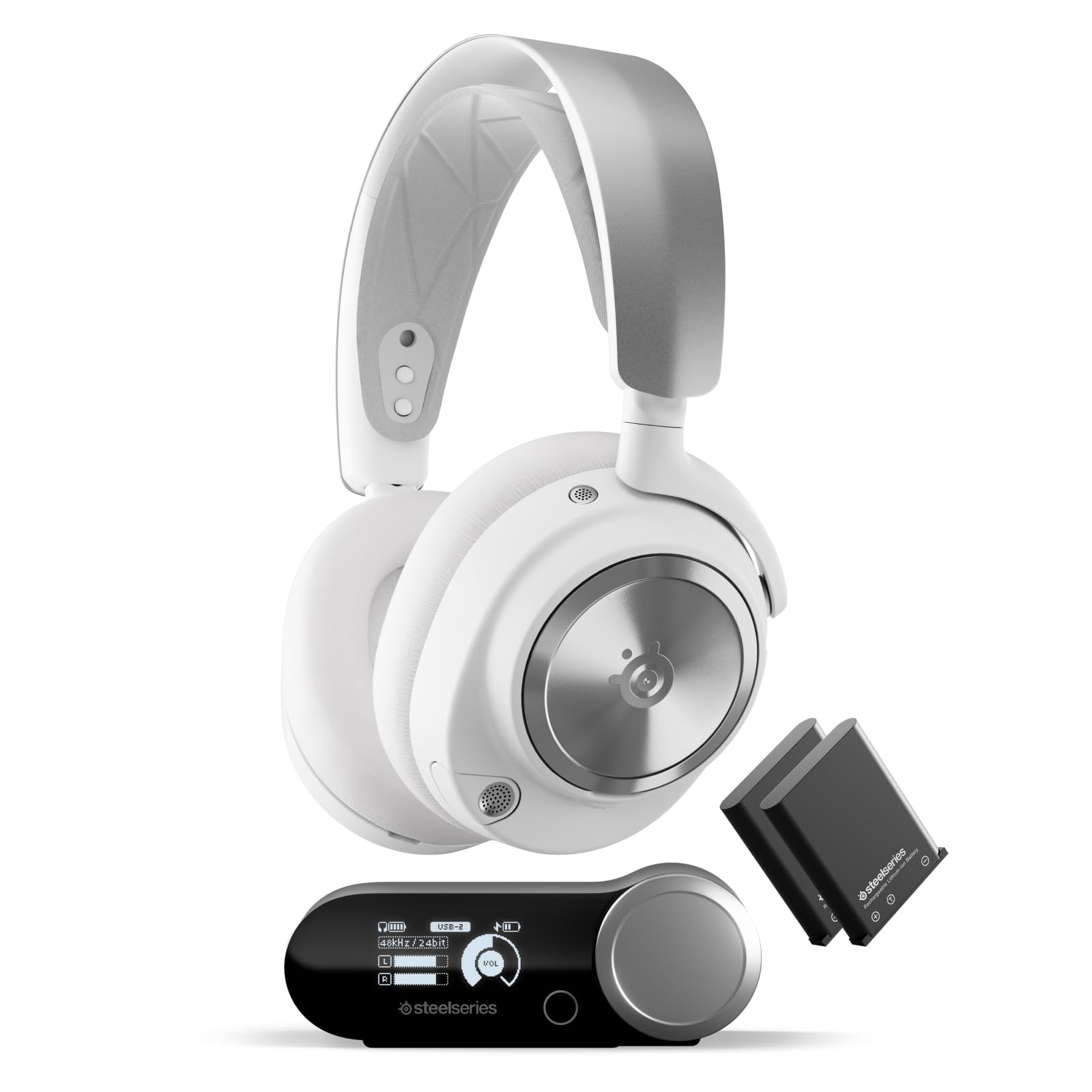
- Connect two systems and toggle between them.
- Two hot-swappable batteries with a charging base station.
- Active noise cancellation, Transparency Mode, and simultaneous Bluetooth.
Best For: People who want a premium multi-system headset for work calls and gaming audio in one setup.
SteelSeries Arctis Nova 5 Wireless
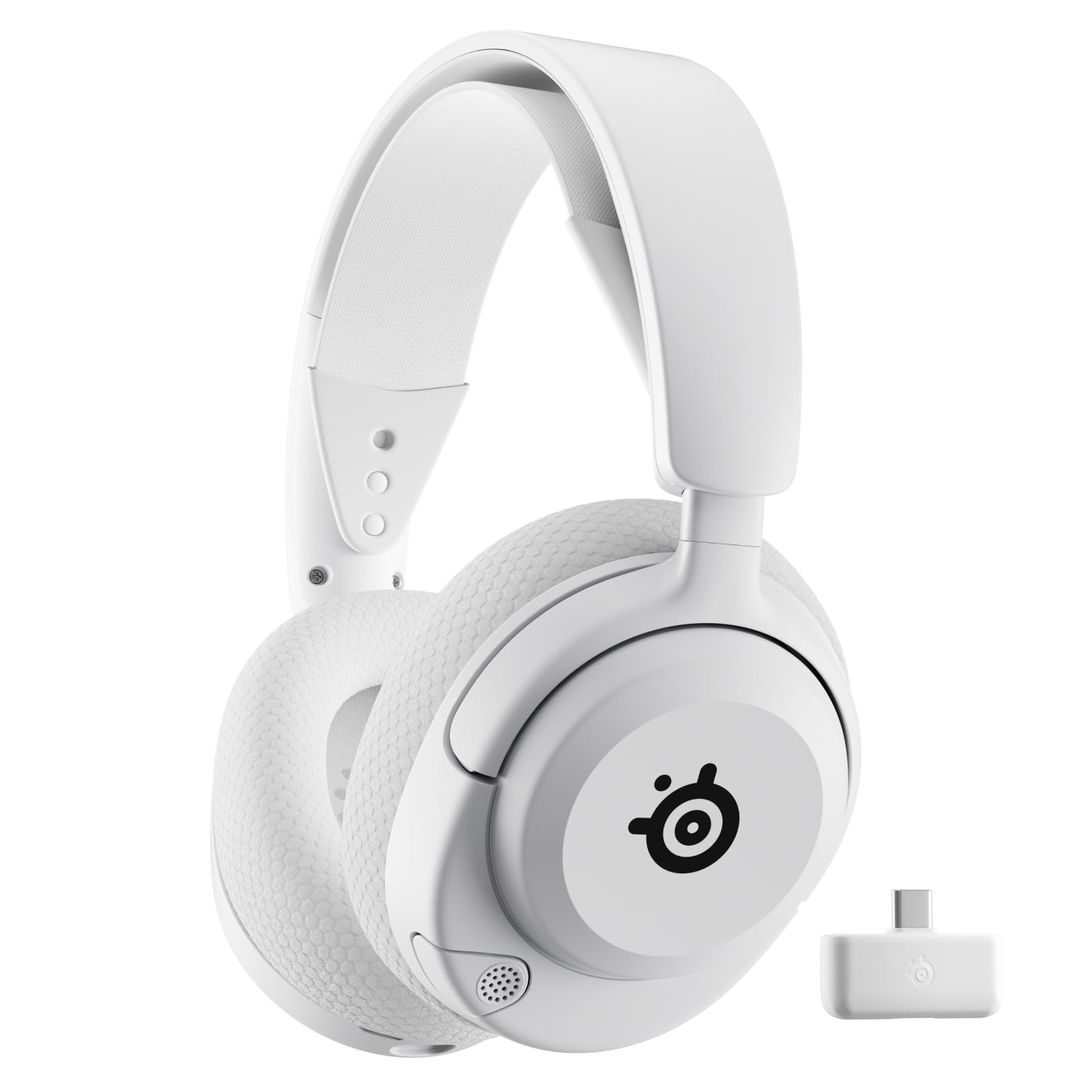
- Up to 60 hours of battery life and fast USB-C charging.
- Quick-Switch toggles between 2.4 GHz wireless and Bluetooth 5.3.
- Retractable mic with on-ear mute and volume controls.
Best For: People who want long battery life, a retractable mic, and quick switching between wireless modes.
SteelSeries Arctis Nova 3X Wireless
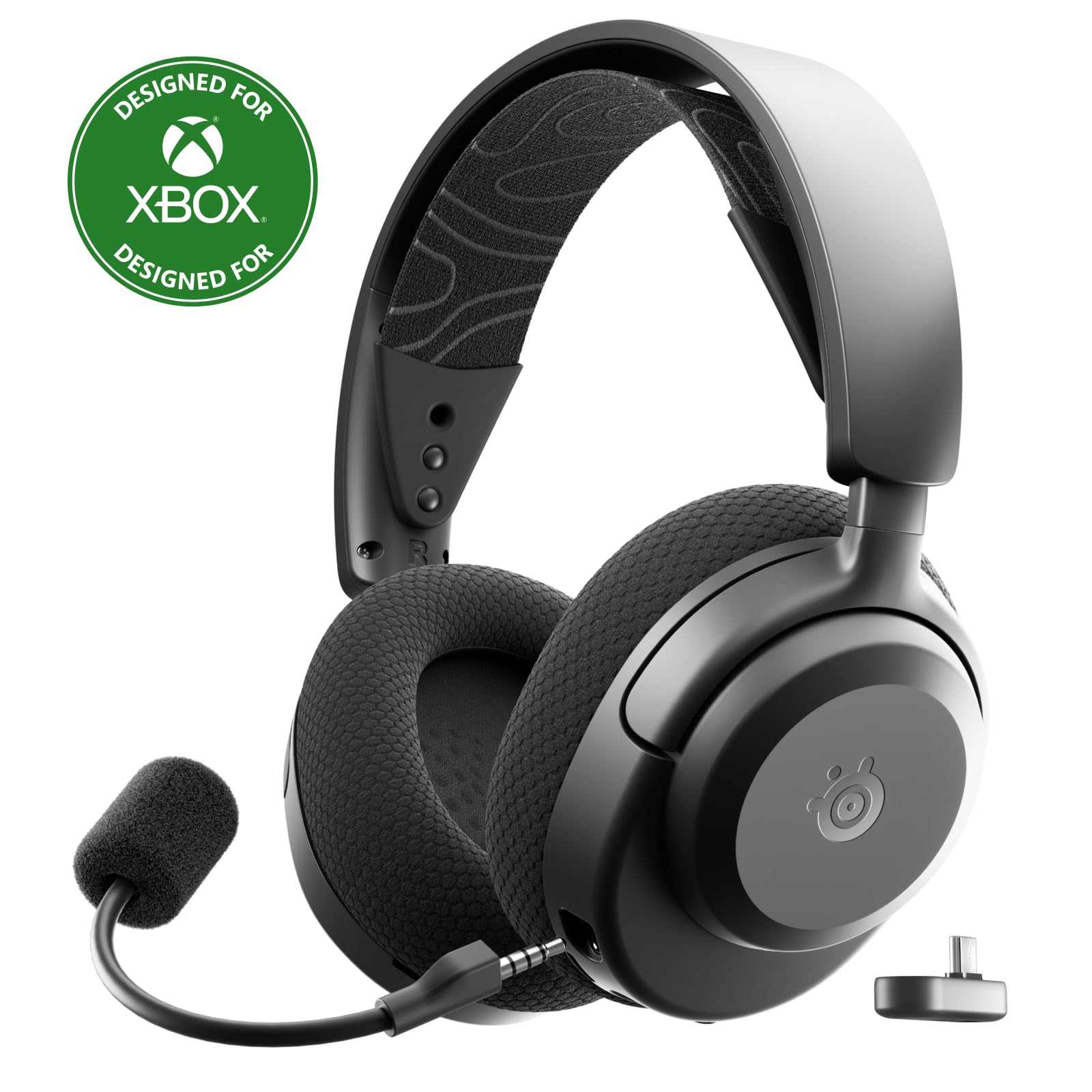
- 2.4 GHz and Bluetooth connections with a multi-platform USB-C dongle.
- Up to 40 hours of battery life; 15-minute charge provides up to nine hours.
- 260 g weight and adjustable stretchy headband.
Best For: People who want a lightweight headset for work and gaming with fast charging and a USB-C dongle.
JLab Studio Wireless
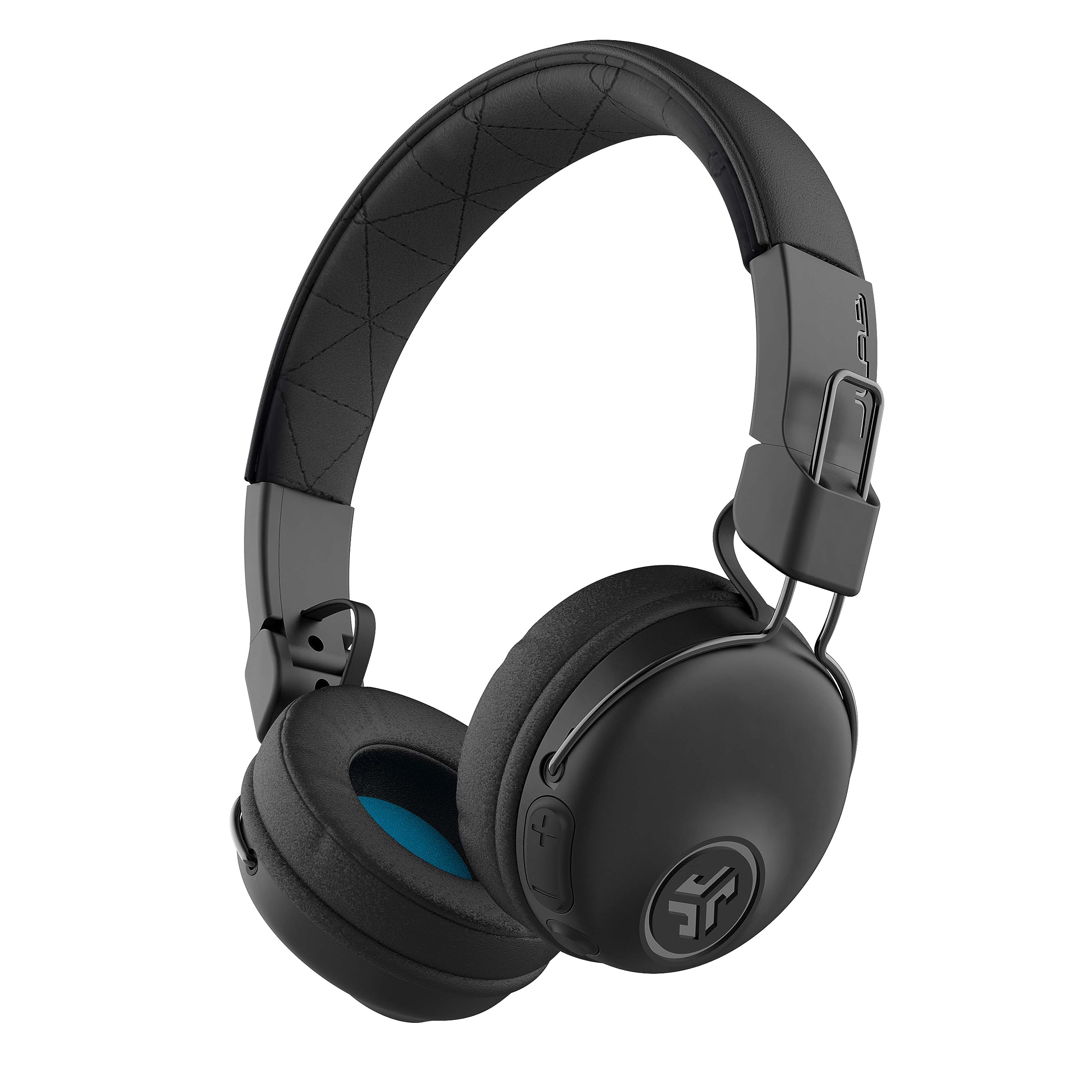
- More than 30 hours of Bluetooth playtime and three EQ presets.
- Foldable on-ear design with Cloud Foam earcups.
- Built-in mic and Bluetooth 5 compatibility with common devices.
Best For: People who want foldable on-ear headphones for listening and occasional calls during work.
Long Battery and ANC
JLab Epic Work ANC Wireless on-Ear Headset with Microphone, smart Noise Cancellation, multipoint Connect, Charging hub, Black
The JLab Epic Work ANC combines work focused call features with active noise control. Its ANC reduces ambient noise by up to 30 dB, and the adaptive boom microphone includes quick mute and Hear Yourself mode.
Multipoint Bluetooth supports connections across a PC, laptop, and mobile device, while the included charging hub helps keep the headset powered between meetings. Up to 90 hours of wireless playtime suits long stretches away from an outlet.
Be Aware functionality can help you remain aware of nearby sounds, though on-ear fit and ANC still make it sensible to consider how much environmental awareness you need.
Best For: People who want active noise control, long runtime, and a charging hub for a busy work week.
| Pros | Cons |
|---|---|
|
|
Choose this headset if noise management and extended runtime matter more than a lightweight, open fit. The charging hub, multipoint connection, and adaptive mic are useful for a desk routine that moves between calls and devices.
Its noise reduction figure is an up-to maximum, so treat it as a stated capability rather than a guarantee of a silent workspace. Check how the on-ear fit feels for your preferred session length and confirm device switching behavior before relying on it for a multi-device workflow.
Simple Flip-to-Mute Calls
JLab Go Work Pop, On-Ear Wireless Headset, Bluetooth Multipoint, Noise Canceling Boom Mic, Black
The JLab Go Work Pop is a straightforward option for meetings and everyday listening. Its rotating boom microphone flips down for calls and up to mute, while Bluetooth multipoint connects two devices such as a computer and phone.
The headset offers more than 50 hours of wireless playtime and switches between Voice and Music EQ modes. Cloud Foam earcups and an on-ear design keep the controls and mic close at hand without a large headset frame.
It makes sense for a home office or shared desk, especially when quick mute and device switching matter more than active noise cancellation.
Best For: Remote workers who want an affordable on-ear headset with a boom mic and two-device Bluetooth pairing.
| Pros | Cons |
|---|---|
|
|
Pick the Go Work Pop for routine calls when you want a visible boom mic and easy flip-to-mute control. Its stated runtime and two-device pairing cover common remote-work needs without a complex control setup.
If your workspace is noisy, compare its call-focused microphone with headsets that specifically include ANC or more extensive noise-management features; this model’s ANC is not specified. Also consider whether an on-ear fit suits your workday.
Over-Ear Fit for All-Day Calls
JLab JBuds Work Wireless Headset with Microphone, Over Ear Computer Headsets, Wired or Wireless Headphones with 60+ Playtime, Multipoint Bluetooth Headset for Laptop Teams, Office with Mic (16 Pack)
The JLab JBuds Work brings over-ear cups and a rotating boom microphone to a practical work headset. Its dual microphones are described as reducing environmental sound around your voice, and the boom can be flipped up to hang up or down to answer a call.
Bluetooth multipoint connects two devices, and the included USB-C to 3.5 mm cable provides a wired option. The headset offers more than 60 hours of playtime, a mute button, and a red mute indicator on the mic.
It is a useful fit for people who want tactile call controls and a choice of wired or wireless use.
Best For: People who prefer over-ear cups, wired fallback, and a dedicated boom mic for frequent meetings.
| Pros | Cons |
|---|---|
|
|
Consider the JBuds Work if over-ear cups and a dedicated mic are priorities, especially if you want a cable as a backup to Bluetooth. Its call controls are more explicit than those on general listening headphones.
The title identifies a 16-pack offer, so check the quantity and intended packaging before treating it as a single-headset purchase. If you need active noise cancellation for listening, that feature is not specified here.
Wired or Wireless On-Ear Work Pick
JLab Go Work Wireless Headsets with Microphone, 45+ Playtime PC Bluetooth Headset and Multipoint Connect to Laptop Computer and Mobile, Wired or Wireless Headphones (1 Pack)
The JLab Go Work offers a work-oriented feature set in an on-ear design. Its dual microphones support clearer calls by separating voice pickup from surrounding sound, while the rotating boom folds up for listening and returns for meetings.
Bluetooth multipoint connects two devices at once, and an included USB-C to 3.5 mm cable offers wired listening. The headset has more than 45 hours of playtime, Cloud Foam earcups, button controls, and a red LED at the mic tip to show mute status.
It suits workers who value practical call controls over more specialized sound features.
Best For: Workers who want a lightweight on-ear headset with multipoint, a boom mic, and a wired option.
| Pros | Cons |
|---|---|
|
|
Choose the Go Work if you want a call-focused on-ear model with a cable option and clear physical mute feedback. It balances a longer stated battery life than basic wireless headphones with a microphone that can be moved aside.
The JBuds Work offers over-ear cups and a longer stated runtime, while this model is the simpler on-ear alternative. Check that your computer or phone supports the connection method you plan to use.
Open-Ear Awareness at Work
SHOKZ New OpenMeet - Open-Ear Bluetooth Computer Headset, Noise Cancelling Mic + Mute Button, Bluetooth 5.4 Compatible with PC & Mac, Wireless Work Headphones, Customizable Fit, Smart App - C610
The SHOKZ OpenMeet uses an open-ear design for workers who want to stay connected to their surroundings. It weighs 78 g and has a flexible fit with three interchangeable temple cushion sizes.
Its dual noise-cancelling microphone system is rated to cut 98.6% of background noise, and a dedicated mute button and LED busy indicator provide meeting controls. Bluetooth range is up to 30 m, multipoint supports two devices, and battery life is up to 15 hours, with a five-minute fast charge for two hours of talk time.
The tradeoff is less stated runtime than several closed on-ear work options.
Best For: People who need to hear coworkers or nearby activity while taking wireless calls.
| Pros | Cons |
|---|---|
|
|
The OpenMeet is a distinctive choice when awareness of coworkers or household activity matters more than isolating sound. Its fit cushions, dedicated mute button, and busy indicator focus on office calls, and multipoint can keep a computer and phone connected.
Battery life is up to 15 hours, so consider how frequently you can charge it compared with JLab models offering longer stated runtimes. Confirm that the open-ear fit works for your environment and call habits.
ANC for Commutes and Shared Spaces
JLab, Go Lux ANC, On Ear Headphones, Active Noise Cancelling, Bluetooth MultIPoint, Cloud White
The JLab Go Lux ANC is an on-ear headphone with features that can support work calls as well as commuting and music. Hybrid active noise cancellation reduces ambient noise by up to 30 dB, and Be Aware mode lets surrounding sound through.
Bluetooth multipoint connects two devices, while the JLab app offers EQ, ANC and awareness adjustments, and control remapping. Up to 50 hours of playtime is suited to extended use between charges.
The product information does not specify a boom microphone or dedicated call-mute controls, so frequent meeting users should check whether its built-in controls and microphone meet their call needs.
Best For: Workers who want active noise cancellation for listening and multipoint pairing across two devices.
| Pros | Cons |
|---|---|
|
|
Choose the Go Lux ANC if you need noise control for focused listening and commute time, with the option to let ambient sound back in. Its app and multipoint features add flexibility across work and personal devices.
For a meeting-heavy role, compare it with the Go Work Pop or Epic Work ANC, which specify boom microphones and more direct mute controls. Check the microphone and call controls you require before buying.
Dual-System Gaming and Work Audio
SteelSeries Arctis Nova Pro Wireless Multi-System Gaming Headset — Neodymium Magnetic Drivers — Active Noise Cancellation — 2 Battery System — ClearCast Gen 2 Mic — PC, PS5, PS4, Switch, Mobile
The SteelSeries Arctis Nova Pro Wireless combines a dual-system connection setup with active noise cancellation and simultaneous Bluetooth. It can connect two systems at once and toggle between them, while a mobile device can connect over Bluetooth for calls or music mixed with other audio.
Two hot-swappable batteries are included, with the spare charging in the base station. A retractable ClearCast Gen 2 mic and Transparency Mode add practical controls.
This gaming-focused headset may fit a hybrid desk shared by work and play, but its feature set is more extensive than many people need for standard video meetings.
Best For: People who want a premium multi-system headset for work calls and gaming audio in one setup.
| Pros | Cons |
|---|---|
|
|
This is a strong functional match for someone who uses one headset for a work computer and gaming system, especially when Bluetooth calls should remain available. Its swappable battery design and system switching are more specialized than the direct work controls on JLab’s headsets.
For ordinary meetings, decide whether those extra connection options and ANC justify choosing a gaming model. Check supported devices and the fit before buying.
Long Runtime and Fast Charge
SteelSeries Arctis Nova 5 Wireless Multi-System Gaming Headset — White — Neodymium Magnetic Drivers — 100+ Audio Presets — 60 HR Battery — 2.4GHz or BT — Gen2.X Mic — PC, PS5, PS4, Switch, Mobile
The SteelSeries Arctis Nova 5 Wireless offers up to 60 hours of battery life and fast USB-C charging, with up to six hours of use from a 15-minute charge. Its Quick-Switch button toggles between 2.4 GHz wireless and Bluetooth 5.3, which can suit a desk where calls and media come from different devices.
A retractable ClearCast 2.X microphone and on-ear mute and volume controls are useful for meetings. The headset centers on gaming presets and multi-platform support, so it is most compelling when work is only one part of its use.
Best For: People who want long battery life, a retractable mic, and quick switching between wireless modes.
| Pros | Cons |
|---|---|
|
|
Pick the Nova 5 if long runtime and quick charging matter, and you also want a headset for gaming or other multi-platform audio. Its retractable mic and direct controls support calls, while the 2.4 GHz and Bluetooth switch gives you connection flexibility.
It does not specify ANC, so consider a JLab ANC model if reducing ambient listening noise is important. Check which connection mode your work device supports.
Fast Charging for a Multi-Platform Desk
SteelSeries Arctis Nova 3X Wireless Multi-Platform Gaming Headset — Mobile App Control — 40 HR Battery — Neodymium Magnetic Drivers — 2.4GHz/Bluetooth — Xbox, PS5, PC, Switch, Mobile — Black
The SteelSeries Arctis Nova 3X is a multi-platform wireless gaming headset with a 260 g weight and a stretchy headband. It supports 2.4 GHz and Bluetooth, and includes a USB-C dongle for switching among compatible systems such as Xbox, PC, PlayStation, Switch, phones, and tablets.
Its battery lasts up to 40 hours, while a 15-minute fast charge provides up to nine hours of playback. Companion app presets and Neodymium Magnetic Drivers focus on gaming audio; the product details do not specify a boom microphone or dedicated call mute control for work meetings.
Best For: People who want a lightweight headset for work and gaming with fast charging and a USB-C dongle.
| Pros | Cons |
|---|---|
|
|
Consider the Nova 3X if you want a gaming headset that can also handle general computer audio and value the USB-C dongle and fast charge. Its up-to-40-hour runtime is shorter than the Nova 5’s up-to-60-hour figure, but the 15-minute charge is rated for up to nine hours of playback.
For frequent video calls, confirm the microphone and mute controls suit your meeting workflow, since those details are not specified.
Foldable Headphones for Light Call Use
JLab, Studio, Wireless On-Ear Headphones, Bluetooth, Foldable, Built-in Mic, Black
The JLab Studio Wireless is primarily a portable listening headset, with a built-in microphone for hands-free calls. It offers more than 30 hours of Bluetooth playtime, three EQ presets, and a foldable design for a commute or a desk drawer.
Cloud Foam earcups and a faux leather headband provide cushioning, while Bluetooth 5 connects to phones, tablets, and PCs. The record does not specify a boom microphone, multipoint pairing, or dedicated mute control, so this model is better suited to occasional calls and general listening than a calendar full of meetings.
Best For: People who want foldable on-ear headphones for listening and occasional calls during work.
| Pros | Cons |
|---|---|
|
|
Choose the Studio Wireless for a portable, general-purpose pair of headphones that can handle occasional work calls. The foldable frame and EQ presets are useful for commuting and everyday listening, but frequent meeting users may prefer a dedicated boom mic and clear mute indicator such as those on the Go Work.
Check whether its built-in microphone and single-device connection pattern cover your call routine.
How to Choose Wireless Headsets For Work
How We Picked Wireless Headsets for Work
We prioritized products with features that map to common work needs: a microphone suited to calls, clear mute or call controls, connections to more than one device, useful battery life, and a fit that suits the buyer’s setting.
That brings the JLab Go Work and JBuds Work forward for people who spend much of the day in meetings, while SHOKZ OpenMeet serves workers who want to remain aware of nearby sounds.
Some candidates are gaming headsets or general listening headphones. They can still make sense at a desk when they offer useful microphones, multiple connection modes, or battery features, but those extras do not automatically make them better for meetings.
Models without specified boom mics or meeting mute controls are better considered for occasional calls than for call-heavy schedules.
Comparing Wireless Headsets for Work
For direct call control, compare the JLab Go Work Pop’s flip-to-mute boom, the JBuds Work’s mute button and red indicator, and the Epic Work ANC’s adaptive mic with quick mute. The OpenMeet takes a different approach with an open-ear fit, mute button, and busy indicator.
These features matter more in a meeting-heavy role than gaming audio presets.
Battery figures and formats vary. The Epic Work ANC offers up to 90 hours, the JBuds Work more than 60, and the Go Work Pop more than 50; the OpenMeet is rated up to 15 hours.
The Arctis Nova 5 adds fast charging and a retractable mic, while the Nova Pro Wireless uses swappable batteries. Treat stated maximums as reference points and consider when you can charge.
| Product | Standout features | Best for |
|---|---|---|
| JLab Epic Work ANCCheck Price |
| People who want active noise control, long runtime, and a charging hub for a busy work week. |
| JLab Go Work PopCheck Price |
| Remote workers who want an affordable on-ear headset with a boom mic and two-device Bluetooth pairing. |
| JLab JBuds WorkCheck Price |
| People who prefer over-ear cups, wired fallback, and a dedicated boom mic for frequent meetings. |
| JLab Go WorkCheck Price |
| Workers who want a lightweight on-ear headset with multipoint, a boom mic, and a wired option. |
| SHOKZ OpenMeetCheck Price |
| People who need to hear coworkers or nearby activity while taking wireless calls. |
| JLab Go Lux ANCCheck Price |
| Workers who want active noise cancellation for listening and multipoint pairing across two devices. |
| SteelSeries Arctis Nova Pro WirelessCheck Price |
| People who want a premium multi-system headset for work calls and gaming audio in one setup. |
| SteelSeries Arctis Nova 5 WirelessCheck Price |
| People who want long battery life, a retractable mic, and quick switching between wireless modes. |
| SteelSeries Arctis Nova 3X WirelessCheck Price |
| People who want a lightweight headset for work and gaming with fast charging and a USB-C dongle. |
| JLab Studio WirelessCheck Price |
| People who want foldable on-ear headphones for listening and occasional calls during work. |
Choosing a Work Headset for Your Workspace
A shared office or noisy commute can make listening noise control useful. The JLab Go Lux ANC and Epic Work ANC both specify ANC reductions up to 30 dB, while the Nova Pro Wireless includes ANC and Transparency Mode.
These options address listening conditions; do not assume that ANC alone guarantees that your voice will sound clear to callers. For microphone details, compare the boom and noise-cancelling mic features directly.
If you need to hear a coworker or an announcement, the SHOKZ OpenMeet’s open-ear design is the most distinct fit in this selection. Closed on-ear and over-ear designs provide a different listening experience.
Think about whether your work happens in a private room, shared office, or a place where you need to hear your surroundings.
Fit, Device Switching, and Everyday Controls
On-ear models are compact, while the JBuds Work offers over-ear cups and the OpenMeet avoids covering the ears. Comfort is personal, so prioritize the form that you are willing to wear through the length of your typical calls.
The OpenMeet includes three temple cushion sizes; the JLab work headsets use Cloud Foam earcups.
Multipoint pairing helps when your computer and phone both need to stay connected. Several JLab models support two devices, as does the OpenMeet.
The SteelSeries Nova 5 toggles between 2.4 GHz and Bluetooth, and the Nova Pro Wireless can connect two systems while using Bluetooth for mobile audio. Before buying, verify that your computer, phone, and preferred connection method work together as you expect.
Who Should Buy Which Wireless Work Headset?
For frequent calls, start with the Go Work Pop, Go Work, JBuds Work, or Epic Work ANC, then choose by fit, mute controls, and desired noise management. The JBuds Work is the over-ear option; the Go Work and Pop are on-ear alternatives, and the Epic adds ANC and a charging hub.
Choose the OpenMeet if keeping your ears open is central to your workday. Consider the Go Lux ANC for listening noise control with app adjustments, and the SteelSeries models if your work setup shares audio devices with gaming.
The Studio Wireless is a portable general-listening choice for occasional calls. Match the headset to your actual meeting frequency, workspace, and connection routine.