The best wireless keyboards balance layout, connection options, and typing feel for the work or play you do most. These picks range from quiet, full-size office boards to customizable mechanical models, so focus on the keys and controls you need every day.
Quick Top Products
JLab Epic Wireless Keyboard
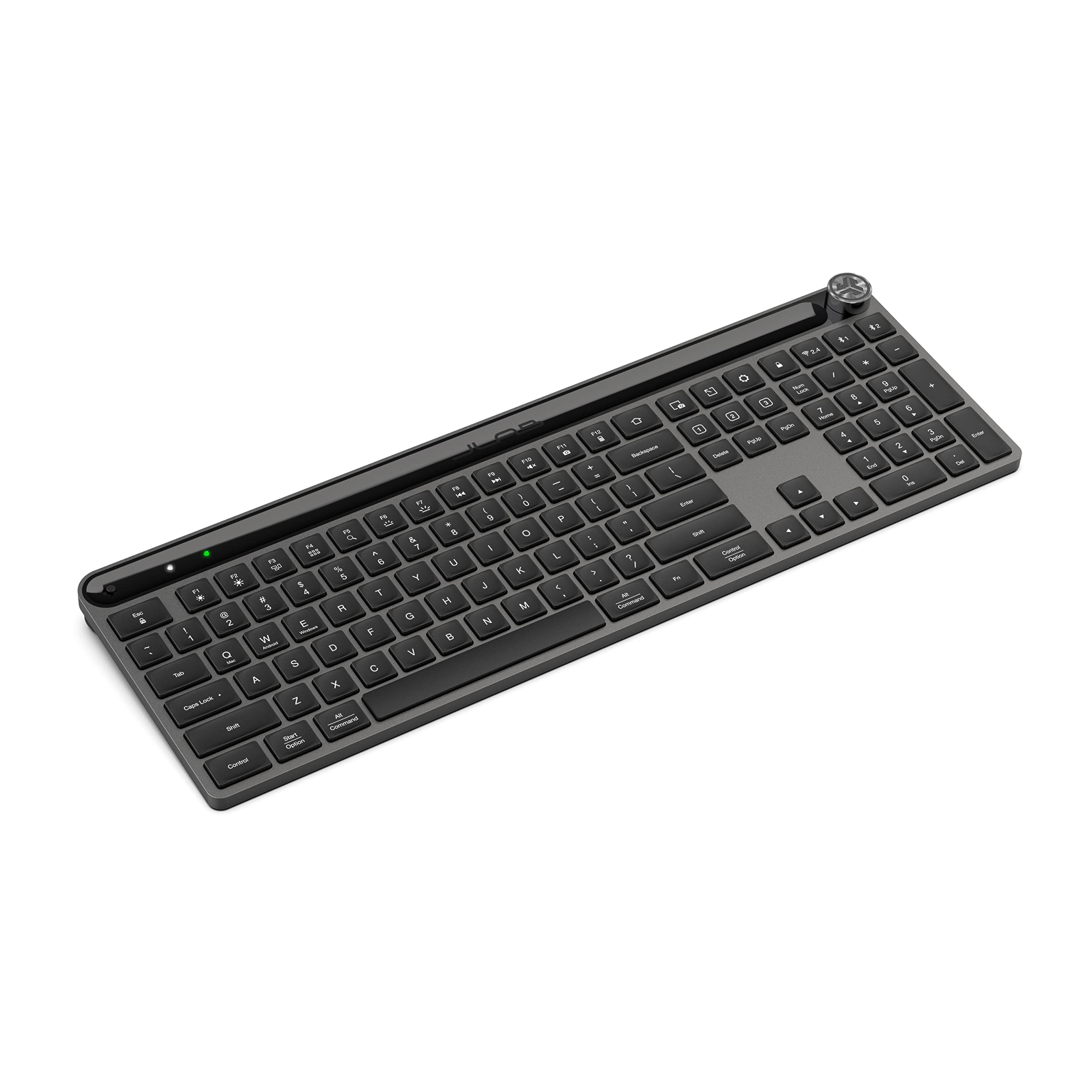
- 108 full-size keys with backlighting
- Bluetooth pairing for up to three devices, plus a USB dongle
- Media knob and JLab Work App profiles
Best For: People who want a full-size layout, backlighting, and easy switching among work devices.

JLab JBuds Wireless Keyboard
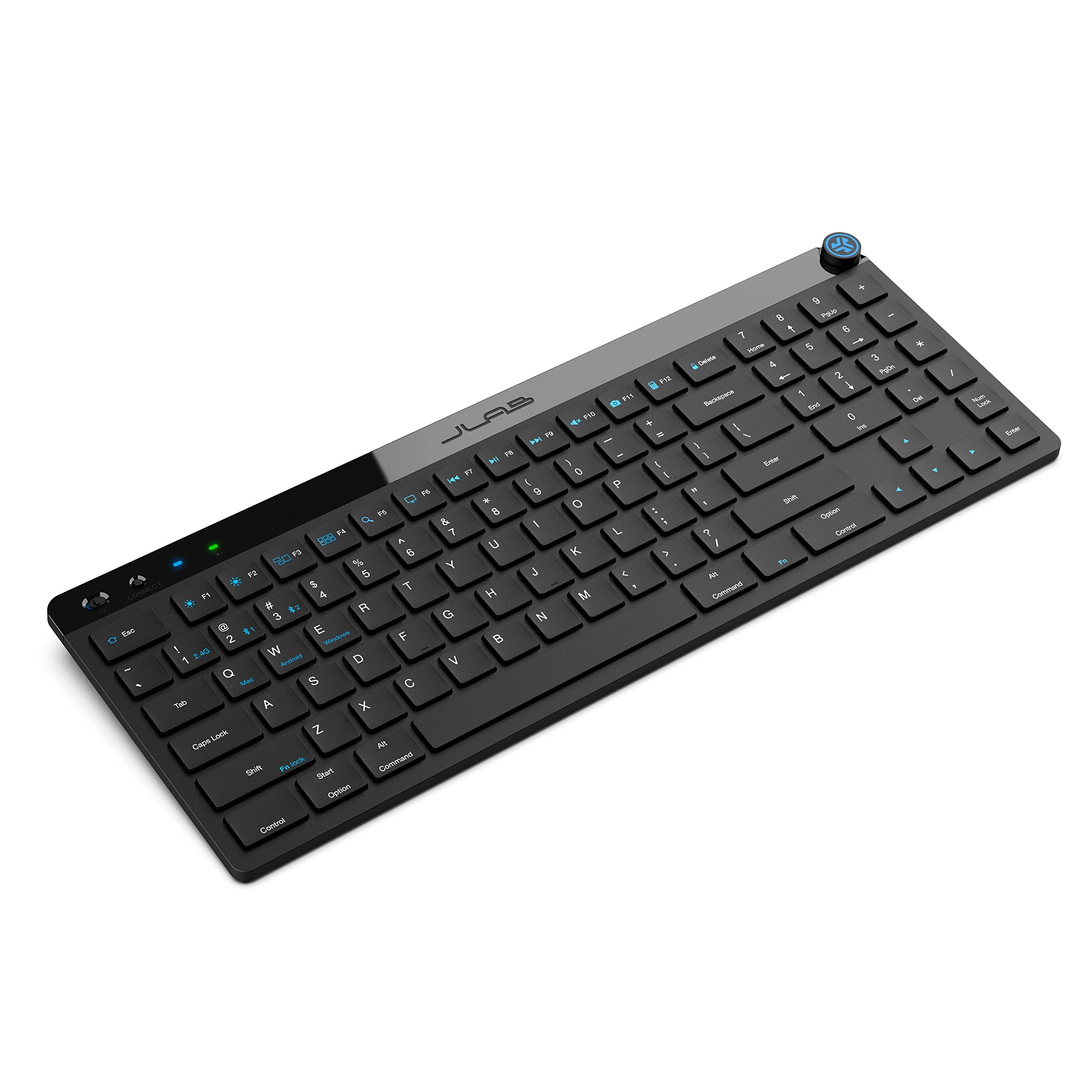
- 95 soft-touch keys with a dedicated number pad
- Bluetooth and USB dongle connections with three-device toggling
- Up to 30 days of wireless battery life
Best For: Desk users who want a compact board with a number pad and a specified long wireless runtime.
SOLAKAKA KI99 Pro Quiet Wireless Keyboard
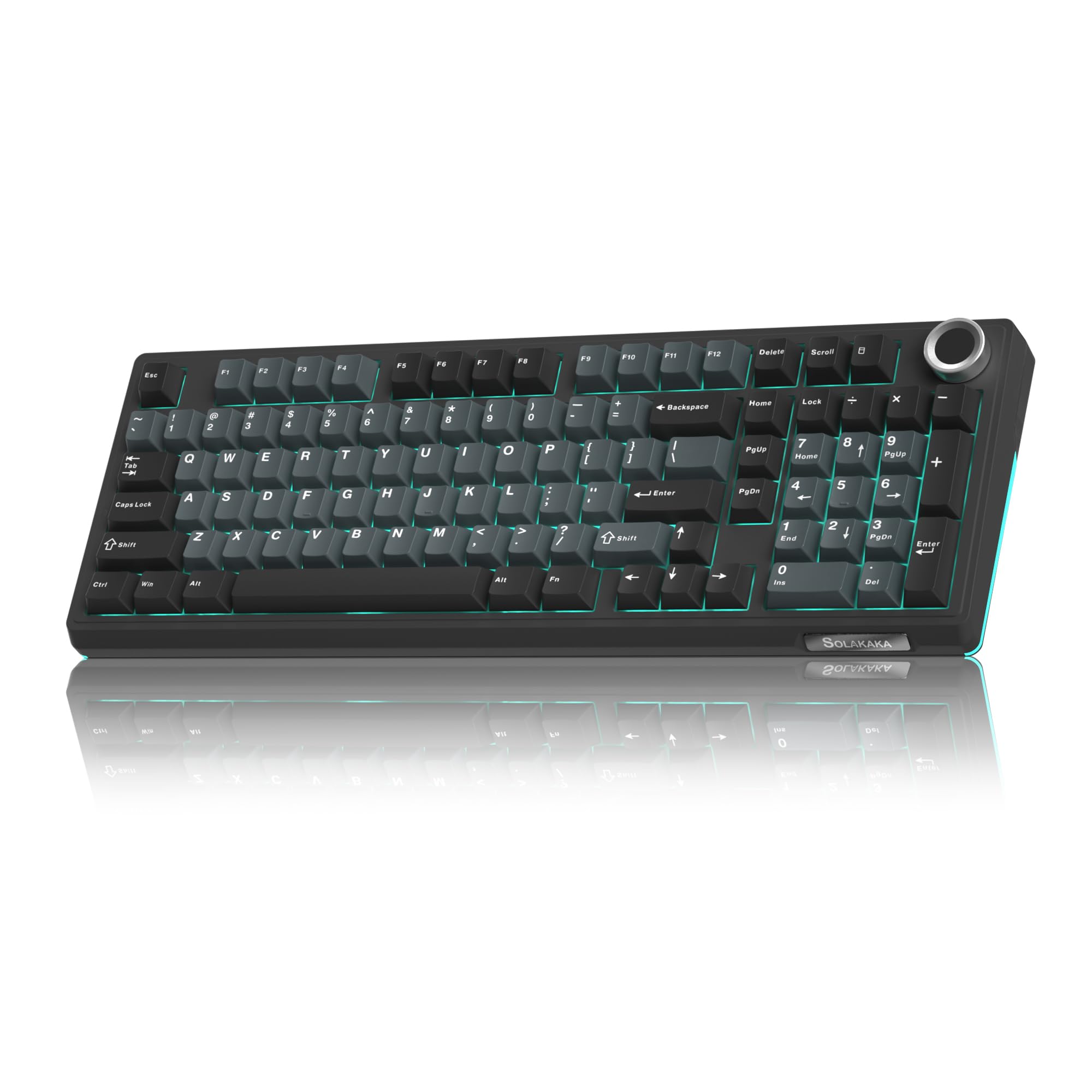
- 96% layout with number pad and control knob
- Silent switches with five noise-reducing layers
- Bluetooth, 2.4 GHz, and USB-C connectivity
Best For: People who want a wireless mechanical keyboard with silent switches and a number pad.
SOLAKAKA KI99 Pro Wireless Keyboard
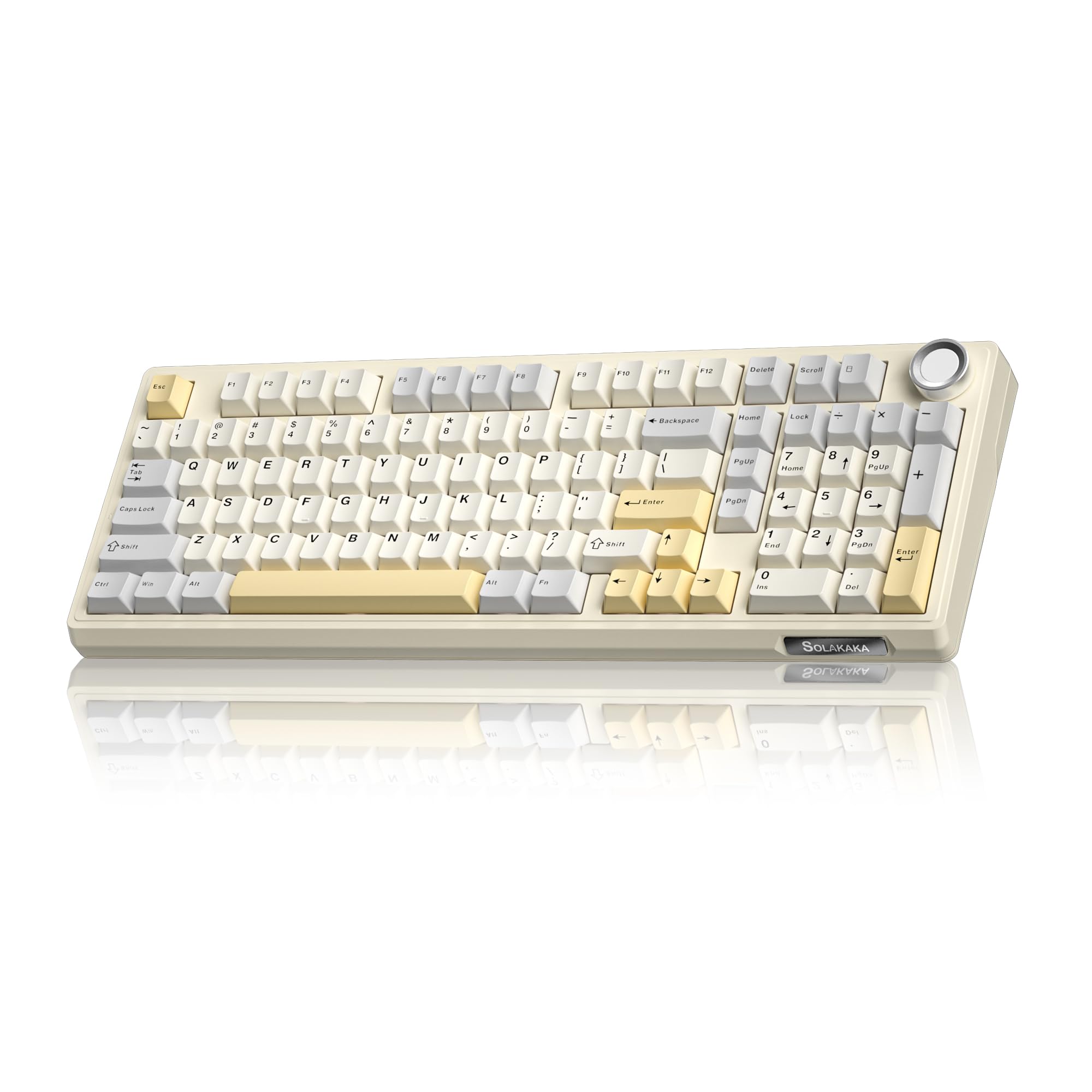
- 96% layout with number pad and multifunction knob
- Bluetooth, 2.4 GHz, and USB-C connection modes
- 10,000 mAh battery and hot-swappable switches
Best For: People who want a customizable 96% mechanical keyboard with a large-capacity battery.
SOLAKAKA A75 Wireless Mechanical Keyboard
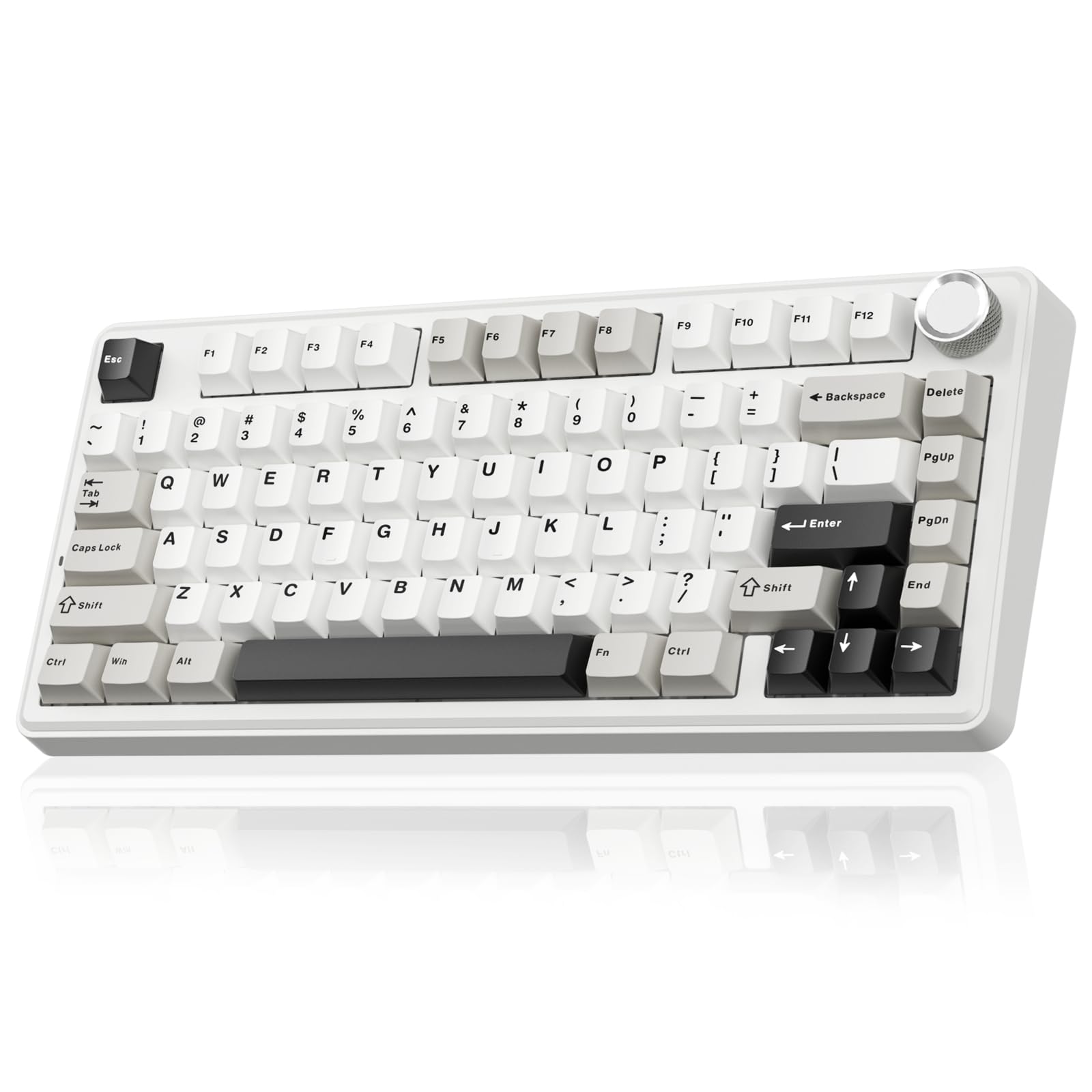
- Compact 81-key layout retains arrow keys
- PBT keycaps and hot-swappable 3- or 5-pin switches
- Three connection modes and support for up to five devices
Best For: People who want a compact 75% wireless board with PBT keycaps and a control knob.
SOLAKAKA A75 Reaper Switch Keyboard
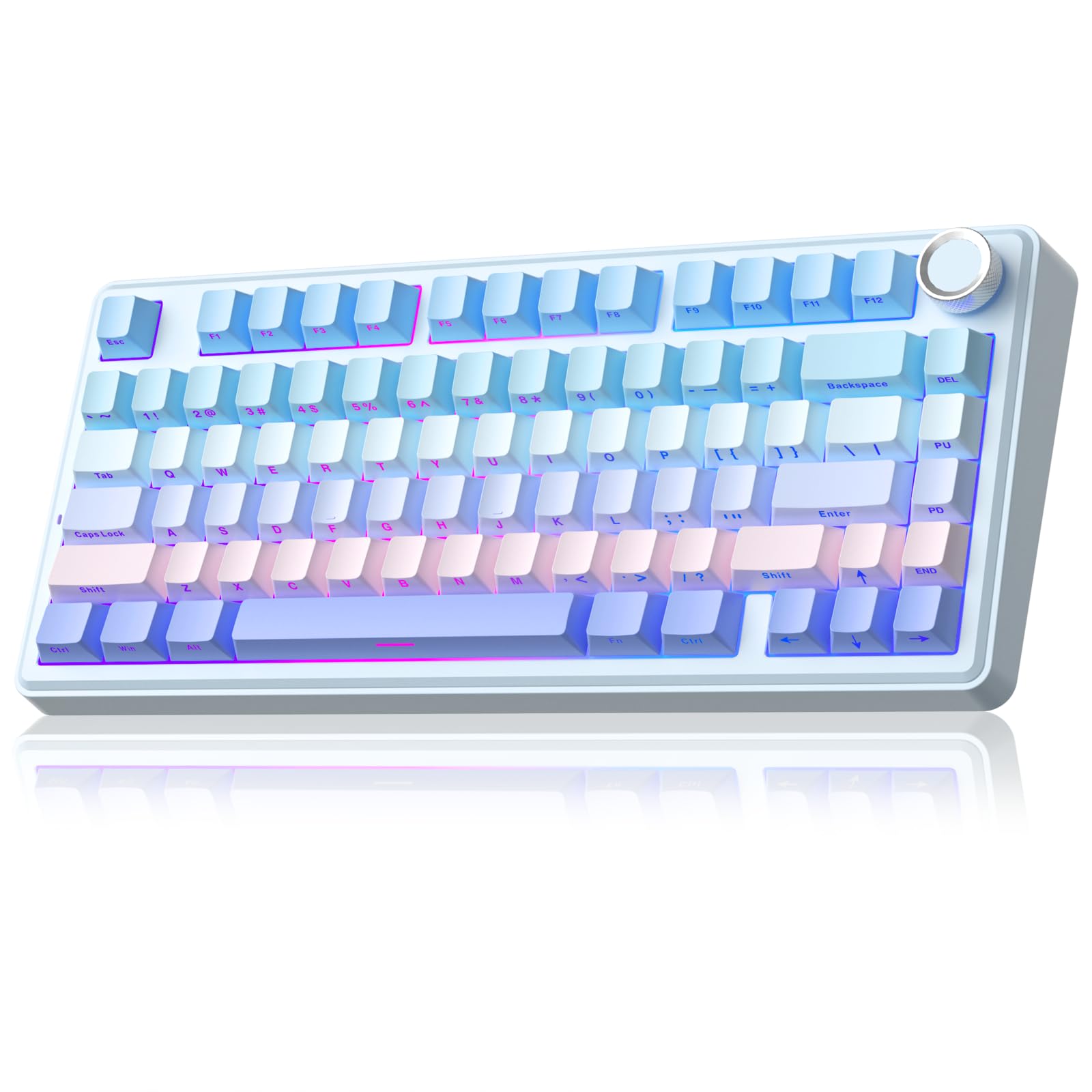
- 81-key layout with arrow keys and multifunction knob
- Pre-lubricated stabilizers and LEOBOG reaper switches
- Programmable software and hot-swappable switches
Best For: Users who want software customization, RGB options, and a compact wireless layout.
SOLAKAKA A75 Crystal Keycap Keyboard
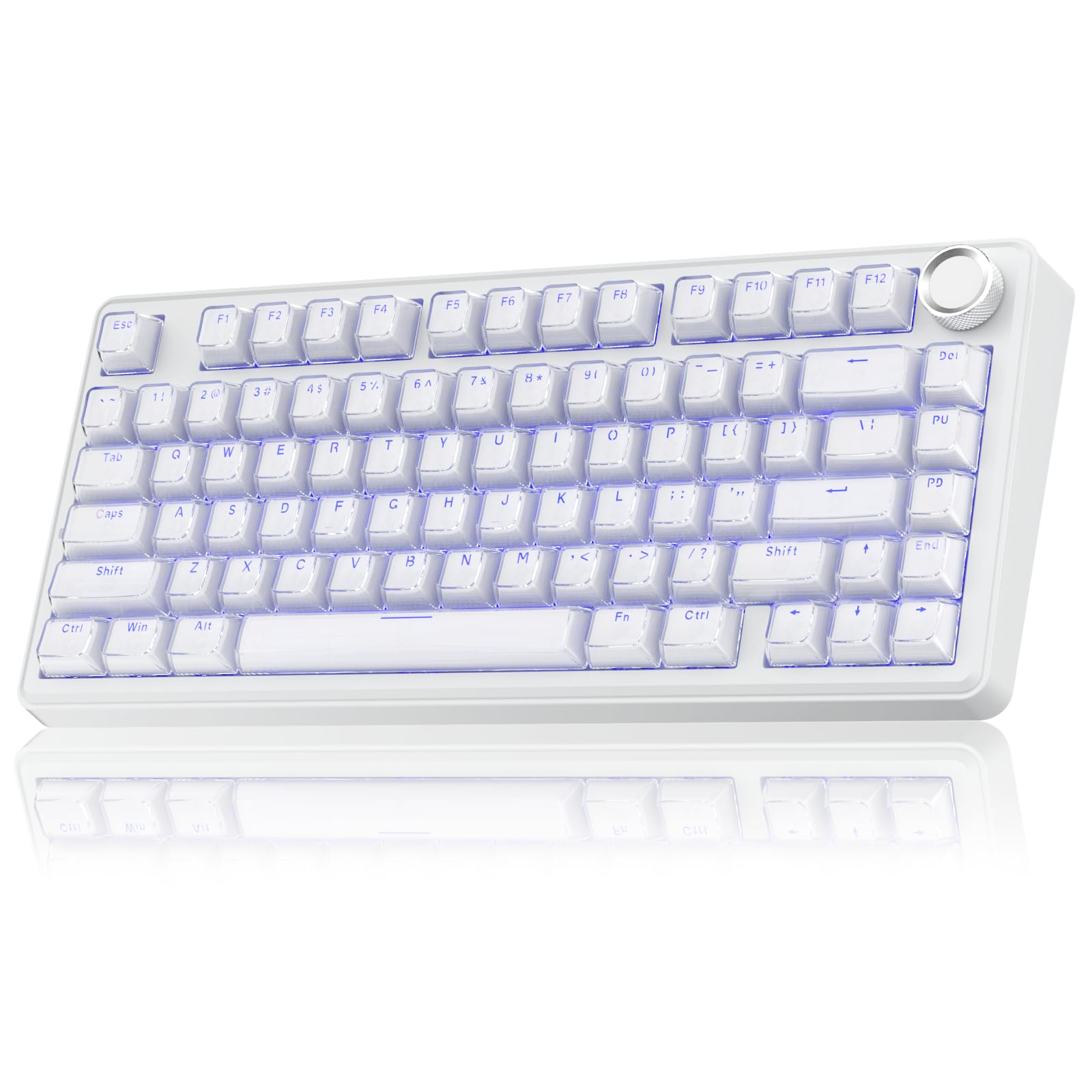
- 81-key, 75% layout with arrow keys
- Transparent crystal-style keycaps with illuminated characters
- Tri-mode connectivity and hot-swappable switches
Best For: People who want a compact wireless mechanical keyboard with illuminated crystal-style keycaps.
Full-Size Backlit Work Board
JLab, Epic, Wireless Keyboard, Bluetooth 5.2, USB Dongle, Multi-Device, Backlit, 108 Keys, Black
The JLab Epic keeps a familiar 108-key layout, including backlighting across the keys and a media knob for quick volume control. Its soft-touch keys are designed for a quiet typing feel, while the metal base adds a stable desk platform.
Bluetooth 5.2 can pair with up to three devices, and a USB wireless dongle gives another connection option. The 2,000 mAh rechargeable battery and support for Windows, Mac, iOS, Android, and Chrome OS make it a practical fit for a mixed-device desk.
Its full-size footprint is the main tradeoff if desk space is tight.
Best For: People who want a full-size layout, backlighting, and easy switching among work devices.
| Pros | Cons |
|---|---|
|
|
Choose the Epic if your desk work benefits from a number pad, backlit keys, and quick device switching. Its soft-touch keys and media control suit writing and everyday computer tasks, while the USB dongle offers an alternative to Bluetooth.
Compare it with the JLab JBuds if you prefer a slimmer 95-key board and a specified battery runtime. Check which connection method works best with your devices and whether you have room for a full-size keyboard.
Slim Multi-Device Office Keyboard
JLab JBuds Wireless Keyboard, 95 Key, Multi-Device Bluetooth and USB dongle, Soft Touch Keys, Media knob, Custom Profiles, Black
The JLab JBuds combines 95 soft-touch keys with a dedicated number pad in a slim profile. It connects over Bluetooth 5.2 or a USB wireless dongle and can toggle among as many as three connections, including two Bluetooth devices.
JLab gives a runtime of up to 30 days, so buyers can weigh its battery claim against their own use and charging habits. The media knob handles volume and playback, and the JLab Work App can store up to three custom profiles.
Its layout saves some space compared with a 108-key board while retaining number entry.
Best For: Desk users who want a compact board with a number pad and a specified long wireless runtime.
| Pros | Cons |
|---|---|
|
|
The JBuds is a sensible fit for shared desks or cross-platform work where a number pad matters but a standard full-size board feels bulky. Its battery runtime is stated as up to 30 days, and its three-connection toggle can keep a computer and mobile devices within reach.
The Epic has 108 keys and backlighting; choose the JBuds when its slimmer 95-key layout better fits your desk. Check the app and connection setup against your operating system before buying.
Quiet-Typing Mechanical Layout
SOLAKAKA KI99 Pro Wireless Mechanical Keyboard with Quiet Switch, Hot Swappable Pre-Lubed Switches with RGB Backlit, Gasket Structure Computer Gaming Keyboard (BlackBlue, Silent Switch)
This KI99 Pro configuration pairs a compact 96% layout with silent switches and a knob for volume, media, and lighting adjustments. Bluetooth 5.0, 2.4 GHz wireless, and USB-C wired connections cover different desk setups, while its 10,000 mAh battery is designed to reduce charging frequency.
Five noise-reducing layers complement the silent switches, making this a distinctive choice among the mechanical options for shared rooms or workspaces. Its PBT keycaps and hot-swappable 3- or 5-pin switches allow tactile changes later.
The 96% layout retains a number pad while using less space than a full-size keyboard.
Best For: People who want a wireless mechanical keyboard with silent switches and a number pad.
| Pros | Cons |
|---|---|
|
|
Choose this version if you want mechanical switch customization but need a quieter typing setup than the other KI99 Pro option provides. The silent switches are the key distinction; the 96% layout, knob, and tri-mode connections support both work and gaming.
Check that the compact placement of the number pad and other keys suits your habits. If you prefer a more conventional soft-touch board, the JLab models may be a better match.
Long-Running 96% Mechanical Board
SOLAKAKA KI99 Pro 96% Wireless Gaming Keyboard, RGB Creamy Keyboardw with Knob, Hot-Swappable Pre-Lubed Switches, Gasket Structure Mechanical Keyboards (Beige-White, Non-Silent Version)
The SOLAKAKA KI99 Pro combines most full-size functions in a 96% layout, including a number pad, with a knob that adjusts volume, media, or lighting. Its three connection choices are Bluetooth 5.0, 2.4 GHz wireless, and USB-C wired.
A 10,000 mAh battery supports longer stretches between charging, though a specific runtime is not given. The gasket structure and five noise-reducing layers shape the typing experience, and the hot-swappable 3- or 5-pin switches allow later customization without soldering.
PBT keycaps, RGB lighting, and software for key remapping and macros round out its work-and-gaming focus.
Best For: People who want a customizable 96% mechanical keyboard with a large-capacity battery.
| Pros | Cons |
|---|---|
|
|
This version fits buyers who want a versatile wireless mechanical keyboard with a number pad and the option to change switches. Its 10,000 mAh capacity and three connection modes suit a desk shared across devices, while the knob provides quick media and lighting control.
Compared with the quiet-switch KI99 Pro, this configuration does not specify silent switches. Check the desired switch feel and confirm the compact 96% key arrangement before choosing.
PBT-Keycap Compact Mechanical Pick
SOLAKAKA A75 75% Wireless Mechanical Keyboard, Hot Swappable Gaming Keyboard with Multifunction Knob & RGB, Gasket Mounted Creamy Keyboard, PBT Keycaps, Compact Layout for Win/Mac/PC
The SOLAKAKA A75 retains arrow keys in an 81-key, 75% layout that leaves more desk room than a full-size keyboard. It supports Bluetooth 5.0, 2.4 GHz wireless, and USB-C wired connections, and can connect with up to five devices.
Double-injection PBT keycaps, pre-lubricated stabilizers, and hot-swappable 3- or 5-pin switches give buyers several customization options. A multifunction knob changes between gaming and office modes, with lighting or volume controls depending on the mode.
Its 4,000 mAh battery supports wireless use, but runtime per charge is not specified.
Best For: People who want a compact 75% wireless board with PBT keycaps and a control knob.
| Pros | Cons |
|---|---|
|
|
Pick this A75 if you want a compact wireless mechanical board with PBT keycaps and a knob that adapts to gaming or office use. It retains arrow keys while trimming the layout to 81 keys, so check whether you rely on a number pad or dedicated navigation keys.
Its up-to-five-device support and hot-swappable switches add flexibility. The other A75 options share the compact format but differ in keycap material and included switch details.
Software-Tunable Compact Board
SOLAKAKA A75 Wireless Mechanical Keyboard, Hot Swappable Gaming Keyboard with RGB Backlit, Multifunction Knob, Gasket Mounted Creamy Keyboard, BT5.0/2.4GHz/USB-C, 75% Compact Layout for Win/Mac/PC
This 81-key SOLAKAKA A75 keeps arrow keys in its 75% layout and adds tri-mode connections for Bluetooth 5.0, 2.4 GHz wireless, or USB-C. It supports up to five devices and includes pre-lubricated stabilizers with LEOBOG reaper switches.
The hot-swappable design accepts 3- or 5-pin switches, so the board can be adjusted later without soldering. Its knob switches between gaming and office modes, controlling lighting in one and volume in the other.
Software can change key mappings, lighting, sensitivity, and macros, but the driver supports Windows only and must run in wired mode.
Best For: Users who want software customization, RGB options, and a compact wireless layout.
| Pros | Cons |
|---|---|
|
|
This A75 configuration suits someone who wants software control over macros and key behavior, especially on a Windows computer. Its 81-key layout saves space, while the knob makes volume and lighting adjustments easy to reach.
The driver limitation matters if you expect to configure the board from macOS; the keyboard itself supports Windows, Mac, and iOS. Consider the PBT-keycap A75 if keycap material is a priority, and verify that the compact layout meets your daily typing needs.
Crystal-Keycap Compact Keyboard
SOLAKAKA A75 Wireless Gaming Keyboard with Multifunction Knob, BT5.0/2.4GHz/USB-C, 75% Mechanical Keyboard, Hot-Swappable, Gasket Creamy Keyboard with RGB Backlit, Crystal Keycaps, for PC/Mac/PC
This A75 uses an 81-key, 75% layout with arrow keys and crystal-style keycaps built from a transparent PC shell over an ABS inner layer. Its three connection modes are Bluetooth 5.0, 2.4 GHz wireless, and USB-C, with support for as many as five devices.
The hot-swappable design accepts 3- or 5-pin switches, and its gasket structure uses multiple sound-dampening layers. A 4,000 mAh battery is included, though runtime is not specified.
The multifunction knob adjusts lighting or volume depending on the selected mode. Its distinctive keycaps are the main reason to choose this model over the other A75 variants.
Best For: People who want a compact wireless mechanical keyboard with illuminated crystal-style keycaps.
| Pros | Cons |
|---|---|
|
|
Choose this A75 when the crystal-style keycaps and illuminated appearance matter alongside a compact mechanical layout. It offers the same broad connection flexibility as the other A75 models and allows switch replacement without soldering.
The tradeoff is that its keycap construction differs from the PBT option, and it does not provide a number pad. Check whether the 81-key layout fits your work before buying, especially if you enter numbers frequently.
How to Choose Wireless Keyboards
How We Picked Wireless Keyboards
This roundup prioritizes keyboards with a clear fit for everyday wireless use: practical layouts, multiple connection options, and controls or features that shape how people work. The JLab Epic and JBuds cover full and compact office typing, including multi-device switching.
Mechanical picks add switch customization, distinct layouts, and, in one case, silent switches for shared spaces.
We kept the comparison to distinct models rather than counting repeated offers of the same keyboard as separate choices. The compact A75 boards each offer a different draw: PBT keycaps, software customization, or crystal-style illuminated keycaps.
The KI99 Pro options serve a larger 96% layout, with a quiet-switch variant for buyers who put typing noise first.
Comparing Wireless Keyboards by Layout and Connection
Start with the key layout. The Epic has 108 keys, and the JBuds has 95 keys with a number pad.
The 96% KI99 Pro models retain number entry in a smaller footprint, while the 81-key A75 boards keep arrow keys but leave out the number pad. Pick based on how often you enter figures, use dedicated navigation keys, or need open desk space.
For connecting several devices, the A75 models support up to five devices, the KI99 Pro supports Bluetooth, 2.4 GHz, and wired USB-C, and the JLab keyboards offer Bluetooth plus a USB dongle. The JLab models specify compatibility across several operating systems.
The KI99 and A75 records name their supported systems, so check those details against your setup before choosing.
| Product | Standout features | Best for |
|---|---|---|
| JLab Epic Wireless KeyboardCheck Price |
| People who want a full-size layout, backlighting, and easy switching among work devices. |
| JLab JBuds Wireless KeyboardCheck Price |
| Desk users who want a compact board with a number pad and a specified long wireless runtime. |
| SOLAKAKA KI99 Pro Quiet Wireless KeyboardCheck Price |
| People who want a wireless mechanical keyboard with silent switches and a number pad. |
| SOLAKAKA KI99 Pro Wireless KeyboardCheck Price |
| People who want a customizable 96% mechanical keyboard with a large-capacity battery. |
| SOLAKAKA A75 Wireless Mechanical KeyboardCheck Price |
| People who want a compact 75% wireless board with PBT keycaps and a control knob. |
| SOLAKAKA A75 Reaper Switch KeyboardCheck Price |
| Users who want software customization, RGB options, and a compact wireless layout. |
| SOLAKAKA A75 Crystal Keycap KeyboardCheck Price |
| People who want a compact wireless mechanical keyboard with illuminated crystal-style keycaps. |
Choosing a Wireless Keyboard for Your Workspace
Typing feel and noise can narrow the options. The KI99 Pro quiet configuration combines silent switches with five noise-reducing layers.
The other KI99 Pro and A75 models use gasket structures and dampening materials, while the JLab keyboards use soft-touch keys. These are different approaches to feel and sound; consider who shares your workspace and whether a mechanical layout suits your routine.
Customization also varies. The mechanical boards support hot-swappable switches, while the A75 software options can remap keys and create macros.
One A75 driver works only on Windows and must be run while wired. The JLab Work App stores up to three profiles.
Check whether the feature you want is controlled on your preferred device before relying on it.
Who Should Buy Which Wireless Keyboard?
Choose the JLab Epic for a conventional full-size, backlit office board, or the JBuds for a slimmer 95-key layout with a number pad and a stated runtime of up to 30 days. Pick the quiet-switch KI99 Pro when reducing typing noise is a priority and you still want number entry.
For a compact mechanical option, select the A75 that matches your needs: PBT keycaps, Windows software controls, or crystal-style illuminated keycaps. The standard KI99 Pro suits buyers who prefer a 96% layout and a large-capacity battery.
Before ordering, confirm that the key layout, connection method, and supported operating system match your daily setup.