The best headphones for work depend on whether your day centers on calls, focused listening, or moving between a laptop and phone. Compare microphone and mute controls, battery life, device switching, and whether you need to hear the room around you before choosing.
Quick Top Products
JLab Go Work Wireless Headset
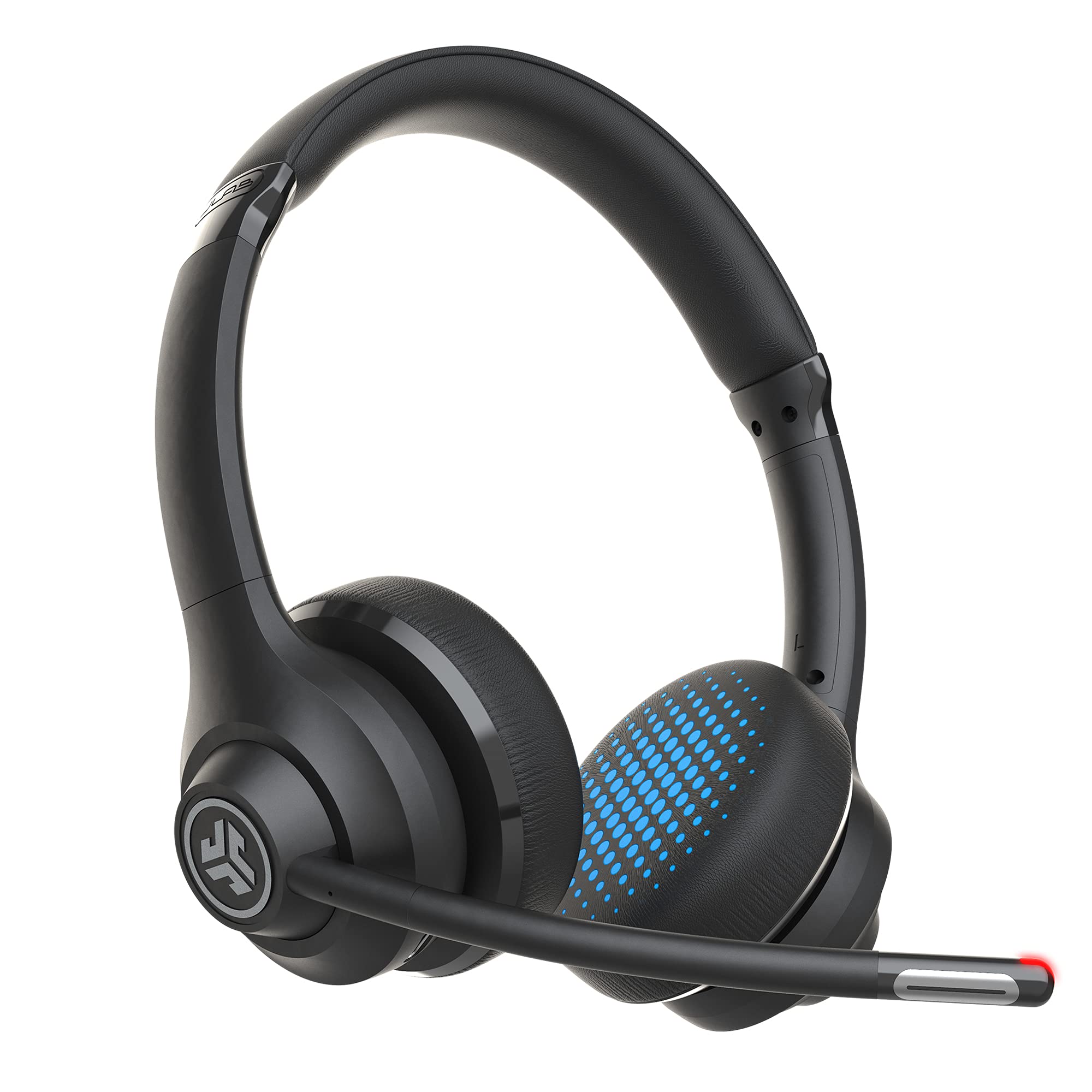
- Dual microphones and a rotating boom mic support calls.
- Bluetooth multipoint connects two devices simultaneously.
- 45-plus hours of playtime and a wired cable are included.
Best For: People who switch between laptop and phone calls and want a visible mute indicator.

SHOKZ OpenComm2 2025 Upgrade
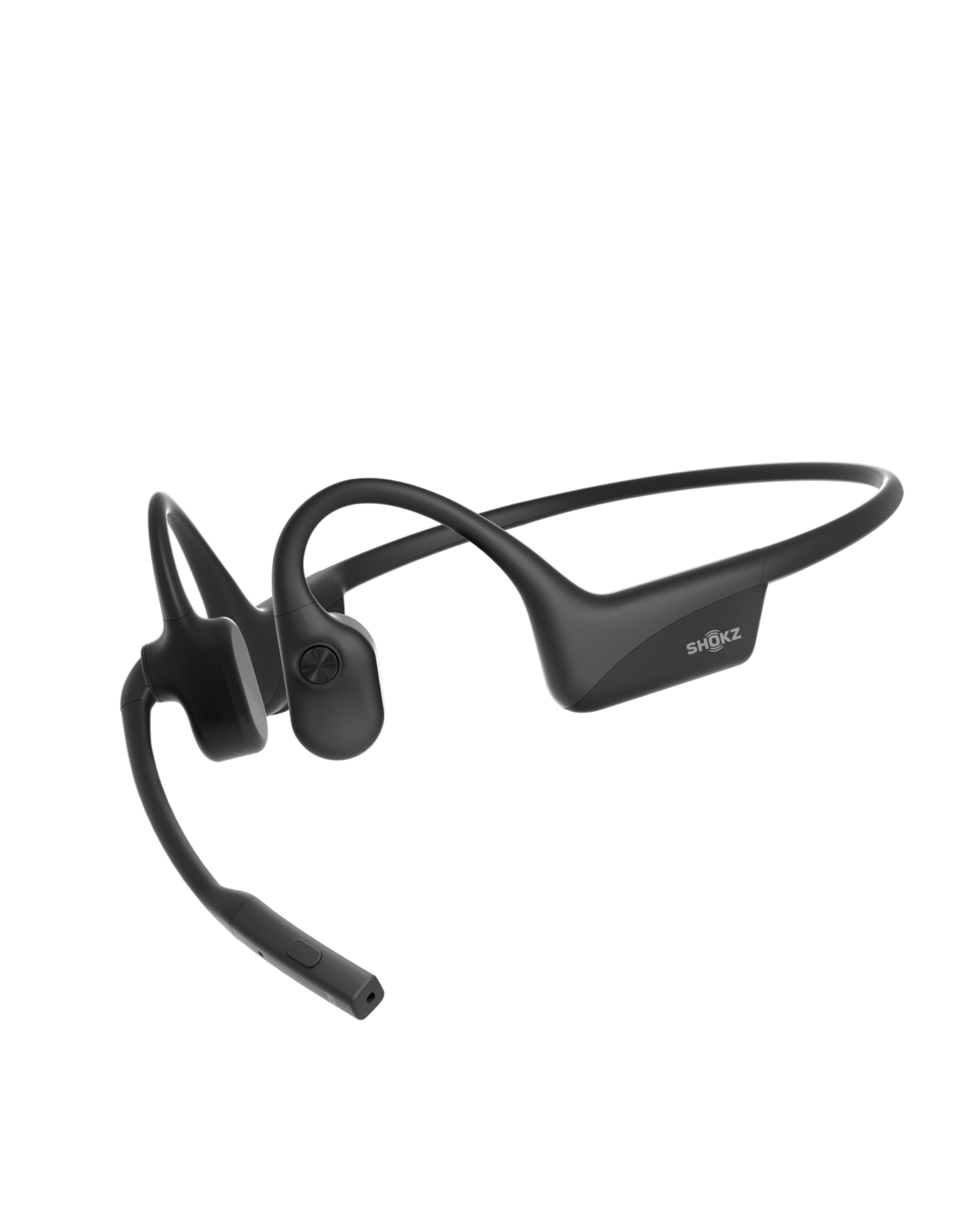
- Open-ear bone conduction design weighs 35 g.
- Noise-canceling microphone, DSP, and physical mute button support calls.
- Multipoint pairing connects two devices.
Best For: People who take frequent calls and want open-ear listening with a dedicated microphone.
JLab JBuds Lux ANC
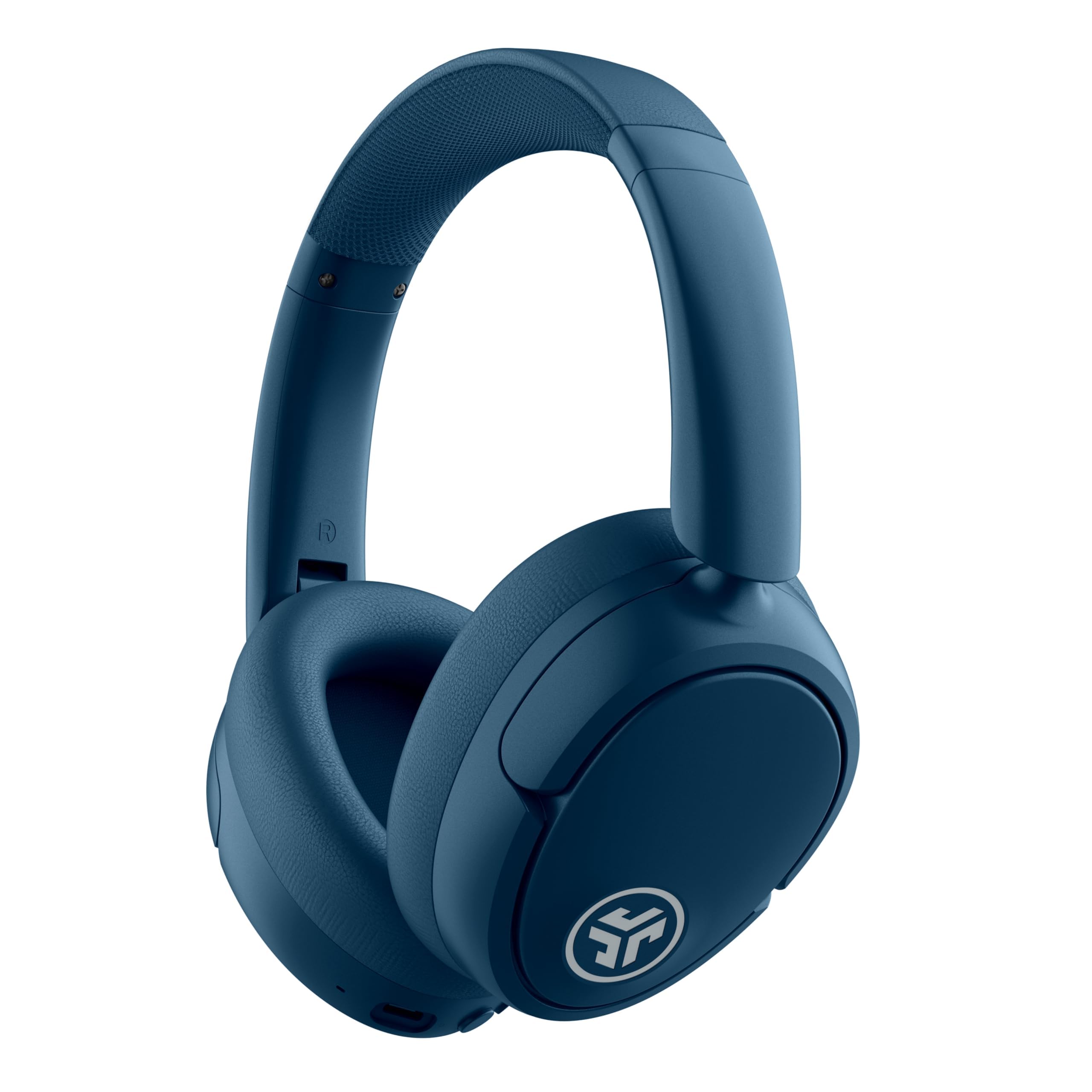
- Hybrid ANC and aware mode let you adjust how much of the room you hear.
- Multipoint connects two devices at the same time.
- App supports EQ, ANC levels, and control customization.
Best For: People who want over-ear noise reduction and long wireless listening between charges.
TREBLAB Z2 Wireless Over-Ear Headphones
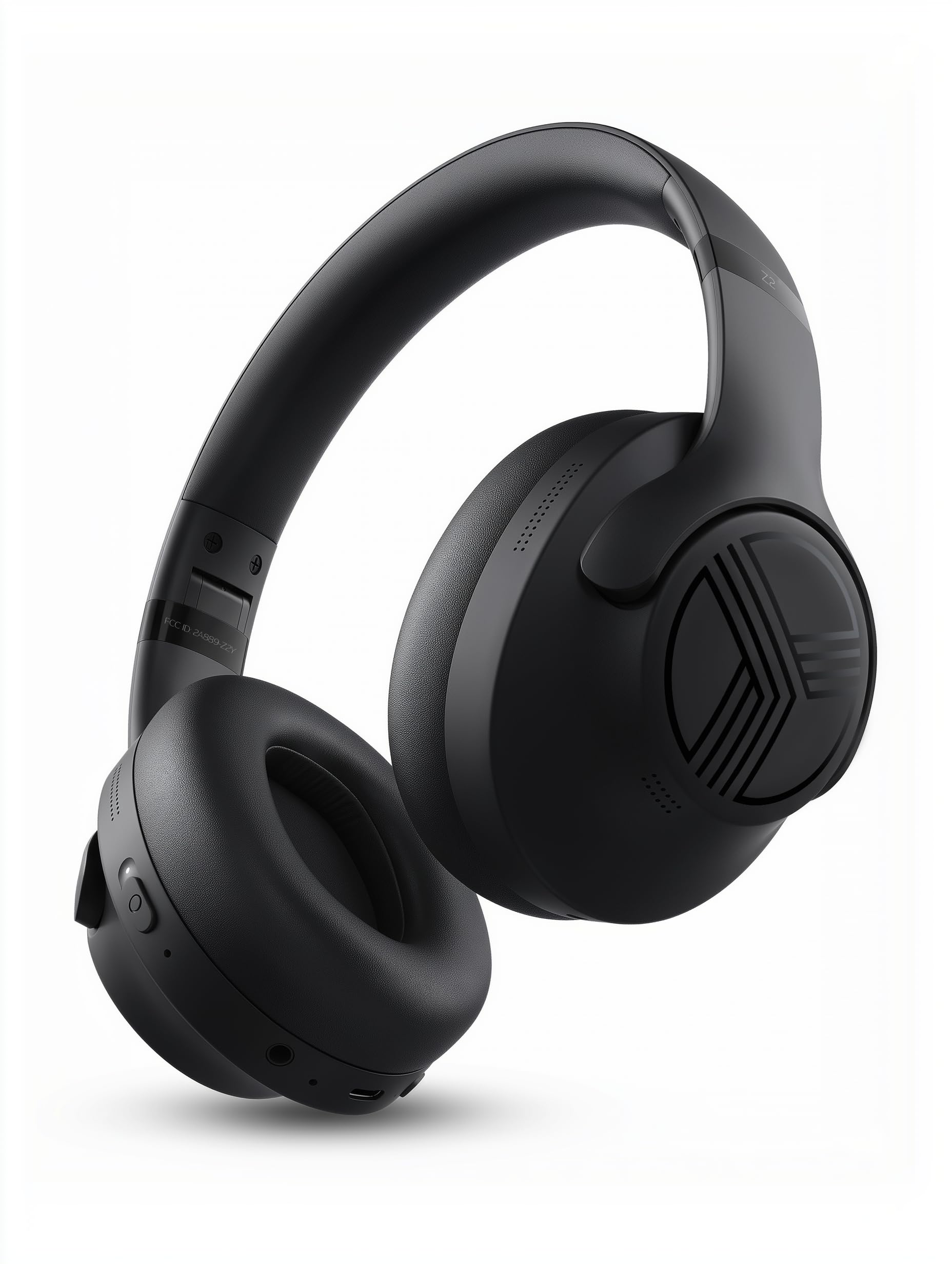
- Hybrid ANC and Bluetooth multipoint connect to two devices.
- Foldable design, carrying case, and 3.5 mm AUX support portability and wired use.
- Up to 58 hours of playtime and IPX4 sweat resistance.
Best For: People who want ANC, multipoint, and a cable option for office and commute use.
JLab Studio Pro Wireless Over-Ear Headphones
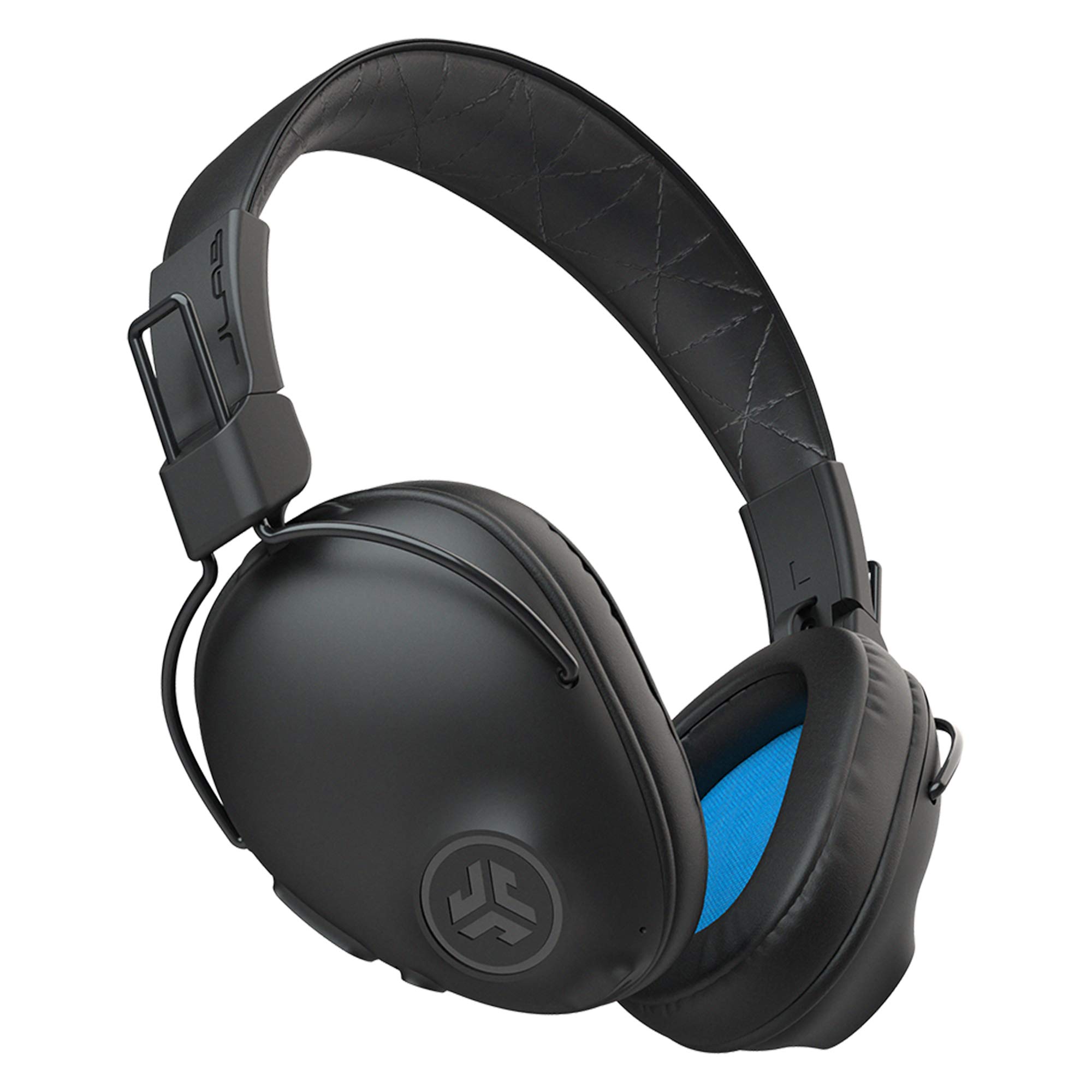
- More than 50 hours of wireless listening and USB-C charging.
- Over-ear Cloud Foam cushions and a foldable design.
- On-device EQ modes and built-in microphone.
Best For: People who prefer over-ear cushions and long battery life for work and commuting.
SHOKZ OpenFit 2
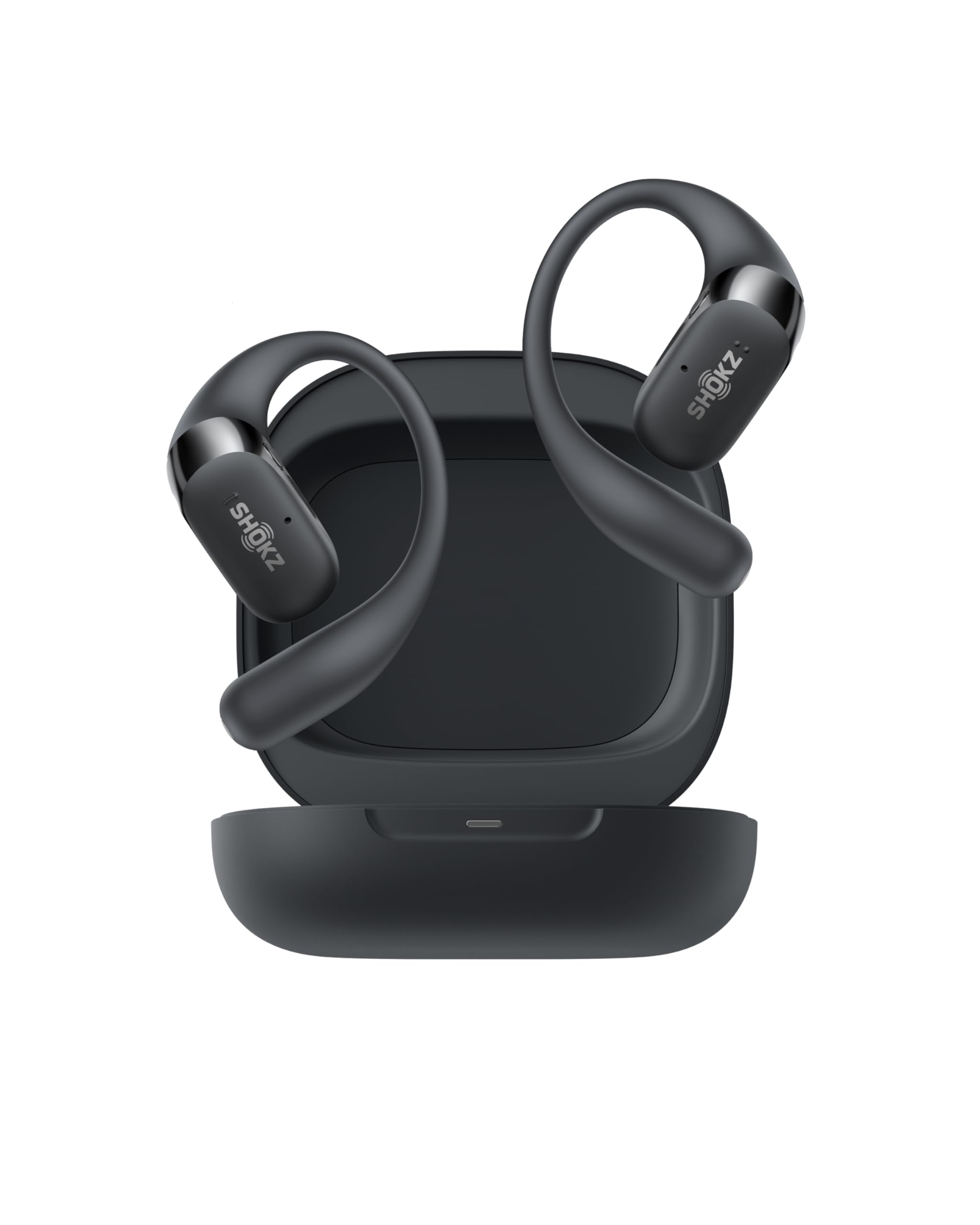
- Open-ear earhooks weigh 9.4 g each and have IP55 water resistance.
- Dual noise-canceling microphones and physical buttons support calls and control.
- Up to 11 hours per charge and 48 hours with the case.
Best For: People who want open-ear comfort, physical controls, and long combined battery life.
SHOKZ OpenFit Air
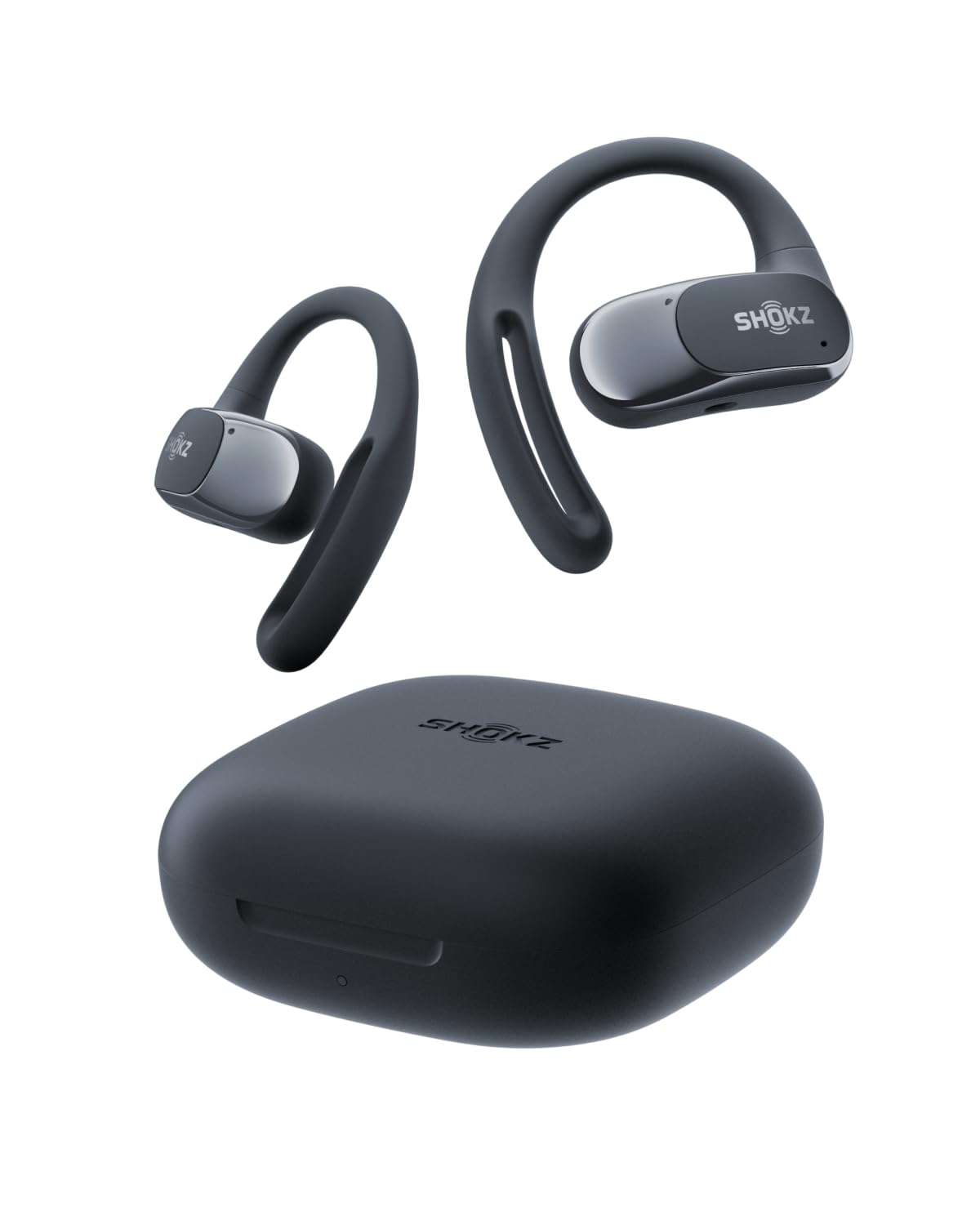
- Open-ear earhooks weigh 0.3 oz each.
- Four microphones, multipoint pairing, and IP54 water resistance.
- Up to 28 hours with the charging case and quick charging.
Best For: People who want open-ear earbuds with multipoint pairing and a compact charging case.
JLab Flex Open Ear Earbuds
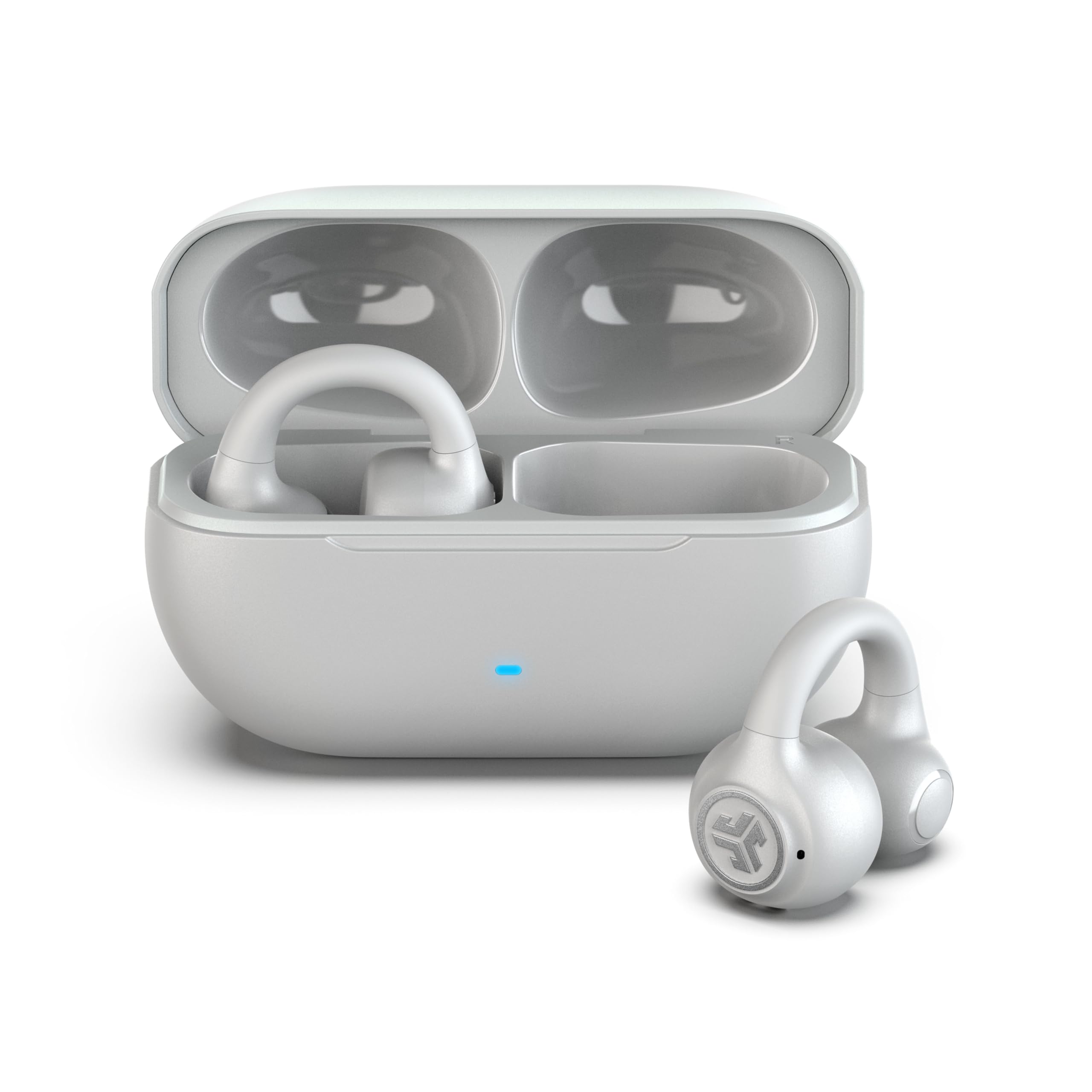
- Clip-on cuff design with no ear tips.
- Bluetooth multipoint, Fast Pair, and a call microphone.
- More than 21 total hours with the case and IPX4 resistance.
Best For: People who want a lightweight, clip-on fit and awareness of their surroundings.
Call Controls for Meeting-Heavy Days
JLab Go Work Wireless Headsets with Microphone, 45+ Playtime PC Bluetooth Headset and Multipoint Connect to Laptop Computer and Mobile, Wired or Wireless Headphones (1 Pack)
The JLab Go Work is built around work calls, with dual microphones for voice pickup and environmental sound handling, a rotating boom mic, and an LED that indicates when mute is on. Bluetooth multipoint connects two devices at once, while the included USB-C to 3.5 mm cable offers a wired option.
Its 45-plus hours of playtime suits a busy week without frequent charging. Cloud Foam earcups and on-headset controls round out the work-focused setup.
Choose it if meeting controls matter more than noise cancellation; the supplied features do not include ANC.
Best For: People who switch between laptop and phone calls and want a visible mute indicator.
| Pros | Cons |
|---|---|
|
|
Choose the Go Work when calls, mute access, and switching between a computer and phone are central to your day. Its boom mic and mute indicator make call status easy to manage, while the cable provides a fallback when you want a wired connection.
The tradeoff is its on-ear fit and lack of specified ANC. Check that your devices support Bluetooth or have the right connection for the included cable.
Open-Ear Headset for Laptop Calls
OpenComm2 2025 Upgrade - Open-Ear Bone Conduction Headphones, Wireless Bluetooth Headset with Noise Canceling Mic & Mute Button for Work Calls and Meetings, 16 Hour Talk Time for Mobile & PC - C120
The SHOKZ OpenComm2 pairs an open-ear bone-conduction design with a noise-canceling microphone and DSP for work calls. Its 35 g flexible frame leaves the ear canals unobstructed, while physical buttons control volume, playback, and call muting.
Bluetooth multipoint connects two devices so you can move between a computer and phone. Battery life is listed as up to 16 hours of talk time or 8 hours of listening, with a five-minute quick charge providing up to two hours of talk time.
This headset fits call-heavy work where awareness of nearby sounds matters; it does not provide the enclosed sound of over-ear headphones.
Best For: People who take frequent calls and want open-ear listening with a dedicated microphone.
| Pros | Cons |
|---|---|
|
|
Pick the OpenComm2 if you want a dedicated headset for frequent calls and need to remain aware of your surroundings. The boom-style microphone, mute button, and multipoint connection are especially useful when work moves between a laptop and phone.
Its battery figures distinguish call time from general listening time, so compare them with your actual schedule. If you need a more enclosed listening experience for focus, consider an over-ear ANC option instead.
Long Battery Life with Adjustable ANC
JLab JBuds Lux ANC, Over Ear Headphones, Active Noise Cancelling, Bluetooth, Limited Edition Navy
The JLab JBuds Lux ANC combines over-ear Cloud Foam cushioning with hybrid active noise cancellation and an aware mode that lets in surrounding sound. It supports multipoint pairing with two devices, making it useful for a laptop and phone setup.
The product details give up to 70-plus hours of total playtime and 40-plus hours with ANC on, though actual use will depend on settings. Its app offers EQ and ANC adjustments, remappable touch controls, and safe-hearing limits.
Consider it for desk sessions where you want an enclosed fit and configurable noise reduction. No water-resistance rating is specified, so it is better suited to indoor work than wet or sweaty conditions.
Best For: People who want over-ear noise reduction and long wireless listening between charges.
| Pros | Cons |
|---|---|
|
|
Choose the JBuds Lux ANC if you want an over-ear work headphone with adjustable noise reduction and lengthy stated battery life. The aware mode is useful when you want to hear a colleague or notification without removing the headphones.
Multipoint can simplify a laptop-and-phone routine. Before buying, check how its touch controls and app settings fit your workflow, and consider whether your workspace requires a headset with a dedicated boom microphone.
Foldable ANC Headphones with Wired Backup
TREBLAB Z2 Wireless Over Ear Headphones Bluetooth, Hybrid ANC, 58H | IPX4 Sweatproof, Foldable with Case, Multipoint BT 5.3, Gaming Mode 65ms, 40mm Driver, 2-3H Charge Time
The TREBLAB Z2 offers hybrid ANC, Bluetooth 5.3 multipoint, and a 3.5 mm AUX connection for a wired fallback. Its over-ear cushions and foldable design make it easy to carry between home, office, and commute, while physical buttons handle volume, ANC, playback, and voice-assistant access.
The stated 58-hour battery life and 2–3-hour USB-C charge time are useful details for planning between charges. IPX4 sweat resistance adds flexibility for active use.
The product information does not specify a boom mic, so call-focused buyers should check whether its built-in call setup meets their needs.
Best For: People who want ANC, multipoint, and a cable option for office and commute use.
| Pros | Cons |
|---|---|
|
|
The Z2 suits a workday that moves between office listening, calls, and commuting. ANC can help reduce distractions, multipoint supports two connected devices, and the AUX input gives you a wired option.
Its foldable form and case are useful if you carry headphones in a bag. If your work depends on clear, frequent calls, verify that the microphone arrangement is suitable; the supplied details do not identify a boom mic.
Over-Ear Comfort with 50-Hour Battery
JLab, Studio Pro, Wireless Over Ear Headphones, Bluetooth 5, EQ3 Sound, Foldable, Black
The JLab Studio Pro gives you an over-ear fit with Cloud Foam cushions, a foldable design, and Bluetooth 5 connectivity for phones, tablets, and PCs. Its battery life is listed at more than 50 hours, and USB-C charging keeps the setup simple.
Three EQ modes—Signature, Balanced, and Bass Boost—are available directly on the earcup. A built-in microphone supports calls without removing the headphones.
These features make it a straightforward choice for long listening sessions and commuting. ANC and multipoint are not specified, so it is best viewed as a comfort-and-battery option rather than a dedicated noise-control or multi-device headset.
Best For: People who prefer over-ear cushions and long battery life for work and commuting.
| Pros | Cons |
|---|---|
|
|
The Studio Pro is a good match if you value over-ear cushioning and long time between charges more than advanced call controls. Its built-in mic covers basic calls, and the EQ buttons make sound adjustments easy.
Compare it with the ANC models if your workplace has steady background noise, or with multipoint options if you regularly switch from computer audio to phone calls. Confirm the over-ear fit works for you before committing to long sessions.
Open-Ear Earhooks for Long Days
SHOKZ OpenFit 2 Open-Ear Headphones,True Wireless Bluetooth Earphones with Microphone,Earhook Earbuds with 48 Hours of Playtime,Fast Charging,IP55 Water-Resistant,with Carrying Bag,Black,Bluetooth5.4
The SHOKZ OpenFit 2 uses lightweight earhooks and an open-ear air-conduction design, keeping the ear canals unobstructed while leaving you aware of your surroundings. Dual noise-canceling microphones handle calls, and physical buttons control volume, tracks, and device switching.
It can connect to two paired devices, while the Shokz App offers EQ and control customization. Battery life is listed at up to 11 hours per charge and 48 hours with the case; IP55 water resistance adds flexibility for active days.
Consider it for work that alternates between calls and general listening. Its open-ear design will not provide the same isolation as over-ear ANC headphones.
Best For: People who want open-ear comfort, physical controls, and long combined battery life.
| Pros | Cons |
|---|---|
|
|
Pick the OpenFit 2 if you want to take calls while staying aware of people and activity around you. The earhook style avoids placing tips in the ear canal, and its physical controls can be useful during a busy workday.
Multipoint and the long combined battery figure help with phone-and-laptop routines. If concentration depends on reducing office noise, an ANC over-ear model will be a better fit.
Compact Open-Ear Pairing for Two Devices
SHOKZ OpenFit Air - Open-Ear Headphones, True Wireless Earbuds, Water Resistant, Secure Earhooks for Daily Use, Black
The SHOKZ OpenFit Air uses open-ear earhooks that weigh 0.3 oz each, leaving the ear canal open while holding the earbuds in place. Four microphones, multipoint pairing, and IP54 water resistance support calls and everyday wear.
Battery life is listed at up to six hours per charge and 28 hours with the case, with a ten-minute quick charge providing up to two hours of listening. The Shokz App adds EQ modes, customizable buttons, and battery information.
This is a compact option for work that mixes audio with awareness of the room. Its single-charge runtime is shorter than some alternatives here, so consider your charging routine.
Best For: People who want open-ear earbuds with multipoint pairing and a compact charging case.
| Pros | Cons |
|---|---|
|
|
The OpenFit Air fits people who prefer small open-ear earbuds to a headband and need multipoint connectivity for a phone and computer. Its microphones and app controls make it more work-ready than a basic listening-only earbud.
The tradeoff is its six-hour per-charge figure, so check whether that covers your longest stretch away from the case. For quiet focus in a noisy office, an ANC over-ear pair may serve better.
Clip-On Design for Open-Ear Listening
JLab, Flex, Open Ear Earbuds, Clip On Wireless Bluetooth Earbuds, Open Ear Headphones, Cloud White
The JLab Flex uses a clip-on cuff that wraps around the outer ear without ear tips or pressure inside the canal. Its 12 mm speakers sit outside the ear canal, and the open-ear design lets you stay aware of nearby activity.
Bluetooth 5.3 multipoint connects two devices, while the MEMS noise-canceling microphone supports calls. The stated battery life is more than seven hours per earbud and more than 21 hours with the case.
IPX4 resistance covers sweat and light rain. App EQ and control customization add flexibility.
This design works for open, conversational workplaces, but it does not provide the isolation of closed-back headphones.
Best For: People who want a lightweight, clip-on fit and awareness of their surroundings.
| Pros | Cons |
|---|---|
|
|
Choose the Flex if you want an earbud-style option that leaves your ear canal open and clips around the outer ear. Multipoint makes it practical for switching between computer and phone audio, and the microphone supports calls.
Its short per-charge runtime is offset by the case, so plan around charging during a full workday. If you need focus in a noisy space, compare it with an ANC model.
How to Choose Headphones For Work
How We Picked Headphones for Work
We prioritized features that change the workday: call microphones and mute controls, multipoint device switching, useful battery life, and fit for long listening sessions. That leads to several kinds of picks: a boom-mic headset for meetings, ANC over-ear headphones for noisy focus time, and open-ear options for people who need to remain aware of coworkers or surroundings.
We also considered practical details such as wired fallback, physical controls, foldability, and water resistance. A general music headphone can still suit work, but dedicated call controls or easy switching make a meaningful difference when meetings and audio share the same devices.
Comparing Headphones for Work
The JLab Go Work and SHOKZ OpenComm2 are the most call-centered choices here. Go Work adds a boom mic, mute indicator, and wired cable; OpenComm2 keeps the ears open and pairs with two devices.
For focus, the JBuds Lux ANC and TREBLAB Z2 add active noise cancellation, while the JLab Studio Pro offers over-ear comfort and long battery life without specified ANC.
The open-ear earbuds differ in fit and battery. OpenFit 2 uses earhooks and has the longest listed combined case runtime among the selected open-ear options.
OpenFit Air is smaller in format, while JLab Flex clips around the outer ear and supports multipoint. Open-ear designs preserve awareness but let more of the room remain audible.
| Product | Standout features | Best for |
|---|---|---|
| JLab Go Work Wireless HeadsetCheck Price |
| People who switch between laptop and phone calls and want a visible mute indicator. |
| SHOKZ OpenComm2 2025 UpgradeCheck Price |
| People who take frequent calls and want open-ear listening with a dedicated microphone. |
| JLab JBuds Lux ANCCheck Price |
| People who want over-ear noise reduction and long wireless listening between charges. |
| TREBLAB Z2 Wireless Over-Ear HeadphonesCheck Price |
| People who want ANC, multipoint, and a cable option for office and commute use. |
| JLab Studio Pro Wireless Over-Ear HeadphonesCheck Price |
| People who prefer over-ear cushions and long battery life for work and commuting. |
| SHOKZ OpenFit 2Check Price |
| People who want open-ear comfort, physical controls, and long combined battery life. |
| SHOKZ OpenFit AirCheck Price |
| People who want open-ear earbuds with multipoint pairing and a compact charging case. |
| JLab Flex Open Ear EarbudsCheck Price |
| People who want a lightweight, clip-on fit and awareness of their surroundings. |
Choosing Work Headphones for Calls and Device Switching
If calls dominate your schedule, look for a boom or call-focused microphone, a physical mute control, and a clear mute indicator. Go Work makes mute status visible, while OpenComm2 combines a dedicated microphone with a mute button.
For general use, check whether the microphone is built in and whether its controls can handle calls without reaching for the computer.
Multipoint is useful when a phone and laptop both need to stay connected. Go Work, OpenComm2, Z2, JBuds Lux ANC, OpenFit 2, OpenFit Air, and JLab Flex list two-device connectivity.
The JLab Studio and Studio Pro connect over Bluetooth, but multipoint is not specified in their supplied feature details.
Finding the Right Fit for Focus and Awareness
For a noisy office or shared workspace, ANC over-ear headphones can reduce distractions more than an open-ear design. The JBuds Lux ANC adds an aware mode, and the Z2 combines ANC with foldability and a wired AUX option.
Neither replaces the importance of checking whether you can still hear nearby conversations when needed.
Open-ear headphones suit work that includes frequent conversation or movement around others. SHOKZ OpenFit 2 and OpenFit Air use earhooks; JLab Flex uses a clip-on cuff.
Their designs keep the ear canal open, but do not expect the same isolation as closed-back headphones. Fit preference matters: an earhook or cuff may feel less intrusive than a headband, while an over-ear cushion covers more of the ear.
Battery and Connection Details for a Workday
Compare per-charge runtime with total runtime that includes a case. OpenFit 2 lists up to 11 hours per charge and 48 hours with its case; OpenFit Air lists up to six hours and 28 hours with its case.
JLab Flex lists more than seven hours per earbud and more than 21 hours with the case. Over-ear options avoid a separate earbud case, with stated runtimes ranging from more than 30 hours for JLab Studio to 58 hours for TREBLAB Z2.
A wired option can help when you want to avoid Bluetooth or keep listening after a connection issue. Go Work includes a USB-C to 3.5 mm cable, and TREBLAB Z2 has AUX support.
Check your computer's ports before buying. Also consider whether physical buttons or app controls fit your habits, especially for mute, volume, and switching devices.
Who Should Buy Which Headphones for Work?
Choose JLab Go Work for meeting controls and a visible mute indicator, or SHOKZ OpenComm2 for calls while keeping your ears open. Choose JBuds Lux ANC or TREBLAB Z2 when reducing background noise matters; pick the Lux for its app-adjustable ANC and the Z2 for its folding design and AUX connection.
For long listening with an over-ear fit, consider JLab Studio Pro. For open-ear awareness, compare SHOKZ OpenFit 2, OpenFit Air, and JLab Flex by fit style, per-charge runtime, and device switching.
The best match is the one whose microphone, isolation, and connection options fit the way your workday actually runs.